Key takeaways
- AI website lead capture means a chat agent on your site that answers a visitor's question, asks a few qualifying questions, collects contact details with a stated purpose and hands a qualified lead to a person or a calendar. The six mistakes below cost qualified leads or create legal exposure.
- In the EU, the Commission's FAQ says Article 50 of the AI Act applies from 2 August 2026 and that people must be told they are talking to an AI system from the start of the first interaction, unless this is obvious.
- In the UK, the ICO says a website cannot set non-essential cookies before the user has consented, and that a notice offering only a continue option is not valid consent. A chat widget that sets such cookies on page load fails that test.
- In California, a notice at collection must list the categories of personal information collected and the purposes at or before the point of collection. In Canada, CASL covers the follow-up email or text, not the chat window itself.
- Run a 30-day pilot with one rule written before it starts: the agent counts as a success only on qualified leads a person accepts, not on chats started or emails captured.
AI website lead capture in 2027 means a chat agent on your site that answers a visitor's question, asks two or three qualifying questions, collects contact details with a stated purpose and hands a qualified lead to a person or a calendar. Most of what goes wrong is not the model. It is six avoidable mistakes about consent, disclosure, notices, follow-up, handoff and measurement, which this post sets out market by market.
Read our AI sales platform guide first if the terms are new. This post is a cluster page under that guide. It sits next to our posts on AI lead qualification and AI appointment setters, and it adds what those posts leave out: what the agent must say and ask before it takes a visitor's details in the US, UK, Canada and EU.
What is AI website lead capture?
AI website lead capture is a chat agent that talks to anonymous visitors, finds out what they need, collects contact details and routes the lead. It replaces a static contact form with a conversation. Vendasta puts it as a chatbot that "replaces passive forms with real-time conversations that collect contact details, qualify prospects, and move them into your pipeline automatically."
The agent version differs from a scripted bot in one way. It can answer an unexpected question from your own content, decide which qualifying question comes next and stop when it should hand over. It still needs a person at four points: a first accepted lead, a refusal it cannot resolve, a request to delete data and any promise that carries a price or a date. See our AI agent vs chatbot post for the difference.
Who decides what in a chat lead agent workflow?
The agent talks and checks; a person accepts the lead and owns every promise. The table sets the split across ten steps. The approval points are BufferSol's starting proposal, not a rule from any regulator.
| Step | What the agent does | Tool it uses | Who approves | What gets logged |
|---|---|---|---|---|
| 1. Load | Shows the widget; sets nothing non-essential until consent where the law asks | Consent tool, ICO test | Nobody | Consent state |
| 2. Disclose | First message says it is an AI and why it asks for details | Message template, EU Article 50 | Compliance owner sets the text | Text version |
| 3. Answer | Answers from your approved pages | Retrieval over your content | Nobody | Question, source page |
| 4. Ask | Asks two or three qualifying questions | Language model | Nobody | Answers given |
| 5. Collect | Asks for contact details with the purpose stated | Chat form | Nobody | Fields, notice version |
| 6. Check | Rejects bots and obvious fakes | Turnstile-type check | Nobody | Result |
| 7. Route | Writes the lead to the CRM and posts to a team channel | CRM API, Slack webhook | Nobody | Lead ID, request key |
| 8. Book | Offers meeting slots | Calendar API | Rep owns the calendar | Slot, owner |
| 9. Hand off | Passes a qualified lead with the transcript | Team channel | Named rep accepts | Who, when |
| 10. Report | Daily list of leads, holds and refusals | Email or dashboard | Sales lead | Counts, ages |
- 01LoadDo not set non-essential cookies before consent.
- 02DiscloseSay it is an AI in the first message.
- 03NoticeState what you collect and why, at collection.
- 04Follow upTreat the email or text as its own consent question.
- 05Hand offGive the visitor a path to a person.
- 06MeasureCount qualified leads a person accepts.
BufferSol Technologies · buffersoltech.com
Which six mistakes does this post cover?
Six, each a numbered section below. They run in the order a visitor meets them, from the page load to the report. Each says what goes wrong, the page that supports the rule and the fix. The table is the short version.
| Mistake | What goes wrong | Supporting source | Fix |
|---|---|---|---|
| 1. Load before consent | Widget sets non-essential cookies on page load | ICO cookies page, PECR reg. 6 | Defer or gate the widget |
| 2. Hide the AI | Visitor thinks they talk to a person | Commission FAQ | Say so in message one |
| 3. No notice | Details taken with no stated purpose | California AG, GDPR Art. 13 | Notice at collection |
| 4. Chat equals consent | Chat lead emailed or texted without consent | CASL | Ask and record consent |
| 5. Dead end | Visitor cannot reach a person | HubSpot, Wonderchat | Handoff and review queue |
| 6. Count chats | Success measured by volume | BufferSol estimate | Cost per qualified lead |
1. Loading the chat widget before the visitor has consented
The first mistake happens before the visitor types a word. Many chat widgets set cookies or similar identifiers as soon as the page loads. In the UK, the ICO says "Similarly, you cannot set non-essential cookies on your website's homepage before the user has consented to them."
The same page says "To be valid, consent must be freely given, specific and informed" and that it "must involve some form of unambiguous positive action – for example, ticking a box or clicking a link". It also draws the line on what counts as essential: "cookies that are helpful or convenient but not essential, or that are only essential for your own purposes, will still require consent." A widget that remembers a returning visitor for your own analytics is not essential in that sense.
The ICO's April 2026 news item says its final guidance covers "cookies, tracking pixels, device fingerprinting and similar technologies" and incorporates "changes introduced by the Data (Use and Access) Act". The legislation page for regulation 6 shows it was substituted on 5 February 2026 and is "Subject to Schedule A1", which we did not open, so we make no claim about the exceptions. The fix is cheap: load the widget as a bare button, and start the chat session and any identifiers only when the visitor opens it and, where the rule applies, agrees. Choose this fix first when your traffic includes UK visitors. Limit: we read ICO guidance, not your cookie banner tool, so test the real page.
2. Hiding that the visitor is talking to an AI
The second mistake is an opening line that reads as a person: a name, a photo and "How can I help?" In the EU, the Commission's Article 50 FAQ says "Article 50 of the AI Act applies as from 2 August 2026". It says providers of AI systems that interact directly with people must design them so the people "are informed that they are interacting with an AI system, unless this is obvious", and that people "must be notified when they are interacting with an AI system from the start of the first interaction in a clear and distinguishable manner".
The FAQ adds a test for what is obvious: "a provider will have to identify an average person, who is reasonably well-informed, circumspect, and observant." It says "Compliance with the rules will mainly be enforced by national competent market surveillance authorities." One answer in the FAQ lists "chatbots, AI agents, and avatars" together, and a practical guide says that for a chatbot the notice must come "before or at the very beginning of the conversation". We quote the Commission FAQ and treat the guide as commentary.
We found no equivalent rule in the UK, Canadian or US pages we opened, so we do not claim one. BufferSol's view is simple: say it in message one in every market. A line such as "I'm an AI assistant for this company" costs nothing and removes the argument about what is obvious. Choose it always. The limit is that Article 50 duties fall on the provider of the system, so who is the provider depends on how you build or buy it, and your counsel decides.
3. Taking contact details without a notice that says why
The third mistake is the moment the agent asks "What's your email?" with no reason given. In California, the Attorney General's CCPA page says "A notice at collection must list the categories of personal information businesses collect about consumers and the purposes for which they use the categories of information." It adds "This notice must be provided at or before the point at which the business collects your personal information."
In the EU and UK, Article 13 of the GDPR says that "at the time when personal data are obtained", the controller must give the person a list of information. In Canada, the PIPEDA text allows collection "only for purposes that a reasonable person would consider are appropriate in the circumstances", and the Privacy Commissioner's principles page says "The purposes for which the personal information is being collected must be identified by the organization before or at the time of collection." Four regimes, one habit.
The habit is a one-line purpose in the chat, with a link to the notice, before the agent asks for a detail: "I'll use your email to send the quote you asked for; our privacy notice is here." Hyperleap's guide reaches a similar practice and notes that "Data-protection laws such as GDPR in Europe and the CCPA in California can apply to the details you collect". It names them without a link. A sourced rule is easier to defend, so write the notice version into the log with each lead. Choose this always. The limit is that we have not read your notice, so a lawyer checks the wording.
4. Treating a chat lead as consent for follow-up email and text
The fourth mistake mixes two events. The chat is one. The follow-up email or text is another, and different rules can apply. In Canada, section 6(1) of Canada's Anti-Spam Legislation says "It is prohibited to send or cause or permit to be sent to an electronic address a commercial electronic message unless (a) the person to whom the message is sent has consented to receiving it, whether the consent is express or implied".
The Act adds that "An electronic message that contains a request for consent to send a message described in subsection (2) is also considered to be a commercial electronic message." So a chat window on a page is not itself the message the section describes, but an email asking for consent can be. ISED's CASL page describes the law as focused on "commercial electronic messages", and says they include unsolicited email and text messages.
So the agent asks, in the chat, whether the visitor wants the follow-up by email or text, records the answer with the time and the wording, and sends only what was agreed. Do not copy a "yes" from a checked-by-default box. We did not read the US, UK or EU rules on marketing email and text, so we make no claim about them here, and for US calls and texts see our TCPA and AI calls guide. Choose this always for Canada. The limit: whether consent is implied in a given case is a legal question, and the agent should default to asking.
5. Sending visitors into a dead end
The fifth mistake is a bot with no way out. It answers confidently, cannot answer the next question and loops. Pipedrive's guide concedes that "One caveat of AI sales chatbots is that they can make mistakes." HubSpot's page describes the better pattern: configure a chatbot to handle common questions, then "it can hand the conversation over to a live agent once qualified."
A vendor guide shows the other half. Wonderchat's page says "Every question it couldn't answer, flagged for human review." That is a review queue, and it is the part that makes the agent improve. The design has three rules. The agent answers only from approved content and says "I don't know" when it has none. It offers a person after a set number of failed answers or on a request. And it never promises a price, a date or a legal outcome.
The handoff carries the transcript, the lead's answers, the notice version and the consent state, so the rep does not ask again. Our support escalation design post sets out an 11-field handoff packet you can adapt. Choose a visible "talk to a person" button always. The limit is staffing: a handoff to nobody is still a dead end, so decide who answers and when before launch.
6. Counting chats instead of qualified leads
The sixth mistake is a dashboard that celebrates volume. Chats started, emails captured and messages sent are all easy to count and none pays a bill. Social Intents describes a chat widget that "routes hot leads to your team in Microsoft Teams, Slack, or Google Chat". The measure that matters is what the team does next: how many of those hot leads a rep accepts, books and later calls qualified.
Set one rule before the pilot: a lead counts only when a named person accepts it as qualified under criteria you wrote down. Report two numbers, the accepted count and the cost per accepted lead. The worked example below shows the arithmetic with invented inputs, labelled as a BufferSol estimate. A second measure is the refusal rate: how often the agent said "I don't know" and what the review queue taught you.
Choose this measure always, and revisit your qualifying criteria monthly. The limit is attribution: a lead may talk to the agent first and convert weeks later, so match by email in the CRM and treat conversions as slow data. We found no verified benchmark for chat-to-qualified rates that we could cite, so the numbers in this post are inputs, not claims.
What changes in 2027 for AI website lead capture?
Three dated changes shape the design, followed by one BufferSol view. The European Commission says Article 50 of the AI Act applies from 2 August 2026, so EU-facing chat agents are already inside the rule. The ICO published its final storage and access technologies guidance on 29 April 2026. And the California Attorney General's CCPA page was updated on 28 August 2026, with the notice at collection still at its centre.
BufferSol view: through 2027 the useful question shifts from "may we run a chat agent" to "can we prove what it said and what the visitor agreed to". Plan the budget for the log and the review queue, because those are where a pilot earns trust. Pilot in Q1 2027 on one page group and one market, then widen. This is a view, not a forecast.
What applies in the US, UK, Canada and the EU?
Each market adds a different duty at a different moment. The table lists what the pages we read say, as of November 2026, and what each means for the agent's first minute. It is a map for building the agent, not legal advice.
| Market | What the page says | What it means for the agent | Source |
|---|---|---|---|
| US (California) | A notice at collection lists categories and purposes, "at or before the point" of collection | Show the notice in or beside the first message | California AG |
| US (California) | The regulator is exploring changes to notices and disclosures | Re-check the wording before each quarter | CPPA regulations page |
| UK | Non-essential cookies cannot be set on the homepage before consent; "continue" is not valid consent | Defer the widget's identifiers until consent | ICO cookies, ICO PECR guidance |
| UK and EU | At the time personal data are obtained, give the person the Article 13 information | State purpose, controller and rights in the notice | GDPR Art. 13 |
| EU | People must be told they interact with an AI system from the start, unless obvious | Say so in message one | Commission FAQ |
| Canada | Collection only for purposes a reasonable person would consider appropriate | State the purpose before asking | PIPEDA, OPC principles |
| Canada | A commercial electronic message needs consent, express or implied | Ask for consent to follow up by email or text | CASL |
Currency is a non-issue in this topic, since none of the rules above is priced. The cost example further down is in US dollars, with British pound and euro readers asked to substitute their own rates.
What should the first message say in each market?
It should say five things in two or three sentences: that it is an AI assistant, who runs it, what it will ask for and why, where the notice is, and how to reach a person. The scripts below are BufferSol's own wording, not a regulator's text, and a lawyer should check them before launch.
| Market | Draft first message (BufferSol wording) | Rule it is built on |
|---|---|---|
| EU | "I'm an AI assistant for this company. I can answer questions and, if you like, take your details so a person can follow up. Notice: link. Talk to a person any time." | Article 50, Art. 13 |
| UK | Same text, with the cookie choice shown before the chat opens | ICO cookies, Art. 13 |
| Canada | Same text, plus "May we email you the answer?" before an address is requested | CASL, OPC |
| US (California) | Same text, with the categories and purposes in the notice link | California AG |
| All markets | Never "Hi, I'm Sam" with a human photo | Commission FAQ |
How does the chat differ from the follow-up email or text?
They are two events with two consent questions. The chat is a conversation on your page. The follow-up is a message to an electronic address, which in Canada falls under CASL section 6(1). The table separates them, because most guides treat them as one and most mistakes come from that.
| Question | In the chat window | In the follow-up email or text |
|---|---|---|
| What is it? | A conversation on your page | A message sent to an address |
| Main duty in Canada | Purpose before collection, OPC principles | Consent, express or implied, CASL |
| Main duty in the UK | Cookie consent where identifiers are set, ICO | Not covered by the pages we read |
| Main duty in the EU | Say it is an AI, Commission FAQ | Not covered by the pages we read |
| What the agent records | Notice version, first message version | Consent wording, time and channel |
What does a worked cost per qualified lead look like?
Take an invented company: 600 chats a month, 30% of which leave contact details (180 contacts), and 40% of those contacts meet your criteria (72 qualified leads). Assume the agent costs $1,500 a month to run (tooling, hosting and model use) and a rep spends 15 hours a month on the review queue at $45 an hour ($675). The total is $2,175 a month. This is a BufferSol estimate with invented inputs; use your own.
| Line | Input (BufferSol estimate) | Result |
|---|---|---|
| Chats per month | 600 | 600 |
| Share leaving contact details | 30% | 180 contacts |
| Share of contacts that qualify | 40% | 72 qualified leads |
| Agent run cost | $1,500 a month | $1,500 |
| Review time | 15 hours at $45 | $675 |
| Total monthly cost | $1,500 plus $675 | $2,175 |
| Cost per contact | $2,175 divided by 180 | $12.08 |
| Cost per qualified lead | $2,175 divided by 72 | $30.21 |
Two numbers tell different stories. Cost per contact looks cheap, and cost per qualified lead is the one that compares to a rep's time or an ad spend. The arithmetic was checked by script before publishing.
What happens to the cost if the rates change?
The qualified rate moves the cost most. The table holds the run cost at $2,175 and changes one input at a time. All rows are BufferSol estimates on invented inputs, which is the point: they show which assumption to measure first in your own pilot.
| Scenario (BufferSol estimate) | Chats | Contact rate | Qualified rate | Qualified leads | Cost per qualified lead |
|---|---|---|---|---|---|
| Base | 600 | 30% | 40% | 72 | $30.21 |
| Weaker qualification | 600 | 30% | 25% | 45 | $48.33 |
| Stronger qualification | 600 | 30% | 60% | 108 | $20.14 |
| Consent gate removes 100 chats | 500 | 30% | 40% | 60 | $36.25 |
A consent gate costs volume and buys defensibility. Whether the trade is right depends on your markets, and the pilot is how you find out.
What do the top results say, and what do they leave out?
The pages that rank are vendor guides and product pages, and they agree on the job: engage visitors, ask qualifying questions, collect details and route the lead. We read five. Hyperleap gives scripts and a consent section, Vendasta describes replacing forms, Social Intents stresses routing to team chat, Wonderchat offers a review queue and Pipedrive covers sales fears.
What they leave out is the regulator. None of the five cites the ICO, the European Commission, the California Attorney General or Justice Laws Canada on what a chat agent must say or ask. None says what the first message should contain in each market. None separates the chat from the follow-up email or text. None gives a worked cost per qualified lead with its assumptions shown. This post fills those four gaps. See our AI lead generation guide for the wider funnel.
What do the vendor pages we read claim?
The table lists the claims, the page that makes them and how we treat each. We did not test any product, so every row is a vendor's description of itself, and rows we could not read are listed in the closing line.
| Vendor | Claim, in its own words | Page | How we treat it |
|---|---|---|---|
| HubSpot | Chatbots "help you qualify leads, book meetings, provide answers to common customer support questions" | HubSpot builder page | A feature description, untested |
| Vendasta | A bot "replaces passive forms with real-time conversations" | Vendasta guide | A definition, untested |
| Social Intents | A widget "routes hot leads to your team" in team chat | Social Intents page | A feature description, untested |
| Wonderchat | Unanswered questions are "flagged for human review" | Wonderchat page | A feature description, untested |
| Pipedrive | "they can make mistakes" | Pipedrive guide | A caveat we share |
| Intercom | "the only helpdesk with a natively integrated AI Agent, Fin" | Intercom help centre | A marketing claim, not used further |
Do I need cookie consent before a chat widget loads?
If the widget sets non-essential cookies or similar identifiers, yes in the UK. The ICO says "you cannot set non-essential cookies on your website's homepage before the user has consented to them". Test the real page with a cookie inspector before launch. If the widget sets nothing until it opens, the question may not arise, but the ICO guidance, not a vendor, decides what is essential. See also our AI SDR guide on tooling.
What counts as valid consent for a chat widget?
A clear, informed, positive action. The ICO page says "To be valid, consent must be freely given, specific and informed" and that it "must involve some form of unambiguous positive action – for example, ticking a box or clicking a link". A banner the visitor must dismiss to continue, with no real choice, is not enough. Record what was shown and what the visitor did.
Is a "continue" banner valid consent?
No, according to the ICO. Its PECR guidance says a mechanism offering only continue "does not represent valid consent, even if the mechanism also includes an 'OK' or 'Accept' button" and that it is "only providing the user with an option to 'continue' rather than a genuine free choice about whether they want to accept or reject." The chat widget's own banner must offer a real choice.
What does the ICO's April 2026 guidance cover?
Storage and access technologies. The ICO news item dated 29 April 2026 says the guidance "covers how the Privacy and Electronic Communications Regulations (PECR) (and where relevant, the UK GDPR) apply to cookies, tracking pixels, device fingerprinting and similar technologies". It incorporates updates from two consultations and from the Data (Use and Access) Act. A chat widget that fingerprints a device would fall inside it.
What does PECR regulation 6 say?
That a person must not store or access information on a user's device, subject to exceptions. The legislation page gives regulation 6(1) as "a person must not store information, or gain access to information stored, in the terminal equipment of a subscriber or user", and says it applies "Subject to Schedule A1". It also shows the regulation was substituted on 5 February 2026. We did not open Schedule A1.
What counts as essential for a chat widget?
Only what is needed to deliver the visitor's own request. The ICO says "it must be essential to fulfil their request – cookies that are helpful or convenient but not essential, or that are only essential for your own purposes, will still require consent." A session that answers the visitor after they open the chat may qualify; analytics on the chat may not. The ICO decides, not the widget vendor.
When did Article 50 start to apply?
On 2 August 2026, according to the Commission. Its FAQ, last updated on 24 July 2026, says "Article 50 of the AI Act applies as from 2 August 2026." So a chat agent shown to people in the EU is already inside the rule. One secondary source mentioned a later date for a marking grace period; we did not open it and make no claim about it.
Does the AI Act require a chatbot to say it is an AI?
Mostly yes. The Commission FAQ says providers of AI systems that interact directly with people must design them so "the individuals concerned are informed that they are interacting with an AI system, unless this is obvious." Who counts as the provider depends on how the system is built or bought. Treat the first-message disclosure as the default and ask counsel about edge cases.
When is it obvious that a visitor is talking to an AI?
The Commission gives a test, not a list. Its FAQ says "a provider will have to identify an average person, who is reasonably well-informed, circumspect, and observant" and asks whether that person would find it obvious. A human name and photo make it less obvious. A fluent reply on a business site does not make it obvious either. The safe route is to say so.
Who enforces Article 50?
National authorities. The Commission FAQ says "Compliance with the rules will mainly be enforced by national competent market surveillance authorities." That means the practical contact point is a member state authority, not Brussels. We did not read any enforcement action or penalty figure for Article 50, so we state none. Keep the first-message text and its version in the log.
Does Article 50 cover AI agents and avatars?
The Commission's FAQ says it does. One answer states that providers must design systems "such as chatbots, AI agents, and avatars" so people are informed. The same FAQ cites paragraph 50(1) in another answer, so we quote the wording and do not rely on a paragraph number. For our purposes the practical result is the same: a chat agent on a website is in scope. See the FAQ.
Does the UK have a rule that a chatbot must say it is an AI?
We found none in the pages we opened. The ICO pages we read cover cookies, storage technologies and AI and data protection, not a general chatbot disclosure duty. Its AI and data protection guidance stresses transparency in personal-data processing. BufferSol's agents disclose anyway, because UK visitors expect clarity and an EU-facing site needs it.
Does Canada require disclosure that a chat is AI?
We found no such rule in the Canadian pages we opened. PIPEDA governs the collection of personal information and CASL governs commercial electronic messages. Neither page we read is about telling a visitor they are talking to software. We therefore make no claim, and design the disclosure to the EU rule so one message works everywhere. Our AI outbound calls guide covers voice.
Does California require a bot to say it is a bot?
We did not read a California page on that, so we make no claim. The page we opened, the Attorney General's CCPA overview, is about the notice at collection and consumer rights. We design the first message to say it is an AI anyway. If a state-specific rule applies to your use, your counsel will know it, and the agent's message text is one line to change.
What is a notice at collection?
A notice listing what you collect and why, shown when you collect it. The California Attorney General's page says it "must list the categories of personal information businesses collect about consumers and the purposes for which they use the categories of information". For a chat agent, link it in the first message and whenever the agent asks for a detail it has not yet explained. Our AI vendor security questionnaire guide shows what evidence buyers ask for.
Where does the notice at collection go on a chat?
At or before collection, and the page gives examples of placement. The Attorney General says "you might find a link to the notice at collection on a website's homepage and on a webpage where you place an order or enter your personal information". For chat, that means a link inside the widget header and again before the agent asks for an email or phone number.
What does GDPR Article 13 require at collection?
A list of information given at the time of collection. Article 13 says "Where personal data relating to a data subject are collected from the data subject, the controller shall, at the time when personal data are obtained, provide the data subject with all of the following information". The full list is on the article page. The agent links the notice rather than reciting it.
What does PIPEDA say about purposes?
That purposes must be appropriate and identified. The Act's text allows collection "only for purposes that a reasonable person would consider are appropriate in the circumstances", and the Privacy Commissioner says the purposes "must be identified by the organization before or at the time of collection". The chat's one-line purpose statement does both jobs.
What are the Privacy Commissioner's no-go zones?
Purposes the OPC says a reasonable person would generally find inappropriate. Its page lists them, including "collecting, using or disclosing personal information in ways that are otherwise unlawful" and "profiling or categorizing individuals in a way that leads to unfair, unethical or discriminatory treatment contrary to human rights law". A qualifying agent that scores visitors should avoid profiling on protected traits. See our AI agent evaluation guide.
What does GDPR Article 5 say about minimizing data?
That data should be "adequate, relevant and limited to what is necessary in relation to the purposes for which they are processed". The article calls this data minimisation. For a lead agent it means asking for an email, not a date of birth, and not storing the full chat longer than the purpose needs. Set a retention rule with your adviser and let the agent apply it.
What does the ICO say about AI and transparency?
That transparency matters when AI processes personal data. The ICO's guidance page says it created "a standalone chapter with new high-level content on the transparency principle as it applies to AI", and notes the guidance is under review because of the Data (Use and Access) Act. For a chat agent, the practical reading is to say what the agent is and what it does with the data.
Is California changing its notice rules?
The regulator says it is exploring. The California Privacy Protection Agency page lists "Notices & Disclosures" among topics it is exploring, with a preliminary comment period that "closed on May 20, 2026". That is not a rule change, and we make no claim about the outcome. It is a reason to keep the notice text in one place, so a change is a single edit.
Should the agent collect less?
Yes, ask for the minimum that gets a person to act. Name and email are enough for most first follow-ups, and a phone number only if the visitor prefers a call. The GDPR principle of minimization and the OPC's appropriateness test point the same way. See our AI for sales prospecting post for how little a first contact needs. Our AI readiness assessment helps you list the data you really need.
How long should the agent keep chat transcripts?
We found no source that sets a period, so this is BufferSol view. Keep transcripts as long as the stated purpose needs, such as following up and auditing a promise, and delete them after, with a log of deletions. The GDPR says data should be kept no longer than necessary. Set one period with your adviser and let the agent apply it.
What does CASL section 6(1) prohibit?
Sending a commercial electronic message without consent. The Act says "It is prohibited to send or cause or permit to be sent to an electronic address a commercial electronic message unless (a) the person to whom the message is sent has consented to receiving it, whether the consent is express or implied". The text is on the Justice Laws site. Read the rest of the section for identification and unsubscribe duties.
What is a commercial electronic message?
A message whose purposes include encouraging commercial activity. The Act defines it in subsection 6(2) by what it would be reasonable to conclude from its content, links and contact information, including a purpose "to encourage participation in a commercial activity". A quote, a demo invitation or an offer sent after a chat would likely qualify, so the agent treats each follow-up as one.
Is a request for consent itself a message under CASL?
It can be. The Act says "An electronic message that contains a request for consent to send a message described in subsection (2) is also considered to be a commercial electronic message." So the agent should ask for consent inside the chat, where the visitor can answer, and not in a later email. That is a small design choice with a large effect.
What does the Canadian government say CASL covers?
Spam and related threats, with a focus on commercial electronic messages. The ISED page says "CASL focuses on commercial electronic messages" and describes spam as including "unsolicited email, though it can also include unsolicited text messages and software". It also explains how to report spam. The page is guidance, and the Act itself is the authority.
How should the agent ask for consent to follow up?
Plainly, with a choice, before it asks for an address. For example: "Would you like us to email you the answer? You can say no and keep chatting." Record the wording, the time and the answer. Do not pre-tick, and do not treat silence as yes. The CASL consent can be express or implied, so default to express until counsel says otherwise.
What should the agent record about consent?
Four things: the text shown, the version of the notice, the visitor's answer and the time. Add the channel they agreed to, email or text. The record lets you answer a complaint and lets a rep see what is allowed. Store it with the lead in the CRM, not in the chat tool alone, so it follows the lead.
What should a chat agent ask first?
A question that helps the visitor, not the sales team. Start by answering what they came for, then ask what they need and when. Contact details come after value. Hyperleap describes a qualification framework it calls ICTT, and we did not test it, so we label our own ordering BufferSol view: answer, ask, offer, then collect.
How many qualifying questions are too many?
We found no verified study that gives a number, so this is BufferSol view. Two or three questions is a sound pilot default, because each extra question loses some visitors and the agent can ask a rep to follow up on the rest. Measure drop-off after each question in the pilot and cut any question the rep never uses.
What makes a lead qualified?
Criteria you write down before the pilot, agreed with sales. A common set is need, budget range, timing and authority, and your own may differ. Social Intents says "You define your qualification criteria: budget, company size, timeline, and use case", which is the right place. A lead that fits them is passed on; the rest go to nurture. See our AI lead qualification guide.
How does the agent hand off to a person?
With the transcript, the answers and the consent state, to a named person. HubSpot describes a chatbot that "can hand the conversation over to a live agent once qualified". The agent posts to the team channel, assigns the lead and tells the visitor what happens next and when. It does not promise a callback time that no rep owns. Our human in the loop guide goes deeper.
What does HubSpot say about handoff?
That a chatbot can answer common questions and then pass a qualified lead to a live agent. The HubSpot builder page says "Configure your HubSpot chatbot to handle the bulk of your customer questions. Then, it can hand the conversation over to a live agent once qualified." It is a vendor description, untested by us, but it states the pattern we use.
How does the agent route to a team channel?
By posting a message through the channel's integration. Slack's documentation says "Incoming webhooks are a way to post messages from apps into Slack" and gives each webhook "a unique URL to which you send a JSON payload". The agent sends a summary and a link to the CRM record, and a rep claims the lead with a reaction or button. See the Slack docs.
How does the agent write to the CRM?
Through the CRM's own API, as a record with a source. HubSpot's Forms API page says "Use a HubSpot form to collect lead information about your visitors and contacts." Whatever CRM you use, the agent writes the lead, the consent fields, the transcript link and the notice version, and a rep sees them together. Our AI email automation post covers mailbox flows. See also AI workflow automation examples for other CRM write patterns.
How does the agent book a meeting?
By calling a calendar API against a rep's real availability. The Google Calendar API overview calls it "a RESTful API that can be accessed through explicit HTTP calls". The agent reads free slots, offers three and creates the event only after the visitor picks one and the rep's rules allow it. Our AI appointment setter guide covers booking logic.
How do you stop duplicate leads?
With a key and a lookup. Stripe's documentation explains idempotency keys as a way to "safely repeat the request without risk of creating a second object or performing the update twice". If your CRM lacks such a key, the agent searches by email before it creates a record and records its request key in the log, so a retry does not create a second lead.
How do you stop bots and fake leads?
With a challenge and a check on the details. Cloudflare's Turnstile docs say it "works without showing visitors a CAPTCHA" and performs challenges "to distinguish human visitors from automated traffic". Hyperleap notes that "Some leads will have a wrong digit or a made-up email". The agent can validate format, and a rep can mark fakes, which feeds the score. Our AI customer service software guide covers abuse on support chat.
What is the security risk of letting visitors type anything?
Chat text is untrusted input. Visitors, or scripts posing as visitors, can write instructions into a chat. The OWASP project describes its list as "identifying the most critical security vulnerabilities in LLM applications", and a lead agent is one. Design for it: give the agent least access, validate every write and never let it read secrets or change a record it did not create.
What tools does the agent need?
Seven: a widget, a consent tool, a retrieval layer over your approved content, a language model, a CRM API, a team-chat integration and a calendar API. Each should have the least access it needs, such as write access to leads only. The MCP specification frames tools as things a model can call, with a person able to deny them. See our AI agent architecture guide. Our single vs multi-agent systems post covers when to split the work.
Where must a person approve?
At four points. A rep accepts the first qualified leads, a lawyer approves the first-message and notice text, a manager approves any change to qualifying criteria and a named person approves any promise that carries a price or a date. Everything else can run unattended in a pilot. The thresholds are BufferSol's starting proposal and you set the final ones.
What should the agent never do?
Never promise a price, a date or a legal outcome, never collect a detail it has not explained, never email or text without recorded consent, never pose as a person, never change a lead it did not create and never answer from outside the approved content. A short list of never rules is easier to audit than a long list of clever behaviors. Our AI agent evaluation post shows how to test each rule.
How does the MCP specification treat human approval?
It says a person should be able to refuse. The specification states "there SHOULD always be a human in the loop with the ability to deny tool invocations". It is a protocol document, not a sales rule, but it sets a useful default: let the agent call tools, and let a person deny the ones that book, send or change a record.
What goes in the audit log?
One line per step: what the visitor saw, what they answered, what the agent wrote and where. For a lead it records the first-message version, the notice version, the consent answer, the qualification answers and the CRM record ID. The NIST AI Risk Management Framework stresses managing risk across an AI system's life, and a log is how you show it.
How does NIST AI RMF fit?
As a vocabulary for the agent's risks. The framework page describes a voluntary framework to better manage risks "to individuals, organizations, and society associated with artificial intelligence". For this agent it names what could go wrong, such as a wrong answer, a leaked detail or a missed consent, and you map each to a control. See our AI readiness assessment post.
What does the agent not do?
It does not replace a lawyer, a rep or a sales process. It does not prove a visitor is who they say, decide a price, or guarantee a lead converts. A lead that passes the criteria is a lead, not a customer. The agent shortens the time from question to a person who can help, and it keeps the record that proves what happened. Our AI automation agency guide explains how we scope the human parts.
What about visitors outside the four markets?
Treat them as not covered until you add checks. The agent can still answer and route, but rules differ by country and we read only the four markets here. Pilot with visitors from the US, UK, Canada and EU first, and add a country when you have a source for its rules. Our AI customer service software guide covers wider support cases.
What should the first pilot slice be?
One page group, one market and one lead type. For example, pricing-page visitors in the UK who ask about a quote, or demo-request visitors from Canada. A narrow slice keeps the review queue readable and lets the team compare the agent's leads with their own judgment. Widen after the pass marks are met for two weeks. Our build-time guide sets out the clocks. See also the AI sales platform guide for pilot scope.
What does the pilot measure?
Four numbers from your own sample: leads a rep accepts as qualified, questions the agent answered wrongly or refused, leads written without a recorded consent state and handoffs with no named rep. We pick the target for each before week one. We do not measure chats started alone, because volume says nothing about value.
What pass marks should the pilot use?
Zero leads without a recorded consent state and zero follow-ups sent without consent, plus an accepted-lead rate and a wrong-answer rate your team sets before the pilot. We found no published benchmark for these that we could verify, so the marks are BufferSol view. A pass on easy chats proves little, so include hard ones.
How do you run a holdout test?
By sending a share of visitors to the old form and the rest to the agent, then comparing accepted leads and cost per accepted lead over the same weeks. It is BufferSol view, not a standard. Keep the split fixed for a few weeks, because lead quality arrives slowly, and stop the test if any compliance mark fails.
When does a form beat a chat agent?
When the visitor already knows what they want and the page can say it in three fields. A form is simple, cheap and easy to make compliant. Vendasta describes chat as replacing passive forms, and that suits pages where visitors ask questions first. Keep the form where the intent is clear, and use the agent where visitors hesitate.
When does a builder like HubSpot's beat a custom agent?
When routing is simple and you already use that CRM. HubSpot's page describes a free chatbot builder for qualifying leads and booking meetings, then handing over to a live agent. Choose it when your rules are few and your markets are one. Choose a custom agent when you need your own rules, several markets and consent logging you control. See our AI SDR guide for the tool landscape.
When does a custom agent win?
When your rules, markets and systems are specific. A custom agent applies your notice text per market, writes consent to your CRM, answers from your approved content and hands off by your rules, with no per-seat or per-conversation fee from a third party. BufferSol builds this on your data. Our Done For You speed-to-lead automation is the ready-made version. Our AI agent development guide covers the build.
Who owns the rules after the pilot?
Sales owns the qualifying rules, your lawyer owns the first message and notice, and the agent applies both. BufferSol hands over the prompts, the checks and the log format. Write the rules on one page with names: who approves what, which text is live and who may change it. A rule held only in a prompt is a rule nobody reviews. Our human in the loop guide covers ownership of approvals.
How often should the first message and notice be reviewed?
At least every quarter, and whenever a regulator or vendor changes something. The ICO guidance was published in April 2026, the Commission FAQ was updated in July 2026 and the CPPA page lists topics under review, so the text can age fast. Keep it in one place with a version number and log the version with each lead.
Where does each rule bite in the visitor's journey?
Each rule applies at a different moment, so the agent needs a different stop at each one. The table follows a visitor from the page load to the follow-up and names the market, the page we read and what the agent does. The actions are BufferSol's proposal for a pilot.
| Moment | Rule we read | Market | Agent action | Source |
|---|---|---|---|---|
| Page loads | No non-essential cookies on the homepage before consent | UK | Show the widget as a bare button | ICO cookies |
| Visitor opens chat | People must be told it is an AI from the start | EU | Message one says it is an AI | Commission FAQ |
| Agent asks for a detail | Purposes identified before or at collection | Canada | State the purpose in one line | OPC principles |
| Agent asks for a detail | Notice at collection at or before collection | California | Link the notice | California AG |
| Agent holds the detail | Article 13 information at the time data are obtained | UK, EU | Notice covers controller and rights | GDPR Art. 13 |
| Agent offers a follow-up | Consent to a commercial electronic message | Canada | Ask and record the answer | CASL |
| Agent routes the lead | Humans able to deny tool calls | All | Rep accepts before it counts | MCP spec |
| In the chat window | In the follow-up email or text | |
|---|---|---|
| What it is | A conversation on your page | A message to an electronic address |
| Main question | Did we say why we ask? | Did the visitor consent? |
| Rule we read (Canada) | Purposes identified before collection (OPC) | Consent, express or implied (CASL s. 6(1)) |
| What the agent records | Notice and first-message versions | Consent wording, time and channel |
BufferSol Technologies · buffersoltech.com
What do the dated facts say, side by side?
Three dates frame the 2027 plan. They come from three different regulators and measure different things, so we show them next to each other and do not add them up. Each is quoted as its page states it, with the date.
Source: European Commission; Information Commissioner's Office; California Attorney General
BufferSol Technologies · buffersoltech.com
What does the cost per qualified lead look like on a chart?
It moves with the qualified rate more than with anything else. The chart shows the four scenarios from the worked example, with the run cost held at $2,175 a month. Every bar is a BufferSol estimate on invented inputs, so read the ordering, not the dollar values.
| Item | Value |
|---|---|
| Stronger qualification | 20.14$ |
| Base case | 30.21$ |
| Consent gate removes 100 chats | 36.25$ |
| Weaker qualification | 48.33$ |
Source: BufferSol estimate, invented inputs shown in the worked example
BufferSol Technologies · buffersoltech.com
What should stop the agent, and who takes over?
A check that cannot stop the agent is a report, not a control. The table lists the stop for each event and the next owner. The actions are BufferSol's proposal, and the supporting pages say what each check is for.
| Event | Agent action | Stops? | Next owner | Supporting page |
|---|---|---|---|---|
| Widget would set a non-essential cookie before consent | Do not load it | Yes | Site owner | ICO cookies |
| Visitor asks if it is a person | Say it is an AI; offer a person | No | Agent | Commission FAQ |
| Visitor declines to give details | Keep answering; collect nothing | No | Agent | OPC principles |
| Visitor declines email follow-up | Do not email; offer another route | Yes | Rep | CASL |
| Question has no approved answer | Say so; offer a person | Yes | Rep | Wonderchat review queue |
| Message looks like a script or bot | Show a challenge or drop it | Yes | Agent | Turnstile docs |
| Chat contains instructions to the agent | Ignore them; log them | No | Security owner | OWASP list |
| CRM call times out | Look up, then retry with a key | No | Agent | Stripe idempotency |
| Visitor asks for a price or a date | Hand to a person | Yes | Rep | HubSpot handoff |
Which permissions should each tool have?
The least that does the job. A lead agent should read widely and write narrowly. The table sets the access for a pilot. The MCP specification treats tools as callable by the model with a person able to deny them, and these limits are how you make denial real.
| Tool | Read | Write | Why |
|---|---|---|---|
| Content index | Approved pages only | None | Keeps answers inside what you approved |
| Consent tool | Visitor's choice | None | Evidence only |
| CRM | Existing lead by email | New lead and notes | No edits to other records; see HubSpot Forms API |
| Team chat | Claim reactions | Lead summaries | Rep sees and claims; see Slack docs |
| Calendar | Free slots | Events the rep allows | Rep owns the diary; see Calendar API |
| Mailbox | Replies to the agent's emails | Drafts only in the pilot | No sends without consent; see CASL |
How could the agent fail, and what catches it?
In a few predictable ways. The table lists them with the control that catches each. A short list of failures is easier to test than a long list of features. The NIST framework asks teams to name AI risks and map them to controls, and this is that map for one agent. Our AI agent evaluation guide covers the tests.
| Failure | What it looks like | Control that catches it | Test in the pilot |
|---|---|---|---|
| Wrong answer | Agent invents a feature or price | Answer only from approved content; refuse otherwise | Ask 30 questions with no answer |
| Missed disclosure | Message one lacks the AI line | Template locked; version logged | Review ten transcripts |
| Collection without purpose | Email asked before the notice | Purpose line precedes the field | Review ten transcripts |
| Follow-up without consent | Email sent to a non-consenting lead | Send blocked unless consent is recorded | Plant five non-consent leads |
| Duplicate lead | Retry creates two records | Key and lookup, as Stripe describes | Force a timeout |
| Injected instruction | Visitor tells the agent to ignore its rules | Least access; validation; OWASP list | Plant five attempts |
| Over-collection | Extra personal data stored | Minimize, per Article 5 | Review stored fields |
| Dead end | Visitor cannot reach a person | Button always visible; handoff owner named | Click the button in each test |
What does the consent record contain?
Six fields, stored with the lead. They let you answer a complaint and let a rep see what is allowed. None of them depends on the chat tool still being available a year from now, which is why they live in the CRM.
| Field | Source | Why it matters |
|---|---|---|
| First-message version | Agent template | Shows what the visitor was told, per Article 50 |
| Notice version | Agent template | Shows what was disclosed, per CCPA and Art. 13 |
| Cookie or widget consent state | Consent tool | Shows what loaded, per ICO PECR guidance |
| Follow-up consent answer and wording | Chat | Shows what was agreed, per CASL |
| Channel agreed | Chat | Email or text, per CASL |
| Time and market | System | Shows which rules applied |
What do the qualifying questions look like?
Short, in a fixed order, each with a reason to ask and a use for the answer. The questions below are BufferSol's draft for a B2B site and the criteria are yours. Each one must be answerable in a few words, because a long form in disguise loses the visitor.
| Order | Question (BufferSol draft) | Why we ask | Used by |
|---|---|---|---|
| 1 | What are you trying to get done? | Routes the answer and the lead type | Agent, rep |
| 2 | Roughly how soon do you need it? | Timing criterion | Rep |
| 3 | Is a budget range set, or still open? | Budget criterion | Rep |
| 4 | Who else is involved in the decision? | Authority criterion | Rep |
| 5 | May we email the answer to you? | Consent for follow-up, per CASL | Agent, CRM |
Five questions is the upper limit of a pilot, and the last is a consent question, not a sales one. Measure drop-off after each and cut any the rep never reads. Our AI lead qualification guide covers criteria in depth.
What goes in the handoff packet?
Ten fields, so the rep never asks the visitor to repeat anything. The packet travels with the lead to the team channel and the CRM. It is BufferSol's design, and the HubSpot page describes the pattern of passing a qualified conversation to a live agent.
| Field | Why the rep needs it | Where it comes from | Read more |
|---|---|---|---|
| Visitor's own words | Context in the visitor's terms | Chat transcript | Escalation design |
| Qualifying answers | Decides priority | Chat | Lead qualification |
| Contact details | How to reach them | Chat form | AI SDR |
| Consent answer | What is allowed | Chat, per CASL | TCPA and AI calls |
| Notice version | What was disclosed | Template, per CCPA | Security questionnaire |
| Pages viewed | Interest signal | Site data | Prospecting |
| Questions refused | Gaps in content | Agent log | Agent evaluation |
| Suggested next step | Saves the rep a decision | Agent | Appointment setter |
| Slot offered | Avoids double booking | Calendar | Email automation |
| Request key | Avoids duplicates | Agent, per Stripe docs | Agent architecture |
How should the pilot be scored?
On a small card agreed before week one. The card has a measure, how it is counted and a target the team sets. We give no target numbers, apart from two zeros, because we found no verified benchmark and the right numbers depend on your volume and risk appetite.
| Measure | How it is counted | Target |
|---|---|---|
| Qualified leads a rep accepts | Rep marks each lead accepted or not | Set by you |
| Cost per accepted lead | Monthly cost divided by accepted leads, as in the worked example | Set by you |
| Wrong or refused answers | Review of a sample of chats | Set by you |
| Leads without a consent state | Count from the CRM | Zero |
| Follow-ups sent without consent | Count from the mail log | Zero |
| Handoffs with no named rep | Count from the team channel | Set by you |
When should you choose which option?
Choose by the job. The table gives a decision sentence per option and says what it leaves open. The notes are BufferSol view, built from what each page says the product does, and we tested none of them.
| Option | Choose it when | It leaves open | Page |
|---|---|---|---|
| A plain form | The visitor knows what they want in three fields | Questions visitors have first | Vendasta on forms vs chat |
| A free chatbot builder | Routing is simple and you use that CRM | Your own consent logging and markets | HubSpot builder |
| A team-chat routed widget | Reps live in team chat | Notice and disclosure by market | Social Intents |
| A custom agent | Rules, markets and systems are specific | Needs a human on approvals | MCP spec |
Which terms should the team share?
Eight terms come up in every review. Agree on them first, so "consent" in a report means the same to sales, legal and the people building the agent.
| Term | Plain meaning | Page |
|---|---|---|
| Notice at collection | What you collect and why, shown at collection | California AG |
| Article 50 | The AI Act rule on telling people they interact with an AI | Commission FAQ |
| PECR | The UK rules on cookies and similar technologies | ICO PECR guidance |
| Commercial electronic message | A message encouraging commercial activity | CASL |
| Purposes | Why personal data are collected | OPC principles |
| Data minimisation | Collect only what is necessary | GDPR Art. 5 |
| Idempotency key | A value that lets a retry be recognized | Stripe docs |
| Human in the loop | A person able to deny a tool call | MCP spec |
Which of our guides answers the next question?
The table points to the guide for each next step, with a second guide and one outside source where we read one. Start with the pillar guide for the whole sales-platform picture, then pick the stage you are building.
Which service, case study and automation fits each step?
Each step maps to something BufferSol has built or offers. The table links the service page, the matching case study and the ready-made automation, so you can see the build path before you ask for an estimate.
| Step | Service page | Case study | Ready-made automation |
|---|---|---|---|
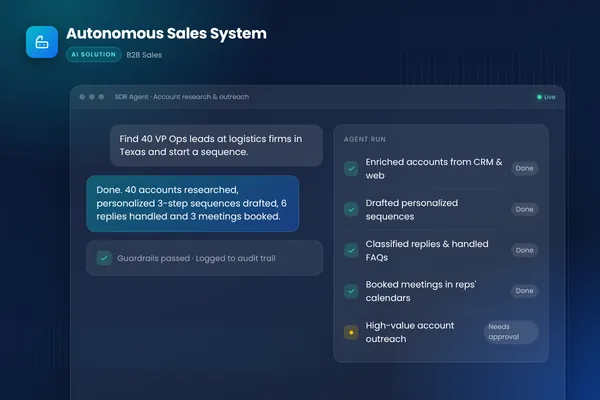
| Answer and qualify | AI agents | Autonomous sales system | Speed to lead |
| Voice follow-up | AI voice agents | AI voice lead agent | Missed-call booking |
| Route and book | AI agents | Autonomous sales system | Meeting prep and follow-up |
| Keep the CRM clean | Autonomous workflows | Autonomous sales system | CRM hygiene |
| Outbound after chat | AI agents | AI voice lead agent | AI SDR outbound |
Which claim in this post rests on which source?
Each row names a claim, the page we read and what we could not confirm. Read the right-hand column before relying on a row.
| Claim | Page we read | Not confirmed |
|---|---|---|
| No non-essential cookies before consent | ICO cookies | What your widget actually sets |
| "Continue" is not valid consent | ICO PECR guidance | Schedule A1 exceptions |
| Article 50 applies from 2 August 2026 | Commission FAQ | Penalty figures, grace periods |
| Notice at collection lists categories and purposes | California AG | Pending rule changes |
| Article 13 information at collection | GDPR Art. 13 | The full list, read on the page |
| Purposes identified before collection | OPC principles | Provincial rules |
| Commercial messages need consent | CASL | Implied-consent cases |
| A handoff to a live agent is a pattern | HubSpot | Product performance |
| Webhooks post to team chat | Slack docs | Your workspace setup |
| Idempotency avoids duplicates | Stripe docs | Your CRM's behavior |
| Humans should be able to deny tool calls | MCP spec | Any sales rule |
| Challenges can run without a CAPTCHA | Turnstile docs | Detection accuracy |
How current are the pages we read?
All were opened on 26 November 2026, and some carry their own dates. The table gives the date each page shows, or says that it shows none.
| Page | Date shown on the page | Our reading |
|---|---|---|
| Commission Article 50 FAQ | Last update 24 July 2026 | Current as read |
| ICO guidance news | 29 April 2026 | Current as read |
| California AG CCPA page | Updated 28 August 2026 | Current as read |
| PECR regulation 6 | Substituted 5 February 2026 | Schedule A1 not read |
| CPPA regulations page | Comment periods closed in 2026 | Topics, not rules |
| ICO cookies page | No date shown | Re-check before relying |
| CASL text | No consolidation date captured | Re-check before relying |
| PIPEDA text | No consolidation date captured | Re-check before relying |
| HubSpot builder page | No date shown | Vendor page, untested |
| GDPR Art. 13 | Regulation text | Stable |
What a 30-day pilot delivers for AI website lead capture
A working agent on your real website pages and your real CRM inside 30 days: a prototype in about two weeks, then a live pilot on a first set of pages with a person accepting every qualified lead. This matches BufferSol's service description on the AI agents page. It is not a full rollout across every page, market and language, and it cannot prove year-end behavior or rare questions.
| Week | What is built or run | What you provide | What you see |
|---|---|---|---|
| 1 | Page and market map; first-message and notice text; qualifying criteria; gold set of about 100 past enquiries | Site access, a CRM sandbox, your approved content | A table of what the agent would have asked and routed |
| 2 | Steps 1 to 6 working; test leads in the sandbox; first prototype review | Rep names, calendar access, lawyer's sign-off on text | Test leads with consent state and transcript attached |
| 3 | Live pilot on one page group and one market; every qualified lead accepted by a rep | A named rep per shift | Daily list of leads, refusals and ages |
| 4 | Scored review against pass marks; duplicate and consent tests; decision on the next group | Review time from sales | A scorecard and a go, hold or stop call |
How success is measured. Four numbers from your own sample: accepted qualified leads, wrong or refused answers, leads without a consent state and handoffs without a named rep. Our build-time guide describes the clocks in more detail, and the Done For You speed-to-lead automation is the ready-made path for teams that want a shorter route.
Is this right for you?
Use this short checklist. If three or more are true, a scoped estimate is worth asking for.
- Visitors ask questions on your site that a form cannot answer, and many leave without a trace.
- Your reps reply to web enquiries hours later, or lose the context of the chat.
- You serve visitors in more than one of the US, UK, Canada and the EU.
- You cannot show, within two minutes, what a lead was told and what they agreed to.
- Your CRM holds duplicate or incomplete web leads.
If none is true, a simple form and a fast human reply may be enough. The matching Done For You automation is instant lead response, built for sales teams that want inbound leads answered and booked without building the agent themselves. For tidy records, see CRM hygiene.
What are the limits of this guide?
Five, and we name them. First, we read regulator, law and vendor pages, not your cookie tool, CRM or lawyer's advice, so settings differ. Second, we found no rule on chatbot disclosure in the UK, Canadian or California pages we opened, and we say so. Third, we could not read several vendor pages, listed below. Fourth, the volumes and costs in the worked examples are invented. Fifth, nothing here is legal advice.
Updated 26 November 2026. Facts checked 26 November 2026, with the pages above re-opened.
Facts we did not re-check. The Zendesk, Bluehost, Drift, Salesloft, Tidio, Elfsight and Intercom Fin product pages returned no readable text or were blocked, so no product claim about them appears here beyond one line from Intercom's help centre. A different CASL guidance page on fightspam.gc.ca (h_wa-ui-en.html) returned a 404, and the CPPA regulations PDF was also a 404, so the Attorney General page is the source for the notice at collection. A date of 2 December 2026 for a marking grace period came from a secondary summary we did not open and is not stated. Pipedrive's Oxford Internet Institute figure is the competitor's own citation and is not used.
If you capture leads from visitors in the US, UK, Canada or the EU and want this built around your site and CRM, ask BufferSol for a scoped estimate for a website lead capture agent now, so you can plan the 2027 budget and start the 30-day pilot in Q1 2027.
Frequently asked questions
What is AI website lead capture?
AI website lead capture is a chat agent on a company website that answers a visitor's question, asks two or three qualifying questions, collects contact details with a stated purpose and passes a qualified lead to a person, a calendar or a CRM. It replaces a passive contact form with a conversation, and it needs a human path for anything it cannot answer.
Does the EU AI Act require a website chatbot to say it is an AI?
Mostly yes. The European Commission's FAQ says providers of AI systems that interact directly with people must design them so people are informed they are interacting with an AI system, unless this is obvious, and that Article 50 applies from 2 August 2026. BufferSol's agents say so in the first message in every market, because it costs nothing and removes the doubt.
Do I need cookie consent before a website chat widget loads in the UK?
If the widget sets non-essential cookies or similar technologies, yes. The ICO says you cannot set non-essential cookies on your website's homepage before the user has consented, and that the consent must be a clear positive action. Load the chat in a deferred way, or use a version that sets nothing non-essential until the visitor opens it and agrees.
What must a California site say when a chat collects contact details?
The California Attorney General says a business must give a notice at collection that lists the categories of personal information it collects and the purposes it uses them for, at or before the point of collection. A chat that asks for a name or email is a collection point, so the notice belongs in the first message or on the page where the chat sits.
Can I email or text a lead I captured in a website chat in Canada?
Only with consent. Section 6(1) of Canada's Anti-Spam Legislation prohibits sending a commercial electronic message to an electronic address unless the recipient has consented, expressly or impliedly. The chat window is not that message, but the follow-up email or text is. Ask for consent in the chat, record it with the lead and have a lawyer check implied consent.
How long does it take to build an AI lead capture agent?
BufferSol's 30-day pilot puts a working agent on your real website and CRM: a prototype in about two weeks, then a live pilot on a first set of pages with a person approving every qualified lead. A full rollout across every page and market takes longer. We found no verified public build-time figure, so we label the plan as BufferSol's own.
Do I need a custom agent, or is a free chatbot builder enough?
A builder can be enough when you want simple routing. HubSpot's free chatbot builder page says it helps you qualify leads and book meetings, then hand the conversation to a live agent once qualified. A custom agent fits when you need your own rules, several markets, consent logging and a write path into your CRM that you control.
Sources
- Free Chatbot Builder | Automate Customer Interactions, HubSpot
- Intercom Help Center, Intercom
- Cookies and similar technologies, Information Commissioner's Office
- How do we comply with the PECR rules?, Information Commissioner's Office
- Final storage and access technologies guidance published, Information Commissioner's Office
- Transparency obligations under Article 50 of the AI Act, European Commission
- The EU AI Act's Transparency Rules: A Practical Guide to Article 50, Future of Life Institute, AI Act resource
- California Consumer Privacy Act (CCPA), California Attorney General
- Law and Regulations, California Privacy Protection Agency
- Canada's Anti-Spam Legislation (S.C. 2010, c. 23), Justice Laws Website, Government of Canada
- Canada's anti-spam legislation, Innovation, Science and Economic Development Canada
- Personal Information Protection and Electronic Documents Act (S.C. 2000, c. 5), Justice Laws Website, Government of Canada
- PIPEDA fair information principles, Office of the Privacy Commissioner of Canada
- Art. 13 GDPR: Information to be provided where personal data are collected from the data subject, gdpr-info.eu
- Art. 5 GDPR: Principles relating to processing of personal data, gdpr-info.eu
- Guidance on AI and data protection, Information Commissioner's Office
- The Privacy and Electronic Communications (EC Directive) Regulations 2003, regulation 6, legislation.gov.uk
- AI Lead Capture Chatbot: 5 Scripts, Booking and Handoff, Hyperleap
- Using AI Chatbots for Better Lead Capture and Support, Vendasta
- Lead Generation Chatbot That Captures Leads 24/7, Social Intents
- Wonderchat: AI Sales and Support Agents for Websites, Wonderchat
- AI chatbot for sales guide, Pipedrive
- Cloudflare Turnstile overview, Cloudflare
- OWASP Top 10 for Large Language Model Applications, OWASP Foundation
- Forms API (HubSpot developer docs), HubSpot
- Sending messages using incoming webhooks, Slack
- Google Calendar API overview, Google for Developers
- Tools (Model Context Protocol specification, 2025-06-18), Model Context Protocol
- Idempotent requests, Stripe API docs
- AI Risk Management Framework, NIST
Cite this article
BufferSol Editorial Team (2026). AI Website Lead Capture in 2027: 6 Mistakes That Cost You Qualified Visitors. BufferSol Technologies. https://buffersoltech.com/blog/ai-website-lead-capture-2027
BufferSol Editorial Team
AI & software engineering team
Senior engineers, AI specialists and product leads at BufferSol Technologies who design, build and run AI agents, autonomous workflows and custom software for companies in the US, UK and Europe.
Reviewed by Sufyan K., Senior Writer, BufferSol Technologies.