Key takeaways
- A copilot suggests and a person confirms every item; an agent takes an objective, acts inside a boundary you set and records why it acted. That is AppZen's test, and it is the one used in this post.
- The labels are not reliable. Ramp's page calls its AP tools agents, yet its approval agent only 'suggest[s] approval or rejection', which is assistance by the test above.
- Microsoft's own Payables Agent sits in the middle: it reads mailboxes and drafts invoices, but 'doesn't post either document type' and 'doesn't provide vendor approval or purchase invoice approval workflows'.
- Choose by the control you can run, not by the label: an agent needs a sampling plan, a named reviewer and an escalation rate someone watches, while a copilot needs a person to confirm every item.
- Every percentage in the vendor pages we read (such as Stampli's 89 percent) is a vendor claim with no method shown; test any claim on your own invoices in a 30-day pilot.
An AI copilot for accounts payable suggests a value, a code or a reply, and a person confirms every item. An AI agent takes an objective, acts inside a boundary you set and records why it acted. That is the working difference, and it decides your controls, your review hours and your 2027 budget. This guide gives five checks to tell them apart, using vendor pages read in November 2026.
For the full picture of the work itself, read our intelligent invoice processing guide. For the buyer side, see our best accounts payable software post.
What is an AI copilot for accounts payable, and what is an AI agent?
AppZen gives the cleanest test we found: "A copilot suggests a value, a code, or a reply. A person confirms every item, and the system carries none of the outcome. An agent takes an objective, acts inside a boundary you set, and records why it acted." It adds one line that matters for budgets: "The action takes effect whether or not a person looked."
Anthropic (published December 2024) draws a related line from the engineering side: "Workflows are systems where LLMs and tools are orchestrated through predefined code paths", while agents are "systems where LLMs dynamically direct their own processes and tool usage". In AP terms, a fixed workflow is neither copilot nor agent. It is automation with a written route, such as our AP automation guide describes.
Safebooks defines an AP agent as an "autonomous software" system that executes tasks "across the invoice-to-payment cycle", and says it should be "constrained by business rules and approval thresholds". Dextralabs puts the same split in a heading: "Copilots Suggest, Agents Execute". Four sources, one test: who takes the action.
| AI copilot | AI agent | |
|---|---|---|
| What it produces | A suggestion: a value, a code or a reply | An action inside a boundary you set |
| Who confirms | A person, on every item | Nobody per item; a person owns the boundary and the exceptions |
| What it records | The suggestion and its source | The decision, the inputs and why it acted |
| Source | AppZen, November 2026 | AppZen and Safebooks, November 2026 |
Source: AppZen and Safebooks pages as read in November 2026. Vendor definitions.
BufferSol Technologies · buffersoltech.com
Why do the labels confuse so many AP buyers?
Because vendors use "copilot" and "agent" as product names first and technical terms second. Ottimate says of its product, "While Ottimate Copilot is intelligent, it isn’t autonomous. Humans remain in control", which fits the copilot test. Medius leads its homepage with "Autonomous AP, powered by agentic AI", and its navigation also lists a separate Medius Copilot. One vendor, both words.
BILL uses neither on the page we read. It says "AI-enhanced AP automation" and "Auto-route bills for approval", so a buyer cannot tell from the homepage whether the AI suggests or acts. Tipalti uses "End-to-end agentic AP" as a navigation label, and its page, like the others, does not say per action whether a person confirms. AppZen warns that "budget follows the label", so teams buy a copilot, forecast the headcount effect of autonomy and find the gap two quarters later. Our AP automation vs custom agent post walks through the same trap.
What changes in 2027 for AP teams choosing between them?
Three dated facts shape the 2027 decision. First, the vocabulary is still unsettled. AppZen (updated November 2026) cites a Gartner survey of 183 CFOs and senior finance leaders from November 2025, which found 59 percent used AI in finance in 2025, and says "Gartner publishes no adoption figure for AI agents, so any agent percentage you see quoted measures something else." Treat agent adoption numbers with care.
Second, the risk guidance is being revised. NIST says the AI RMF is "intended for voluntary use", was released on January 26, 2023, and "is being revised as part of the White House AI Action Plan". Third, vendors are shipping agents that stop short of posting: Microsoft documents one that drafts but never posts. BufferSol view: in 2027 most AP teams will run a mix, with a copilot for judgment-heavy work and a supervised agent for repeatable slices. Our finance IT solutions guide covers the finance side of the same shift.
1. Who does the work: does the AI suggest or act?
This is the check that decides the rest. With a copilot, the work is still yours: the AI proposes a field, a GL code or an email reply, and you click. AppZen says of the agent case, "The agent runs intake, matching, coding, tolerance checks, and routing", and "A person owns the boundary, the exceptions, and the evidence."
The answer is often "both, by step". Safebooks lists the agent's reach as the "invoice-to-payment cycle". Ramp splits its offer by task instead, with separate auto-coding, fraud prevention and approval agents. Few teams give an agent all of it on day one. A sensible start is an agent on intake and coding, with matching and payment still reviewed. Our invoice data extraction accuracy post shows how to decide when extraction is good enough to stop checking every field.
Test it: ask the vendor, "If nobody opens this invoice today, what happens to it?" A copilot answers "nothing". An agent answers "it is processed, and logged".
2. Who approves, and where does the approval live?
Approval is where the labels hide the most. Microsoft's Payables Agent "monitors mailboxes for incoming vendor invoices and credit notes, uses AI to analyze their content, and shows purchase document drafts to agent supervisors for review." Then: "The agent doesn't post either document type", and the page says "Review the resulting document before any required Business Central approval workflow and posting."
The FAQ is blunter: "Payables Agent doesn't provide vendor approval or purchase invoice approval workflows", and the overview page says the agent "doesn't provide any capabilities for vendor approvals". When the agent creates a vendor, "the Blocked field on the vendor card is set to All", so a person must unblock it. Approval lives in your ERP, not in the agent.
Compare that with a vendor that says it routes. BILL says "Auto-route bills for approval based on your company's policies", which is rule-based routing. Stampli says "Billy codes, matches, and routes invoices with every question and decision attached", but its page does not say whether a person confirms each Billy action. Our invoice approval workflow post covers the approval design itself, and our AI agents service page shows how we scope an agent with approval gates.
Test it: ask where the approval limit is set, who owns it and whether the agent can raise it.
3. What risk does each carry, and what evidence does it leave?
A copilot's main risk is a tired reviewer clicking through, and Ramp lists a separate fraud prevention agent that flags suspicious activity for review. An agent's main risk is a quiet error that nobody sees. AppZen lists failure modes "nobody puts in the demonstration": a currency read wrong, a GL code in the wrong period, and a duplicate that clears quietly. It also says that "Confidence describes the model's own output rather than the truth", and that a new supplier's layout can return values "with high confidence anyway".
On evidence, Safebooks says "Every agent action should produce a traceable record: what it did, why, what data it accessed, and what policy it applied." Microsoft says the Payables Agent "operates with its own unique user identity in Business Central" with actions "clearly attributed to this agent user", and that "The agent can only access data within these predefined boundaries and can't exceed the permissions granted to it."
NIST offers a voluntary frame for this kind of risk work. Pair it with our duplicate invoice detection post and our human-in-the-loop guide.
| Risk | Copilot | Agent |
|---|---|---|
| Quiet wrong value | A person sees it, if the person looks | Can clear unseen; needs sampling (AppZen) |
| Over-trust in a confidence score | Reviewer clicks through | Lower autonomy for a new supplier's first invoices (AppZen) |
| Audit evidence | Suggestion and the person's click | Decision record with inputs and policy (Safebooks) |
| Permission creep | Inherits the user's access | Own identity and limits (Microsoft) |
4. How is each one priced and measured?
Most vendors we read publish no price for these features. Microsoft is the exception on billing basis: "The Payables Agent uses Copilot Credits for AI interactions, which can incur charges based on interaction complexity." That is usage billing, so cost moves with interaction count, not with seats. The Microsoft FAQ adds that prompts and responses are stored "for a period of 20 days to facilitate responding to support requests" and that "Microsoft doesn't use your company data, prompts, or responses to train AI models."
Ottimate, Stampli, BILL, Medius and Tipalti show no price for their AI features on the pages we opened, so compare by asking in writing. Measure results yourself. Stampli says "Billy performs on average 89% of the work based on how your business codes, routes, matches, and approves", but the page we read gives no method for the 89 percent, so it is a vendor claim. For pricing context across agent products, see our AI agent pricing table and our free AP automation savings calculator.
Test it: ask for the cost per processed invoice at your volume, with exceptions included, and the definition of "processed".
5. How much review work is left for your team?
A copilot removes typing but keeps one confirmation per item. An agent replaces item review with sampling and exception handling. AppZen says that at Level 3 "a person sees a share of everything", and at Level 4 "a person sees only what the agent hands over, which turns the escalation rate into a control." That is the review-hours difference.
Here is a worked comparison, a BufferSol estimate with every assumption shown, using AppZen's level definitions as the structure. Assume 2,000 invoices a month. A copilot at Level 2 needs a confirmation on each item at 2 minutes: 4,000 minutes, about 67 hours. A supervised agent at Level 3 gets a 10 percent sample at 2 minutes (400 minutes) plus 8 percent exceptions, 160 invoices, at 6 minutes (960 minutes): 1,360 minutes, about 23 hours. The gap, about 44 hours a month, is the prize, and it depends entirely on your own sample rate, exception rate and handling time.
Do not copy those inputs. Measure them in a pilot. Our invoice reconciliation post shows how to size exception queues, and our touchless invoice processing post explains what "touchless" should mean in a contract.
Source: BufferSol estimate. Assumptions: 2 minutes per confirmation, 10 percent sample, 8 percent exceptions at 6 minutes. Level definitions from AppZen, November 2026.
BufferSol Technologies · buffersoltech.com
Which of the six AP autonomy levels is each one?
AppZen publishes six levels, and each names its own control. Read the control first: "Read the control requirement first. The rest is what a vendor demonstrates, and the control is what your controls owner builds." A copilot sits at Level 2. A supervised agent sits at Level 3, and Level 4 and above is where the escalation rate becomes the thing you manage.
| Level | What the AI does (AppZen's wording) | Control required |
|---|---|---|
| 0 Manual | "The agent decides nothing, and a person keys every invoice." | Supervisory review and separation of duties |
| 1 Rules | "The system executes a written condition and decides nothing beyond it." | Change control on the rule set |
| 2 Assisted | "The agent proposes field values, a match result, and a general ledger (GL) code." | Confirmation of every item by a person |
| 3 Supervised | "The agent acts inside a narrow policy on a defined slice." | Sampling plan, error tolerance, named reviewer |
| 4 Conditional | "The agent acts across the population and escalates by exception." | Exception ownership, finance-owned thresholds |
| 5 Full, in scope | "The agent decides and posts across a bounded scope with no per-item review." | Approved scope, tested kill switch, rollback path |
Source for every row: AppZen, November 2026.
Do vendors' own pages say which one they sell?
Mostly no, and that is the useful finding. We ran the same four questions over each vendor's own page as read in November 2026. "Not on the page" means we did not find it, not that the product lacks it.
| Vendor page | Calls the AI | Says a person confirms each action? | Says it posts or pays on its own? |
|---|---|---|---|
| Microsoft Payables Agent | Agent | Yes: drafts go to agent supervisors for review | No: "doesn't post either document type" per the FAQ |
| Ottimate Copilot | Copilot | Yes: "Humans remain in control" per Ottimate | No: "isn’t autonomous" |
| Ramp | AP agents | Approval agent suggests approval or rejection (Ramp) | Not on the page for approvals |
| Stampli | Billy | Not on the page (Stampli) | Not on the page |
| BILL | AI-enhanced | Not on the page (BILL) | Not on the page |
| Medius | Agentic AI, plus a Copilot | Not on the page (Medius) | Not on the page |
| Tipalti | Agentic AP | Not on the page (Tipalti) | Not on the page |
Is Microsoft's Payables Agent a copilot or an agent?
By AppZen's test it is a supervised agent that stops before the money moves. It acts: it reads the mailbox and creates drafts. It does not decide: Microsoft says "The agent doesn't post either document type", and a person reviews the draft first. Limits are explicit: the page says approval flows and anomaly detection are not supported, "The agent only processes emails that have PDF attachments", and "The agent doesn't process more than 100 emails per day."
That is useful as a pattern even if you do not run Business Central. It shows an honest design: an agent that acts on intake, a person who reviews, and an ERP workflow that approves. The FAQ says "Review drafts before finalization." If you want the same shape on your own stack, our AI invoice processing post shows the extraction side and our three-way match post shows the matching side.
Is Ramp's "approval agent" really an agent?
By the test in this post, partly. Ramp says its AP agents are "autonomous agents that can analyze context, make decisions, and take action with little human intervention", and that "You maintain full oversight throughout". Its list then describes an approval agent that "Summarizes vendor history, contract details, and PO matching to give approvers full context and suggest approval or rejection."
A tool that gives an approver context and suggests an answer is a copilot step by AppZen's definition: the person still decides. Ramp's page also lists an auto-coding agent that "applies that logic to new invoices automatically", which is closer to acting. So one product can hold both. We make no claim about how the products behave in practice; we only read the page. This is why we test behavior, not names. Our AP automation guide lists what to test.
When should you choose an AI copilot?
Choose a copilot when judgment dominates and volume is modest, which is the case Ottimate builds for. Dextralabs frames copilots as tools that "assist teams" and improve speed inside existing workflows, and Ottimate positions its product as a "partner in the process". Good fits are queries about overdue invoices, drafted supplier replies and coding suggestions where a controller wants to see each one.
Skip a copilot if the real pain is volume. Confirming every item keeps the per-invoice minutes high, and the Level 2 control is "confirmation of every item by a person". Our AI invoice processing post covers teams where that is enough, and our AI workflow automation examples post lists other places a copilot is enough.
When should you choose an AI agent?
Choose an agent when work is repeatable, rules are written and you can name an owner for the boundary. Anthropic recommends "finding the simplest solution possible, and only increasing complexity when needed", and warns that "Agentic systems often trade latency and cost for better task performance". So prove that a workflow cannot do the job before you buy an agent.
Good fits are high-volume email intake, coding to a known chart, matching against POs and routing by policy. Safebooks says the agent should escalate "only when approval authority is genuinely ambiguous", which is the Level 4 idea. Skip an agent if nobody can own the exception queue. Our AP automation vs custom agent post compares packaged and custom routes.
When is a custom-built agent better than either?
When your ERP, approval rules or vendor mix do not fit a packaged product. A packaged copilot or agent works inside the vendor's product and its limits (see our AI automation agency pricing post for custom-build costs), such as the Microsoft limits of 100 emails a day and PDF attachments only. A custom agent connects to your own mailbox, ERP and bank files and follows your own approval limits.
BufferSol builds these. Our intelligent invoice processing case study shows the pattern, and our autonomous workflows service describes the delivery. The ready-made version is the invoice processing Done For You automation, live in 3 to 6 weeks. BufferSol view: a custom agent wins when you want your own system, your own audit log and no per-seat fees. A packaged tool wins when your stack is already inside that vendor's suite.
What does an AP agent do, step by step?
Here is the pattern we build, with a person at each decision. It matches the evidence list from Safebooks: what it did, why, what data it accessed and what policy it applied. The steps are BufferSol's design, not a vendor claim.
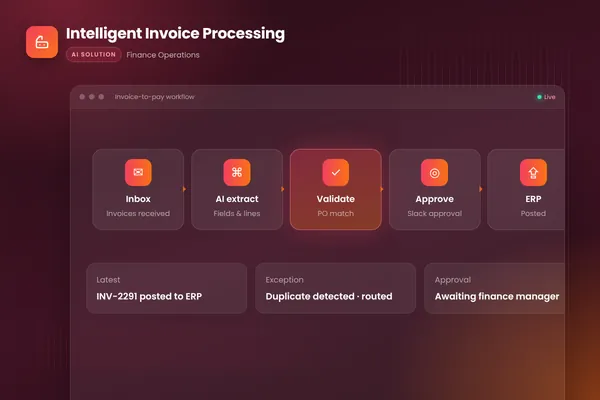
- 011 ReadCollects invoices from the mailbox and extracts fields with a confidence value
- 022 CheckMatches to the PO and receipt, and tests for duplicates and new bank details
- 033 ProposeCodes the invoice and drafts the posting; does not post
- 044 RouteSends exceptions and anything over the limit to the named approver
- 055 SampleA reviewer checks a share of what the agent cleared
- 066 LogWrites inputs, policy version, outcome and who decided
BufferSol Technologies · buffersoltech.com
How do you test a vendor's "89%" or "autonomous" claim?
Run it on your own invoices. Stampli publishes an average of 89 percent of the work and answers "Yes, we measured it", yet shows no method. Dextralabs quotes agent results in the same way, and we did not use them because no source is named. A claim with no method is a starting question, not a result.
A verb-first test, as BufferSol view:
- Pull 200 of last quarter's invoices, including known problems.
- Run them through the product with no tuning.
- Count how many it finished without a person, and how many of those were right.
- Check each wrong one for how it surfaced, as AppZen does for its failure modes.
- Record the override rate by supplier.
- Set a go-live rule in writing before you see the results.
Our AI agent evaluation post explains how to build the test set, and our how long to build an AI agent post covers what a pilot slice includes.
What does an AP agent not do?
It does not own the policy, and it should not move money without a limit, a rule AppZen puts as a scope "approved like a policy". Microsoft says "The agent can only access data within these predefined boundaries", and its overview says no vendor approvals. AppZen says "A person owns the boundary, the exceptions, and the evidence." Three things stay with people.
- Policy: approval limits, tolerances and the vendor-onboarding rules.
- Exceptions: the agent hands them over, a person decides.
- Bank-detail changes: treat them as a security event, as our duplicate invoice post explains.
An agent also does not fix bad data. If your vendor master holds the same supplier twice, both copilot and agent will inherit that. Our workflow exception handling post shows how a flag differs from a verdict.
How does a person supervise an AP agent day to day?
Microsoft's documentation shows one concrete pattern, and it is a useful checklist even if you never use Business Central. Microsoft's supervision page says "You can review and approve agent work in two ways: from the Tasks pane on the side of the role center or directly on document pages." Where the agent changes a document, "A data review bar appears at the top of the page, showing which agent made changes and giving you quick access to review field-level suggestions."
When the agent gets stuck, "When an agent is blocked, you can guide it by providing instructions instead of making changes yourself", and "Your instructions apply only to the current step. They aren't saved or reused for future tasks." That last line matters for control: a one-off instruction does not quietly become a rule. Our workflow exception handling post explains why rules should change through change control.
| Where the person works | Best for (Microsoft's wording) | Why it matters for control |
|---|---|---|
| Tasks pane | "Reviewing the full task timeline, seeing what the agent did at each step, and providing instructions when the agent is blocked" (Microsoft) | A timeline is the audit view |
| Directly on pages | "Quickly reviewing field-level suggestions on a document you're already viewing, without switching context" (Microsoft) | Fast, but easy to click through |
| Instructions to a blocked agent | "apply only to the current step" (Microsoft) | One-off, not a new rule |
The setup page adds a cost control worth copying: "When your organization's Copilot Credit quota is depleted, the agent stops processing new invoices from the monitored mailbox." Plan for what happens to the queue when a usage limit stops an agent, because a stopped agent looks like a quiet inbox.
How should the approval limit move as an agent earns trust?
In steps, with a written exit rule for each. AppZen says the step from Level 2 to Level 3 "means a sampling plan, an error tolerance, and a named reviewer", and that "The step teams underestimate is Level 3 to Level 4, because escalation replaces review." So write the rules before the pilot, not after the first surprise.
A ladder you can adopt, as BufferSol view with numbers you should replace by your own:
- Start at Level 2: the agent drafts, a person confirms every item, and you track the override rate by supplier.
- Move one supplier slice to Level 3 when the override rate on it has stayed under your agreed tolerance for four straight weeks.
- Keep a named reviewer sampling what the agent cleared, because, as AppZen puts it, sampling "is the only way to tell" learning from a blind spot.
- Hold new suppliers at the lower level for their first invoices, since confidence scores describe the model's own output.
- Review the escalation rate monthly once any slice reaches Level 4, and drop a slice back a level if it drifts.
The same ladder works with any vendor, packaged or custom. Microsoft's design keeps the agent at drafting by default, which is Level 2 to 3 territory, and leaves approvals to your workflow. Our AI agent architecture post and single-agent vs multi-agent post show where the approval gate sits in the design, and our AI agent development guide covers the wider build.
Which decision table fits your volume, exceptions and approval limits?
Use the table below as a starting rule, not a verdict. The thresholds are BufferSol view, drawn from the control requirements in AppZen's levels; the vendor pages do not set them. Test each on your own data.
| Your situation | Start with | Why |
|---|---|---|
| Few invoices, mostly judgment, one approver | Copilot | Confirming each item is cheap at low volume |
| Steady email invoices in known formats, written rules | Supervised agent on one slice (Level 3) | Sampling replaces item review |
| High volume, a named exception owner, finance-owned limits | Conditional agent (Level 4) | The escalation rate becomes the control |
| ERP or approval rules a packaged tool cannot follow | Custom agent | Own system, own log, own limits |
| No one can own the exception queue | Neither yet | Fix ownership first |
Can a copilot and an agent work in the same AP team?
Yes, and most teams will end up there. The split follows the work, not the brand. Put the agent where AppZen says the work is "intake, matching, coding, tolerance checks, and routing", and keep a copilot where a person needs context, such as Ramp's approval agent, which gives approvers vendor history and contract details. Ottimate describes the copilot role as a conversational helper that leaves decisions to people.
The risk is mixing them without saying so. If your controls document says "every item is reviewed" but an agent now clears the routine ones, the document is wrong. Safebooks asks for a traceable record per agent action, and Microsoft gives its agent its own user identity so its actions are separable from a person's. Write the split down for each step. Our workflow automation vs RPA post explains where fixed rules still belong, and our AI workflow automation guide covers the wider design.
Which questions should you put to every vendor in writing?
Vendor pages rarely answer these, which is why you ask. We found that Stampli, BILL, Medius and Tipalti do not say, on the pages we read, whether a person confirms each AI action. Send the same eight questions to each vendor and compare the written answers.
- Name the autonomy level of each feature, using AppZen's six levels as the scale.
- State what happens to an invoice if nobody opens it today.
- List the actions the AI can take without a click, and the ones it cannot, as Microsoft does for posting.
- Show the audit record for one action: what it did, why, which data and which policy, as Safebooks describes.
- Explain where approval limits are set and who can change them.
- Give the price per processed invoice at your volume, with the unit defined, since Microsoft bills usage while others do not publish a unit.
- Share the method behind any headline percentage, such as the 89 percent on Stampli's page.
- Describe where prompts and company data are stored, for how long and whether they train models, as the Microsoft FAQ does.
Our AP automation vs custom agent post has a longer vendor comparison, and our AI vendor security questionnaire post and DPA checklist cover data handling.
Which related guides should you read next?
If you are mid-evaluation, start with the post that matches your next decision. Each links back to this comparison.
- Reconciling what the agent drafts: our financial close automation post and AI accounting software post.
- Matching and approval design: the invoice approval workflow post and the touchless invoice processing post.
- Extraction quality: the invoice scanning post and the AI invoice processing post.
- Where the agent sits in finance overall: the finance IT solutions guide and the AI for accounting firms post.
- Whether to hire or build: the AI automation agency guide and what an AI automation agency does.
What does a 30-day pilot deliver?
A working agent on your real invoices inside 30 days, which matches the process in BufferSol's services. In about two weeks you see a prototype reading your mailbox and drafting postings. Then a live pilot runs on a first slice, such as three suppliers or one entity, with a person reviewing every action. We do not promise full production for every edge case in 30 days.
What you provide: read access to a sample mailbox, 200 past invoices, your approval limits and one named reviewer. How we measure: override rate by supplier, exceptions per 100 invoices, minutes per invoice and any posting that would have been wrong. The AP automation savings calculator helps size the prize first, and our AI agent ROI calculator helps compare options.
Is this right for you?
You are ready for an agent pilot if most of these are true.
- Invoices arrive by email or portal in volumes where confirming every item takes real hours.
- You can write your approval limits and tolerances down.
- Someone owns the exception queue and can review a sample each week.
- Your ERP can accept drafts that a person approves before posting.
- You want an audit trail that names what the agent did and why.
If you tick three or more, the invoice processing Done For You automation fits finance teams that want it running in 3 to 6 weeks. Our intelligent invoice processing guide goes deeper on each step.
Which sources did we read, and what did we not re-check?
Facts checked November 2026 on these pages: AppZen, Microsoft's Payables Agent overview and FAQ, Anthropic, NIST, Safebooks, Ramp, Ottimate, Stampli, BILL, Medius, Tipalti and Dextralabs. Vendor pages are marketing, and none gives an independent test.
Facts we did not re-check: Coupa's page (it returned an access error), the Gartner survey and the Washington State Auditor duplicate-payment range, which we saw only through AppZen, and how any vendor's product behaves in use. Re-check prices and features before you buy.
If you are choosing between a copilot and an agent for your AP team, ask BufferSol for a scoped estimate for an AP agent pilot now, so the 2027 budget covers it and the pilot can start in Q1 2027.
Frequently asked questions
What is the difference between an AI copilot and an AI agent for accounts payable?
An AI copilot for accounts payable suggests a value, a code or a reply, and a person confirms every item. An AI agent takes an objective, acts inside a boundary you set and records why it acted. AppZen draws the line the same way: the copilot's suggestion waits for a click, while the agent's action 'takes effect whether or not a person looked'.
Does an AI agent for accounts payable post payments on its own?
Only if you allow it. Microsoft's Payables Agent, for example, 'doesn't post either document type', so a person or a Business Central approval workflow still decides. AppZen's Level 5, where the agent 'decides and posts across a bounded scope with no per-item review', needs a scope approved like a policy, a tested kill switch and a rollback path.
Is a copilot safer than an agent in accounts payable?
A copilot keeps a person on every item, which is a strong control, but the person can approve on autopilot. An AP agent acts without a click, so it needs written limits, its own audit identity and sampling. Microsoft says its Payables Agent 'can't exceed the permissions granted to it'. Neither is safe by label; the controls decide.
How much does an AP copilot or agent cost?
Prices differ by vendor and most are quoted on request. Microsoft says its Payables Agent uses Copilot Credits that 'can incur charges based on interaction complexity', which is usage billing. Ottimate, Stampli, BILL, Medius and Tipalti pages we read show no public price for these features. Ask each vendor in writing and compare per processed invoice.
When does a copilot become an agent?
When the action takes effect without a person confirming it. AppZen's levels run from Level 2, where 'confirmation of every item by a person' is the control, to Level 3, where the agent 'acts inside a narrow policy on a defined slice' and sampling replaces item-by-item review. The jump needs a sampling plan, an error tolerance and a named reviewer.
Should a small AP team start with an AI copilot or an AI agent?
Start where the work is. If invoices arrive by email in steady formats and rules are written, a supervised agent on one slice fits. If decisions are mostly judgment calls, a copilot fits. BufferSol's view: pilot on one vendor slice for 30 days with a person reviewing every action, then widen only if the override rate falls.
Sources
- Agentic AI for accounts payable: What actually changes, AppZen
- Payables Agent Overview in Business Central, Microsoft Learn
- Set Up Payables Agent in Business Central, Microsoft Learn
- Supervise Agent Activities in Business Central, Microsoft Learn
- Payables Agent Frequently Asked Questions, Microsoft Learn
- Building effective agents, Anthropic
- AI Risk Management Framework, NIST
- AI Agents for Accounts Payable: The Controller's Guide to Autonomous AP, Safebooks
- Ramp accounts payable software, Ramp
- Meet Ottimate Copilot: The Conversational AP Assistant, Ottimate
- Stampli: Procure-to-Pay Platform for Finance Teams, Stampli
- BILL: Financial Operations Platform for Businesses and Firms, BILL
- Medius: AP automation powered by agentic AI, Medius
- Tipalti: Global accounts payable with agentic AI, Tipalti
- AI Copilots for Accounts Payable vs AI Agents: What's the Difference and Which Should You Choose?, Dextralabs
Cite this article
BufferSol Editorial Team (2026). AI Copilot for Accounts Payable vs AI Agent: Top 5 Differences to Check in 2027. BufferSol Technologies. https://buffersoltech.com/blog/ai-copilot-for-accounts-payable-vs-ai-agent-2027
BufferSol Editorial Team
AI & software engineering team
Senior engineers, AI specialists and product leads at BufferSol Technologies who design, build and run AI agents, autonomous workflows and custom software for companies in the US, UK and Europe.
Reviewed by Sufyan K., Senior Writer, BufferSol Technologies.