Key takeaways
- Xero invoice automation covers two jobs: sending and chasing sales invoices, and capturing supplier bills. The top results for the keyword cover the first. An AI agent earns its place on the second.
- Xero's own bill capture creates a draft bill for you to check. An agent adds what capture does not promise on its pages: matching to a purchase order, a vendor bank-detail check, an approver who can say no, and a log line for every step.
- Design for Xero's published limits: 5 calls in progress at one time, 60 calls a minute and 5,000 calls a day per connection, with HTTP 429 and a Retry-After header when you go over. A normal bill inbox fits, but a month-end backlog needs batching.
- Xero's invoice API uses the same record for sales invoices and purchase bills (type ACCPAY), supports an Idempotency-Key header and takes attachments, so an agent can create a draft, attach the source file and leave the authorising step to a person.
- Run a 30-day pilot on real bills with bills created as drafts, score extraction, coding and approvals on your own sample, and treat every vendor accuracy figure as that vendor's claim until you reproduce it.
Xero invoice automation in 2027 means two jobs: sending and chasing your own sales invoices, and capturing supplier bills into Xero. An AI agent does the second job end to end. It reads each bill, checks the supplier and the purchase order, creates a draft with the source file attached, and asks a named person to approve what matters. This post gives six signs you are ready for one, the workflow, the Xero limits to design around and a 30-day pilot.
Read our intelligent invoice processing guide first if the terms are new. This post is the Xero cluster: it assumes you know what AP automation is and want to know what changes when the books live in Xero. Our sister post on QuickBooks invoice automation covers the Intuit side, and the two ledgers differ in ways that change the design.
What does Xero invoice automation actually cover?
It covers receivables and payables, and they are different projects. The first Xero page most buyers meet, Xero's invoicing page, is about the sales side: it says "Let Xero send payment reminders to customers for you". The Zapier guide to the Xero integration is also sales-led: it says Zapier "can help you automatically create invoices in Xero from payments, orders, and sales". The Zoho Flow page says "14 triggers and 20 actions are supported, covering invoices, contacts, payments, purchase orders, quotes, credit notes, bank transactions, and projects."
So the phrase hides two workflows. Receivables start from your own sales data and end when cash lands. Payables start from a supplier's PDF in an inbox and end when a bill is approved, posted and paid. The top results for the keyword cover the first. This post covers the second, because that is where an agent removes the most typing and where mistakes cost real money. If you want the receivables side, start with our accounts receivable automation guide.
What is an AI agent for Xero, in one paragraph?
An AI agent for Xero is software that takes a goal, such as "get every supplier bill in this inbox into Xero correctly," and works through the steps itself with tools: a mailbox reader, a document extractor, a lookup against your contacts and purchase orders, the Xero API and a chat tool for approvals. It differs from a rules-only workflow because it can read an unfamiliar layout, decide what to do next and stop to ask. It differs from a chatbot because it acts inside your systems and logs what it did. Our posts on AI agents versus chatbots and on agent architecture explain the parts.
Who decides what, in a Xero agent workflow?
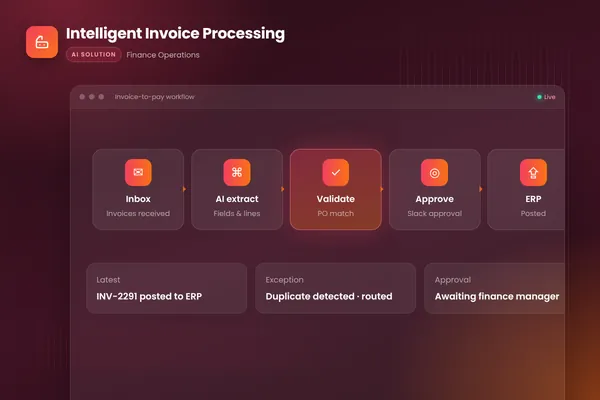
The agent proposes and a person approves where money moves. The table sets the split for the eight steps of a payables run. Every row is a design choice you can change in a pilot. The approval thresholds are BufferSol's starting proposal, not a rule from Xero.
| Step | What the agent does | Tool it uses | Who approves | What gets logged |
|---|---|---|---|---|
| 1. Intake | Watches the bills mailbox and saves each attachment | Mailbox API | Nobody | Message ID, sender, time |
| 2. Classify | Separates bills, credit notes, statements and noise | Language model | Nobody | Label and reason |
| 3. Extract | Reads supplier, number, dates, lines, tax and total | Document AI | Nobody | Field values and a confidence note |
| 4. Match | Finds the Xero contact and the purchase order, checks for a duplicate | Xero API lookups | Nobody if clean | Match result and the rule used |
| 5. Check | Compares bank details and totals with the supplier's history | Your vendor list and Xero history | Nobody if clean | Checks passed or failed |
| 6. Route | Sends exceptions and high values to a named approver | Slack, Teams or email | Named person | Who, when, decision |
| 7. Post | Creates the draft bill, attaches the source file, adds a history note | Xero Accounting API | Person for drafts in the pilot | Bill ID, request key |
| 8. Report | Posts a daily summary and the exception queue | Email or dashboard | Finance lead | Counts, ages, errors |
Each row maps to a design question later in this post. The Xero App Store collection of AI apps for bills and expenses describes the same shape in marketing terms: "Data extraction" and "Smooth approval workflows". The difference with an agent is the stop rule at steps 5 and 6, where it can refuse to continue.
- 01IntakeRead the bills inbox and save each file.
- 02ClassifySeparate bills from statements and noise.
- 03ExtractPull supplier, number, dates, lines, tax and total.
- 04MatchFind the contact and purchase order; check duplicates.
- 05CheckCompare bank details and totals with history.
- 06RouteSend exceptions and large bills to a named approver.
- 07PostCreate a draft bill with the file attached.
- 08ReportSend a daily summary and the exception queue.
BufferSol Technologies · buffersoltech.com
What does Xero already do for supplier bills?
More than most guides say. The Xero US pay-bills page says you can "Upload it from your computer, snap it from your phone, or forward the email", that "JAX, Xero's AI financial superagent, extracts the key details to create a draft bill for you to check", and that you can "Set supplier rules once, and Xero automatically applies account codes, tax rate and due dates to future bills." It also says "Xero flags potential duplicate bills to help reduce the risk of fraud and payment errors." All facts in this post are as of November 2026.
On roles, the same page says you can "Assign user roles and permissions to control who in your team can create, edit, approve and pay bills." The Xero UK capture page says the app can "extract your scanned documents in under 20 seconds" and "cross-checks extracted data with bank records and highlights matches". Those are vendor claims about speed and matching, which we did not test. The point for design: Xero's own tools cover capture, supplier rules, duplicate flags and roles. An agent should add to them, not replace them.
| Capability | What Xero's page says | Page | Left open |
|---|---|---|---|
| Capture | Upload, snap or forward a bill; a draft bill is created for you to check | Xero US | Shared-inbox watching is not described |
| Supplier rules | Account codes, tax rate and due dates applied to future bills | Xero US | Rules by amount or purchase order are not described |
| Duplicates | Potential duplicate bills are flagged | Xero US | What counts as a duplicate is not defined |
| Roles | Roles control who can create, edit, approve and pay bills | Xero US | Approval chains by supplier or amount are not described |
| Review | Double-check and approve the info before a financial record is created | Xero US capture | Who may approve is a role setting |
| Bank match | Extracted data is cross-checked with bank records | Xero UK capture | Supplier bank-detail checks are not described |
Which six signs say it is time for an agent?
The six signs below are the numbered sections that follow. Each has a symptom you can see in your own month, a test you can run this week and what an agent would do about it. If none of them fits, Xero's own capture is probably enough and you should say so to anyone selling you more. The table is the short version.
| Sign | Symptom you can see | Test this week | What the agent adds |
|---|---|---|---|
| 1. Typing | Someone keys bills that capture already read | Count bills touched by hand in one week | Reads, matches and posts drafts |
| 2. Coding | The same supplier is coded differently each month | Compare coding for your top 10 suppliers | Applies a stored rule, flags the odd one |
| 3. Approvals | Approvals live in email threads | Find one bill with no recorded approver | Routes to a named approver and logs it |
| 4. Duplicates and bank details | You catch repeats and changed details by luck | Search for two bills, same supplier and total | Checks before creating, stops on mismatch |
| 5. Source files | The PDF is not on the bill | Open five bills and look for the file | Attaches the file and a history note |
| 6. Limits | A sync stalls at month end | Check for HTTP 429 in your integration logs | Queues, batches and retries with a key |
1. Are supplier bills still being typed into Xero by hand?
If a person keys supplier bills that a capture tool could read, that is the clearest sign. The cost is hours, plus the errors that typing adds. Xero says its capture creates "a draft bill for you to check", so the typing step should already be small on a modern plan. When it is not, the reason is usually where the bills arrive: a shared mailbox, a supplier portal or a driver's photo that never reaches the capture address.
Webgility, a vendor of ecommerce accounting software, gives a sales-side marker in its guide to Xero invoicing: "Once you hit 100 orders per day, manual workflows start breaking down completely". That is about orders, not supplier bills, and it is a vendor's view. Treat it as a reminder that manual work has a ceiling, then measure your own. For the payables side, the useful count is bills touched by hand per week, and how long each one takes.
Test. For one week, tally every supplier bill that someone typed, edited or moved by hand. Split them into three groups: arrived by email, arrived on paper and arrived through a portal. Where the email group is large, an agent that watches the mailbox is the first fix. Where the portal group is large, check whether the supplier can email statements instead.
What the agent does. It watches the mailbox, saves each attachment, extracts the fields and looks up the Xero contact. It creates a draft only when the supplier and the totals check out. Our post on invoice scanning software versus invoice agents explains why extraction alone does not finish the job.
2. Is the same supplier coded differently every month?
If your top ten suppliers get a different account code or tax rate from one month to the next, the coding rules are in people's heads. Xero says you can "Set supplier rules once" so account codes, tax rates and due dates apply to future bills. That is the right place for a stable rule. An agent helps where the rule needs a condition Xero's page does not describe, such as "this supplier is split between two accounts when the purchase order has a project code".
Dext's integration page describes the same idea from the capture side: it says a Xero connection pulls "your Chart of Accounts, contacts, tracking categories and payment methods into Dext, so everything you code against here is something Xero already recognises." The agent should do the same. It reads the chart of accounts and tracking categories from Xero at the start of each run, so it never invents a code.
Test. Pull the last three months of bills for your ten largest suppliers. For each, write down the account code used. If a supplier shows two or more codes without a reason, you have a coding rule to write down. Our post on AI invoice processing covers how to score extraction and coding separately.
What the agent does. It proposes a code from the supplier's history and the line text, states the rule it used and posts the draft with that note. When the history disagrees with itself, it marks the bill for review instead of guessing. A person confirms the first month of proposals, then the team decides which rules are stable enough to run without a look.
3. Do bill approvals happen in email threads instead of in Xero?
If an approval is a reply in a chat or an email, nothing in Xero shows who agreed. The Xero invoice record carries a status. In the Xero OpenAPI file, the status values are DRAFT, SUBMITTED, DELETED, AUTHORISED, PAID and VOIDED. A bill that a person approved in chat but never moved past DRAFT looks unapproved to anyone who opens it later. A bill authorised by the wrong person looks approved when it should not.
The Xero US pay-bills page says you can "Share bill admin with your team while keeping the final say on what gets paid." Pulsify, a Xero app, describes a stricter pattern on its Xero App Store listing: "Bills reach Xero only after a person approves them or they meet an auto-approve rule you set." and "Every decision is logged in Pulsify." The listing also says "Approval steps are a paid add-on. Auto-approve is included". That is a vendor description, and a useful model: approval before posting, with a logged decision.
Test. Pick ten bills paid last month. For each, find who approved it and where that approval is recorded. If you cannot find it in under two minutes per bill, the approval trail is the problem. Our guide to invoice approval workflow automation sets out the rules by amount and role.
What the agent does. It sends the approver a short message with the bill, the match result and the reason it stopped. The approver answers in the chat tool. The agent records the name, the time and the answer, then moves the bill. Which status it may set is a design decision, covered in the status table below.
| Status | What the Xero file lists | Who may move it in the pilot | Why |
|---|---|---|---|
| DRAFT | Listed in the status values | Agent | Nothing is committed to the ledger or to payment runs |
| SUBMITTED | Listed in the status values | Agent or person, as your Xero roles allow | Marks the bill as waiting for approval |
| AUTHORISED | Listed in the status values | Named person only | This is the approval that matters |
| PAID | Listed in the status values | Payment process, not the agent | Paying is a separate control |
| VOIDED or DELETED | Listed in the status values | Named person only | Reversals need a reason |
Source: the status list is from the Xero OpenAPI file. Who may move each status is BufferSol's pilot proposal, not a Xero rule.
4. Do you catch duplicate bills and changed bank details only by luck?
If a repeated bill or a changed bank account is found by someone's memory, you have a control gap. Xero says it "flags potential duplicate bills", and its UK capture page says "Xero spots if you accidentally upload a document twice". Dext's Xero App Store listing says "Built-in duplicate detection: never publish the same invoice to Xero twice." Pulsify's listing names the checks it runs: "Duplicates, including bills keyed straight into Xero" and "Supplier BSB and account number against the Xero contact". Each is a vendor statement about its own product.
The takeaway is layered defence, because each layer sees something different. Capture tools see the documents they were given. Xero sees the bills inside Xero. Only an agent that reads the contact record before it posts can compare a new bank account with the one on file. Our post on touchless invoice processing goes deeper on which bills can skip review.
| Layer | What it sees | Vendor statement | Gap an agent closes |
|---|---|---|---|
| Xero | Bills already in the organisation | Xero US: flags potential duplicates | Rule for what counts as a match is not published |
| Xero capture | The same document uploaded twice | Xero UK: spots a document uploaded twice | A different file for the same bill |
| Dext | Items it publishes to Xero | Xero App Store: built-in duplicate detection | Bills keyed straight into Xero |
| Pulsify | Bills in Pulsify and keyed into Xero | Xero App Store: duplicates and bank details | Needs the app; check the plan |
| Agent | Contact record, history and purchase orders | BufferSol design | Holds the bill and asks a person |
Test. Search Xero for two bills from one supplier with the same total in the same month. Then look at one supplier's bank details over time. If either search surprises you, add a pre-post check.
What the agent does. Before it creates anything it looks up the contact, searches for the same supplier number and total, and compares the bank account on the bill with the contact record. A mismatch stops the run for that bill and goes to a named person, with both values shown. It never edits the contact's bank details on its own.
5. Is the source document missing from the bill?
If an auditor or a colleague opens a bill in Xero and cannot see the invoice, the trail is broken. The Xero OpenAPI file lists an endpoint that "Creates an attachment for a specific invoice or purchase bill by filename", and the request body is described as a "Byte array of file in body of request". The same file describes a URL field on the invoice as a "URL link to a source document", shown as "Go to [appName]" in the Xero app. An agent can therefore attach the file, link back to its own record, and add a history note with the endpoint that "Creates a history record for a specific invoice".
Capture apps do the same job from their side. Dext's integration page says you upload, extract, review and publish, and the Xero US capture page says Xero lets you "Double-check and approve the info before Xero creates a financial record". Whichever tool creates the bill, the check is the same: open the bill and find the PDF. Our portfolio case study on intelligent invoice processing shows how BufferSol keeps the document with the record in a delivered build.
Test. Open five recent bills at random. Count how many have the source file attached and how many show who created them. A tool that attaches nothing is a sign the process depends on a shared drive.
What the agent does. After it creates the draft it uploads the file, checks that the attachment call succeeded and writes a history note with the run ID, the match result and the rule used. If the upload fails, it does not leave a bill with no file: it flags the draft and retries with the same key.
6. Does your integration stall at month end because of Xero limits?
If a sync works all month and stalls when the backlog arrives, you are probably meeting the API limits. Xero's limits FAQ lists "Concurrent Limit: 5 calls in progress at one time", "Minute Limit: 60 calls per minute", "Daily Limit: 5000 calls per day" and "App Minute Limit: 10,000 calls per minute". It says "If you exceed either rate limit you will receive an HTTP 429 (too many requests) response" and "you will receive a Retry-After http header that tells you how many seconds to wait". It adds "Rate limits apply to each connection."
The same page says each response includes "X-DayLimit-Remaining, X-MinLimit-Remaining and X-AppMinLimit-Remaining headers". An agent should read them and slow down before it hits a wall. The Xero OpenAPI file also gives three ways to spend fewer calls: a page of results holds "Up to 100 invoices" returned "in a single API call with line items shown for each invoice", the create endpoint takes "one or more" bills, and a Statuses filter is recommended over complex filters for "faster response times".
Source: Xero Developer, Limits FAQs (developer.xero.com/faq/limits), read 26 November 2026
BufferSol Technologies · buffersoltech.com
| Limit or header | Value or behaviour on the page | Design consequence |
|---|---|---|
| Concurrent | 5 calls in progress at one time | Run at most 5 workers; queue the rest |
| Per minute | 60 calls per minute | Spread calls; do not fire a whole backlog at once |
| Per day | 5,000 calls per day | Count calls per run; stop and resume the next day if needed |
| App minute | 10,000 calls per minute | Matters only if many clients share one app |
| 429 response | Returned when a rate limit is exceeded | Stop, wait, retry |
| Retry-After | Seconds to wait before the next call | Use the number given; do not guess |
| Remaining headers | Day, minute and app-minute remaining | Read on every response; slow down near zero |
Source for every row: Xero's limits FAQ, read 26 November 2026.
Test. Search your integration logs for HTTP 429 or for gaps in posting around month end. If you find none, you are inside the limits today, and the agent only needs to count its calls.
What the agent does. It counts calls per run, reads the remaining headers, sets one idempotency key per bill and uses batch creation where it fits. The worked example later shows the arithmetic with invented volumes.
What changes in 2027 for Xero invoice automation?
Three things, and the first two are our reading, not a forecast. BufferSol view: capture is turning into a default feature, so the question for 2027 shifts from "can software read the bill" to "what happens after it reads it". Xero's own pages already put AI extraction in the base product: its pay-bills page names JAX as the extractor and says it creates a draft bill for you to check. Second, BufferSol view: tool-calling standards make it simpler to attach an agent to an accounting system, with the control questions moving from "can it connect" to "what is it allowed to do".
The third is a fact you can check. Xero's own MCP server lists tools for invoices, contacts, payments and more, and the Workato Xero AP and Expenses MCP page describes a server "that allows AI assistants to create and approve supplier bills". The Model Context Protocol tools specification says there should always be a human in the loop with the ability to deny tool invocations. Plan your 2027 budget around that gap: connecting is easy, governing is the work. Our post on human in the loop for AI agents covers how to place the human.
How do the official Xero MCP server's tools map to a bill workflow?
They cover part of it. The Xero MCP server README lists list-invoices, create-invoice and update-invoice, the last described as "Update an existing draft invoice". It also lists list-contacts, create-contact, list-aged-payables-by-contact and create-payment. We found no tool in that list for attaching a file to a bill, and the only approval tools listed are for payroll timesheets. The README was read on 26 November 2026 and tool lists change.
| Workflow need | Tool named on the README | Gap for a bill pipeline |
|---|---|---|
| Find a supplier | list-contacts | None for lookup |
| Look up bills | list-invoices | None for lookup |
| Create a draft | create-invoice | Check how it sets the bill type before relying on it |
| Correct a draft | update-invoice (draft only) | Authorised bills cannot be edited this way |
| Attach the source file | Not listed | Needs the Accounting API directly |
| Approve a bill | Not listed (approval tools are for payroll timesheets) | Approval stays with a person or Xero roles |
| Pay a bill | create-payment | Keep out of the agent's reach in the pilot |
Treat the README as one input. An agent built for production usually calls the Accounting API directly, so it controls retries, keys and logging. The MCP server is a good way to explore a demo organisation.
What would a worked posting example look like?
Here is one bill, with invented numbers, through the eight steps. A supplier emails a PDF for a purchase order. The agent extracts a supplier name, an invoice number, three lines and a total. It finds one matching Xero contact and one open purchase order. The total is within the purchase order. It searches for the same supplier and invoice number and finds nothing. It compares the bank account on the PDF with the contact record and finds a match.
Every check passes, so the agent creates a draft bill with the lines coded from the supplier's history, attaches the PDF and writes a history note naming the run and the rule. Because the pilot posts drafts, a person authorises it. In a second case the bank account on the PDF differs from the contact record. The agent creates nothing, sends the approver both values and waits. That second case is the reason to have an agent at all: the clean bill was always going to be easy.
How many API calls does one bill need?
About five if you do the simple thing, and about two if you batch. The count below is a BufferSol design estimate for a bill with a known supplier, not a Xero figure. Each call counts toward the limits above.
| Call | Simple design | Batched design (10 bills per batch) |
|---|---|---|
| Duplicate search by supplier and number | 1 | 0.1 (one search for ten numbers) |
| Create the draft bill | 1 | 0.1 (one create call for ten bills) |
| Upload the source file | 1 | 1 |
| Write the history note | 1 | 1 |
| Re-read to confirm | 1 | 0 (use the create response) |
| Total per bill | 5 | 2.2 |
The batched search relies on the invoices endpoint's filter by a comma-separated list of invoice numbers, and the create call on the endpoint that "Creates one or more sales invoices or purchase bills", both described in the Xero OpenAPI file. BufferSol estimate: invented volumes follow.
| Scenario (invented volumes) | Bills | Calls, simple | Time at 60 calls a minute | Calls, batched | Time at 60 calls a minute |
|---|---|---|---|---|---|
| Normal day | 40 | 200 | about 3.3 minutes | 88 | about 1.5 minutes |
| Backlog after a holiday | 300 | 1,500 | 25 minutes | 660 | 11 minutes |
| Month-end spike | 1,200 | 6,000 | 100 minutes and over the 5,000 daily limit | 2,640 | 44 minutes, inside the daily limit |
The month-end row is the lesson. With the simple design, 1,200 bills need 6,000 calls, more than the daily limit of 5,000, so the run has to stop and resume the next day. The batched design needs 2,640. The arithmetic is checked: 1,200 times 5 is 6,000, and 1,200 times 2.2 is 2,640.
How should the agent retry a failed request safely?
Send an idempotency key with every create. The Xero OpenAPI file describes the Idempotency-Key header: "This allows you to safely retry requests without the risk of duplicate processing. 128 character max." Stripe's guide to idempotent requests explains the idea in general terms: "if a connection error occurs, you can safely repeat the request without risk of creating a second object or performing the update twice." A good key for a bill is a hash of the supplier, the invoice number and the run ID, kept under the 128-character limit.
On a 429, wait for the number of seconds in the Retry-After header from Xero's limits FAQ, then repeat the call with the same key. On a timeout, search for the bill before retrying, because the first request may have succeeded. The log line records the key, so a person can see which attempt created the bill. Our guide to workflow exception handling covers retry and escalation rules in general.
Which fields does the agent set on a draft bill?
The fields below come from the invoice schema in the Xero OpenAPI file. The right column is BufferSol's proposal for what the agent writes in a pilot.
| Field | What the file says | What the agent writes |
|---|---|---|
| Type | Enum that includes ACCPAY and ACCREC | The payable bill type |
| Contact | Linked contact record | An existing contact only; never a new one without approval |
| LineItems | Array of line items | Lines from the extracted document, coded from history |
| Date and DueDate | Dates in YYYY-MM-DD | Dates read from the bill, checked against payment terms |
| Status | DRAFT, SUBMITTED, DELETED, AUTHORISED, PAID, VOIDED | DRAFT in the pilot |
| Url | "URL link to a source document" | A link to the agent's own record of the run |
| PlannedPaymentDate | "Shown on bills (Accounts Payable) when this has been set" | Left for the payment process |
| HasAttachments | Read-only boolean | Read after upload to confirm the file landed |
A caution from the file itself: the invoice number description reads "ACCREC – Unique alpha numeric code identifying invoice", so the file documents the number for sales invoices. How your organisation stores a supplier's number on a bill is something to confirm in a demo organisation before the duplicate check relies on it.
How accurate is AI capture in Xero, and what lowers it?
Xero's own page ties accuracy to the document. The Xero UK capture page says the feature "is highly accurate when documents are visually clear" and gives crumpled receipts as the counter-example, and says it works best "in standard document formats". Nothing on the page gives a field-level accuracy number. So the honest answer is that accuracy depends on your suppliers' layouts and scan quality, and that you measure it on your own sample. Our post on invoice data extraction accuracy shows a scoring method.
What accuracy does Dext claim, and how should you read it?
Dext's Xero App Store listing says "99.9% data accuracy: supplier, date, totals, tax and individual line items extracted automatically, no typing." That is the vendor's marketing claim, not a measured result on your invoices, and the listing does not say how it is measured. Treat it as a reason to run a trial, not as a number to plan around. If you reproduce a figure on your own sample, write down the sample size, the supplier mix and what counted as an error.
How should you test extraction accuracy on your own bills?
Build a gold sample and score fields separately. Take 100 real bills from your last quarter, with a spread of suppliers, formats and currencies. Record the correct value for supplier, number, date, total, tax and each line by hand. Run the tool and mark every field right or wrong. Report supplier and total accuracy apart from line-item accuracy, because a wrong total costs money and a wrong line description rarely does. This is a BufferSol view, and the sample size is a starting point.
What does Dext's listing say about how bills arrive?
It lists several routes. The Dext listing on the Xero App Store says "Upload receipts and invoices via the Mobile app, email, WhatsApp, or from your desktop." Xero's own page lists upload, snap and forward. The design question is which of these routes your suppliers and staff will use. A shared mailbox is the easiest for an agent to watch. A WhatsApp photo from a site manager needs a capture route and a person to confirm it. Count where your bills come from before you pick a tool.
What does Dext say about the review step?
Its integration page describes a flow of synchronise, upload, extract data, review and edit, then publish to Xero: "When an item has all the correct settings and is ready to go, click the green 'Publish' button to send the item to Xero." The review step is a person. An agent keeps that shape for the pilot: it prepares the item and a person presses the button. The difference is that the agent states which check it ran, so the reviewer reads reasons, not just fields.
What does Pulsify's listing say about auto-approve?
The Pulsify listing says "Auto-approve small or trusted invoices by supplier, amount or both. Possible duplicates still wait for a person". This is a useful pattern for an agent: auto-approve is allowed for a narrow, low-risk class, and a possible duplicate always waits. We take the pattern, not the product, and set the thresholds from your own history. Our guide to touchless invoice processing covers when a bill can skip review.
What does Workato's MCP page promise?
It describes "a production-ready Xero AP and Expenses MCP server that allows AI assistants to create and approve supplier bills", and the Workato page lists "Maintain control over who can approve, void, or post bills" as a feature. Read both statements together: the tool can approve, and the control is about who may use that power. For BufferSol builds, the agent's account has the narrowest set of permissions that does the job, and approval stays with a named human in the pilot.
What does Xero's App Store collection say about AI apps for bills?
The collection page says "Data extraction. Using powerful and accurate AI, these apps can pull information from your bills and expense documents and file it correctly into Xero, without you lifting a finger." It also says "Smooth approval workflows . From approvals to payments, this type of software allows you to set up custom workflows to automate tedious tasks." These are category descriptions written by Xero's marketplace, not tests of any app. Use the collection to find candidates, then run your own sample.
What does the Zapier template for Xero invoices do?
It covers the sales side. The Zapier automation page is filed under accounts receivable and invoice-to-cash, and its title is "Send new invoices to matching customers by email". That is outgoing invoices. It does not read a supplier's PDF. A no-code tool is a fine answer for that job. It is not a description of what happens between a supplier's email and an authorised bill, which is the gap this post covers.
Does Webgility's time-saving claim apply to supplier bills?
Not directly. Webgility's Xero invoicing guide says "manual reconciliation consumes 10-15 hours every week" and "Webgility customers save up to 90% of time on reconciliation and data entry by automating these workflows." Both statements are about multi-channel ecommerce orders and are the vendor's own claims. For a supplier-bill pilot, count your own hours: minutes per bill by hand, bills a week, and the share that needed rework.
What does Xero say about hours saved?
The Xero US pay-bills page says "Small businesses say they save an average of 20+ hours per month" when they manage bills, make payments and reconcile transactions in Xero. The page marks the figure with a footnote, and we did not read the footnote's basis, so treat it as a survey-style marketing claim. It covers bills, payments and reconciliation together, so it does not isolate supplier-bill capture or approvals.
Which Xero plans mention bills?
On the US page read in November 2026, the entry plan lists "5 bills", and the next plans list "Automate bill entry and track bills". Plan names, limits and prices change, and Xero's regional pages differ, so check your own region before you scope a build. We give no prices here. If your plan caps bills per month, the cap changes the design, because an agent that creates 200 drafts a month needs a plan that allows them.
Can a no-code workflow do this instead of an agent?
For a narrow case, yes. If every bill comes from one supplier in one layout, a no-code flow that extracts and posts is cheaper to run. The Zoho Flow page lists triggers and actions across invoices, purchase orders, credit notes and bank transactions, so a flow can cover steps. The agent earns its place when layouts vary, when a match needs judgement, and when someone must be asked. Our post on AI workflow automation versus RPA compares the approaches.
| Option | Good fit | Weak spot | Source |
|---|---|---|---|
| Xero's own capture | Small teams, clean documents | Matching and approval rules are not described | Xero US |
| Capture app (Dext, others) | Extraction and coding at volume | Review is a person; the workflow around the bill is yours | Dext |
| Approval add-on (Pulsify, others) | Approval before posting | Needs the app; plan limits | Pulsify |
| No-code flow | One supplier, one layout | Judgement and stop rules | Zoho |
| Custom AI agent | Varied layouts, matching, exceptions, audit trail | Needs a build and an owner | BufferSol design |
When is Xero's own capture enough?
When your bills are clean, your volume is small and one person reviews every draft. The Xero UK capture page says the feature works well on visually clear documents in standard formats, and Xero's draft-bill step already puts a person in the loop. Add nothing until a sign in this post shows up in your own month. Our post on AP automation helps you judge the next step up.
When does a capture app beat a custom agent?
When extraction and coding are the whole problem. A capture app is a finished product with a vendor behind it, and for a team that wants coded drafts in Xero it is the shorter path. Compare it with an agent on the work around the bill, not on reading the PDF. Our guide to AP automation software versus a custom AI agent sets out the trade-offs, and the AP automation savings calculator lets you test your own volumes.
When does a custom agent win for Xero?
When you own the rules. A custom agent fits when bills need purchase-order matching, supplier-specific coding, approvals by amount and a log your auditor can read, and when you do not want per-seat or per-document fees to grow with volume. It also fits when the process spans systems, such as a project tool, a mailbox and Xero. See what an AI automation agency does and how we price it.
What permissions should the agent hold in Xero?
The narrowest set that does the job. The Xero OpenAPI file marks attachment endpoints with the accounting.attachments scope and invoice creation with accounting.transactions. The Xero MCP README says some scopes are "being deprecated in favour of more granular scopes" and marks accounting.transactions as deprecated and lists accounting.invoices as the granular alternative. Confirm the current scope names in Xero's documentation when you build, give the agent no payment or user-management rights, and use a separate connection for each organisation.
Should you build against a demo organisation first?
Yes. The Xero MCP README recommends using a Demo Company to start, because "it comes with some pre-loaded sample data" and you can reset the data at any time. That makes it a safe place to test how a draft bill looks, how a duplicate behaves and how the attachment call responds. Run the whole eight-step flow there for two weeks of invented bills before it touches your live books.
How should the agent handle credit notes and statements?
As separate document types. The status and type lists in the Xero OpenAPI file include ACCPAYCREDIT alongside ACCPAY, so supplier credit notes are a distinct type in the API. The agent's classify step should separate bills, credit notes and supplier statements, and send statements to a reconciliation check, not to the bill creator. A statement is a list of what the supplier thinks you owe, not a bill. See our post on AI accounting software.
How should the agent handle foreign-currency bills?
Carefully, and with a rule. The Xero OpenAPI file describes a currency rate field: "The currency rate for a multicurrency invoice. If no rate is specified, the XE.com day rate is used." So if the agent sends no rate, Xero applies its own day rate. Decide in advance whether your team wants that default or a rate from the bill. Flag any bill in a currency your organisation has not used before, and let a person confirm it.
How does a draft bill become paid?
In several steps, and the agent should touch none of the last ones in a pilot. The Xero US pay-bills page says you can "Schedule payments in advance" and pay "via your bank account or card", and the OpenAPI file has a payments object and a PAID status. A bill moves from draft to authorised to paid, and each move is a control. Our guide to financial close automation shows where payments meet the month-end checks.
What about repeating bills for regular suppliers?
Leave them to Xero. The Xero US page says "Set up repeating bills for regular suppliers so Xero creates them automatically, reducing repetitive admin." If a supplier sends the same amount every month, a repeating bill is simpler and safer than an agent. The agent's job is the irregular bills. It should recognise a supplier with a repeating bill and flag a PDF for that supplier as a possible duplicate of what Xero already created.
How does bank reconciliation fit in?
It is a different job, and Xero already automates part of it. The Xero US page says "Let JAX, Xero's AI financial superagent automatically reconcile your transactions when it's highly confident." An invoice agent does not replace that. It makes sure the bill exists, correct and approved, before the bank line arrives. Our posts on AI bookkeeping and AI accounting software cover the wider picture.
How should the agent detect changed bank details?
By comparing, not by guessing. The Pulsify listing names a check of the "Supplier BSB and account number against the Xero contact", which shows the pattern. Our agent reads the contact's stored account, compares it with the account on the bill and stops on any difference. A change is legitimate sometimes, so the stop is a question to a named person, who calls the supplier on a known number. The agent never changes a stored bank account.
What should an exception queue show a reviewer?
One line per held bill, with the reason first. The reviewer should see the supplier, the amount, the check that failed and both values, such as the two bank accounts. The queue should also show the age of each item, so nothing sits for weeks. A good queue lets the reviewer approve, reject or ask in one click and records the answer. Our post on workflow exception handling covers queue design.
| Exception | What the reviewer sees | Default action |
|---|---|---|
| No matching contact | Name on the bill and the closest contacts | Hold; ask whether to add a contact |
| No matching purchase order | Bill total and open orders for the supplier | Hold; route to the budget owner |
| Total above the order | Both totals and the difference | Hold; route to the approver |
| Duplicate suspected | The two bills side by side | Hold; reject the second if confirmed |
| Bank details differ | Stored and new account | Hold; verify by phone |
| Unreadable file | The file and the fields that failed | Hold; ask the supplier for a clean copy |
What should the daily summary say?
Five lines and a link. Bills read, drafts created, bills held and why, the oldest item in the queue and any limit or error events from Xero's limits, such as a 429 and how long the agent waited. If a number is zero it says zero. The summary goes to the finance lead and to the person who owns the agent. A summary no one reads is a sign the process is not owned.
How do you pick the first group of suppliers?
Choose suppliers that are frequent, varied enough to be a fair test and low risk. Ten to twenty suppliers who send bills every month, a mix of clean and messy layouts, and no one-off or high-value suppliers. Keep out suppliers with changing bank details or complex tax. This is a BufferSol view. The goal of the first group is to learn where the agent is wrong at low cost, then widen.
How big should the gold sample be?
Large enough to see the common errors and small enough to review. A hundred bills across ten to twenty suppliers is our starting point for a pilot, and we say so as BufferSol view with no statistical claim. For each field, record right or wrong and what kind of mistake it was. If one supplier causes most errors, fix that layout first. Our guide to agent evaluation explains how to set pass marks.
What pass marks should the pilot use?
Set them before the pilot starts, and write them down. A BufferSol starting proposal: supplier and total correct on every draft that the agent marks as clean, no unlabelled duplicates posted, every held bill with a reason a reviewer agrees with, and no bill created without its source file. These are our view, not an industry standard. We found no published pass mark for invoice agents, so we label the numbers as ours and ask you to set your own.
Who owns the agent and its prompts after the pilot?
You do, and that should be in writing. The agent runs on your inbox and your Xero connection, and its rules, prompts and logs belong in your accounts. A named owner in finance reviews the exception queue and the rule changes. If a vendor holds the only copy of the rules, you have bought a dependency. Our post on how long it takes to build an AI agent covers handover.
What does it cost to run an invoice agent?
It depends on volume, model choice and how many bills need a second look, and we give no price here because the owner has not set ranges for this post. Run costs fall in three groups: model usage per bill, hosting and the human review time. BufferSol estimate: review time is the largest group in the first months. Use the AP automation savings calculator and the AI agent pricing table to test your own numbers.
What does NIST say about managing AI risk?
NIST's AI Risk Management Framework page says the framework "is intended for voluntary use and to improve the ability to incorporate trustworthiness considerations into the design, development, use, and evaluation of AI products, services, and systems." For a bill agent, that means designing the controls in advance: who approves, what is logged, how errors are caught. The framework is general guidance, not an accounting standard, and it does not mention Xero.
How long should you keep the bills and the agent's logs?
Check your tax authority. The IRS page on records says "Keep records for 3 years if situations (4), (5), and (6) below do not apply to you", with longer periods in other cases. GOV.UK's page on keeping records says "You should keep your records for at least 22 months after the end of the tax year the tax return is for" for sole traders sending a return on time. Your country and structure may differ. This is not legal advice.
How do you handle data protection with an invoice agent?
Treat the agent as a processor of your suppliers' data. Bills hold names, addresses and bank details. Check where the model runs, what is stored, how long, and whether the vendor trains on your data. Our guides to the AI vendor security questionnaire and to data processing agreements for AI vendors list the questions to ask. Put the agent's access to Xero under the same review as a new employee's.
What if you cannot use webhooks?
Poll instead. We could not read Xero's webhook documentation, which loads only with JavaScript, so this post makes no claim about webhook events for bills. The Xero OpenAPI file describes an If-Modified-Since parameter and a Statuses filter on the invoices endpoint, and a createdByMyApp option described as "When set to true you'll only retrieve Invoices created by your app". A polling agent that asks for recently modified bills of its own creation can track status changes within the limits.
How would an agent watch for an approver's decision in Xero?
By reading status, not by guessing. The agent can list bills it created by filtering on createdByMyApp, on the statuses it cares about and on the modified time, then log any bill that moved from DRAFT to AUTHORISED and who moved it. It does not need to authorise anything itself. The Xero OpenAPI file documents each of those parameters. The same query feeds the daily summary.
How does this fit an accounting firm's client work?
Per organisation, with separate rules. A firm that looks after many Xero files needs one connection per client, one set of supplier rules per client and a log that never mixes clients. The Xero limits FAQ says "Rate limits apply to each connection", so more clients do not share one minute budget, but the app-wide limit still applies. Our post on AI for accounting firms covers practice-level design.
What does a one-page invoice-agent policy contain?
Eight lines. What the agent may do; what it may never do (pay, change bank details, create contacts without approval); who approves what; what is logged and for how long; how errors are handled; who owns the rules; how the pilot is scored; and when the agent is switched off. One page is enough, and it is the document your auditor will ask for first. Our human-in-the-loop guide has the approval patterns.
Which questions should you put to a vendor or a builder?
Ask for evidence, not adjectives. The list below works for a capture app, an approval add-on or a custom build, and each question has a reason. Ask them in the first call, and write down the answers.
| Question | Why it matters | A good answer sounds like |
|---|---|---|
| Which Xero scopes do you need and why? | Least privilege limits damage | A short list tied to named endpoints |
| What can the tool do without a person? | Sets the approval boundary | Drafts only; named approval for authorise |
| How do you stop a duplicate on retry? | Retries are normal | An idempotency key and a pre-create search |
| What happens at a 429? | Limits are real, see Xero's FAQ | Waits for Retry-After, then retries |
| Where is the source file kept? | Audit trail | Attached to the bill in Xero |
| What do you log per bill? | Evidence for review | Run ID, checks, decision, time |
| How do I see why a bill was held? | Trust | A reason line in an exception queue |
| Who owns the rules and prompts? | Dependency | You do, in your accounts |
| What did you not test? | Honesty | A written list of untested cases |
Where should you read next for each stage?
Use the table to move from this post to the right deeper guide. Each row names the stage, the question it answers and where to go.
| Stage | Question | Read |
|---|---|---|
| Orientation | What is intelligent invoice processing? | Pillar guide |
| Orientation | What is AP automation? | AP automation |
| Orientation | How does AI invoice processing work? | AI invoice processing |
| Design | How do approvals work? | Approval workflows |
| Design | What about no-PO or touchless bills? | Touchless processing |
| Design | How do you place the human? | Human in the loop |
| Controls | How do you catch duplicates? | Duplicate mistakes |
| Controls | How do you match to orders? | Three-way match |
| Buying | Software or a custom agent? | Software versus agent |
| Buying | What is the right first step? | Readiness assessment |
| Other ledger | How does QuickBooks differ? | QuickBooks |
| Build | How long does a build take? | Build time |
Which quotes in this post come from which page?
The ledger lists every quoted string and where we read it. All pages were opened on 26 November 2026 unless marked. Statuses say how the page loaded and whether we read it ourselves.
| Page | What we quote | How we read it |
|---|---|---|
| Xero US pay bills | Draft bill, supplier rules, duplicate flags, roles, repeating bills, 20+ hours claim | Page text, read by us |
| Xero UK capture | Under 20 seconds, bank cross-check, uploaded twice, visually clear | Page text, read by us |
| Xero US capture | Double-check and approve before a record is created | Page text, read by us |
| Xero limits FAQ | Four limits, 429, Retry-After, remaining headers | Read through a page-fetch tool |
| Xero OpenAPI file | Status values, types, idempotency key, attachments, history, filters | File text, read by us |
| Xero MCP README | Tool names, draft-only update, Demo Company advice | File text, read by us |
| Dext listing | 99.9% claim, duplicate detection, upload routes | Page text, read by us |
| Dext integration page | Sync, review, publish flow | Page text, read by us |
| Pulsify listing | Auto-approve, duplicates, bank-detail check | Page text, read by us |
| Workato MCP page | Create and approve supplier bills; who may approve | Page text, read by us |
| Xero AI apps collection | Extraction and approval descriptions | Page text, read by us |
| Zapier Xero guide | Creates invoices from payments, orders and sales | Saved page text |
| Zoho Flow page | 14 triggers and 20 actions | Saved page text |
| Webgility guide | 100 orders a day, 10 to 15 hours, 90% claim | Saved page text |
| IRS, GOV.UK | Record-keeping periods | Page text, read by us |
| NIST, MCP spec, Stripe | Framework scope, human in the loop, idempotent retries | Page text, read by us |
Which claim in this post rests on which source?
The table below pairs each claim with the page that states it, a second page that agrees or adds context, and a related page for background. The three columns let you check a claim in under a minute. Where a cross-check page differs in wording, trust the primary page and read the other for context. Vendor pages describe the vendor's own product.
| Claim | Primary page | Cross-check | Related page |
|---|---|---|---|
| A draft bill is created from an upload, a photo or a forwarded email | Xero pay bills | Xero US capture | Dext page |
| Supplier rules apply codes, tax rates and due dates | Xero pay bills | Dext page | AI apps collection |
| Potential duplicate bills are flagged | Xero pay bills | Xero UK capture | Dext listing |
| Roles control who creates, approves and pays | Xero pay bills | Pulsify listing | Workato page |
| A person checks the data before a record is created | Xero US capture | Dext page | Xero pay bills |
| Extracted data is cross-checked with bank records | Xero UK capture | Pulsify listing | bills apps list |
| 5 calls may be in progress at one time | Xero limits FAQ | OpenAPI file | Stripe |
| 60 calls are allowed per minute | Xero limits FAQ | OpenAPI file | MCP README |
| 5,000 calls are allowed per day | Xero limits FAQ | OpenAPI file | Xero invoicing |
| A 429 response carries a Retry-After header | Xero limits FAQ | Stripe | OpenAPI file |
| The Idempotency-Key header allows safe retries | OpenAPI file | Stripe | Xero limits FAQ |
| A file can be attached to a bill by filename | OpenAPI file | Dext page | Xero US capture |
| A history record can be written on an invoice | OpenAPI file | Pulsify listing | Xero limits FAQ |
| Invoice status values include DRAFT and AUTHORISED | OpenAPI file | MCP README | Xero pay bills |
| The MCP server updates draft invoices only | MCP README | OpenAPI file | MCP spec |
| A hosted server can create and approve supplier bills | Workato page | MCP spec | NIST |
| A human should be able to deny tool calls | MCP spec | NIST | Workato page |
| Marketplace apps extract data and run approvals | AI apps collection | bills apps list | Dext listing |
| Zapier and Zoho cover sales-side flows | Zapier guide | Zoho Flow | Zapier template |
| Manual work has a volume ceiling for ecommerce orders | Webgility | Zapier guide | Xero invoicing |
| US records are kept for 3 years in the base case | IRS | GOV.UK | NIST |
| UK sole traders keep records 22 months after the tax year | GOV.UK | IRS | Xero pay bills |
| The entry plan lists 5 bills and higher plans automate bill entry | Xero pay bills | Xero invoicing | bills apps list |
| Xero sends payment reminders to customers | Xero invoicing | Zapier template | Zapier guide |
| Dext lists a 99.9% accuracy claim | Dext listing | Dext page | bills apps list |
| Xero capture accepts images, PDFs and Word files | Xero US capture | Xero UK capture | Dext page |
| Pulsify auto-approves small or trusted bills | Pulsify listing | Workato page | AI apps collection |
| Invoices can be polled by modified time and status | OpenAPI file | Xero limits FAQ | MCP README |
| Xero's own capture | A capture app | |
|---|---|---|
| Reads the bill | Yes, draft bill to check | Yes, coded for Xero |
| Matches a purchase order | Not described on the pages read | Varies by app |
| Checks supplier bank details | Not described on the pages read | Varies by app |
| Approval by amount and role | Roles in Xero | Add-on in some apps |
| Audit log per step | Xero history | App history |
| Who owns the rules | Xero | The vendor |
BufferSol Technologies · buffersoltech.com
Which of our other guides answers the next question?
Pick the row that matches what you are trying to decide. The guides are written for the same buyer, so you can read them in any order. The first group covers the invoice workflow, the middle group covers buying and building, and the last rows cover services, tools and the ready-made option.
| Your next question | Our guide |
|---|---|
| How does AI invoice processing work end to end? | AI invoice processing |
| What is AP automation? | AP automation |
| How do approval rules work by amount and role? | Invoice approval workflows |
| Which bills can skip review? | Touchless invoice processing |
| Why is extraction alone not enough? | Scanning software versus agents |
| How do I design exception queues? | Workflow exception handling |
| Where does the human go? | Human in the loop |
| How does AI bookkeeping fit? | AI bookkeeping |
| Which AI accounting software exists? | AI accounting software |
| How do firms use agents for clients? | AI for accounting firms |
| What about the sales invoice side? | Accounts receivable automation |
| Software or a custom agent? | AP software versus agent |
| Are we ready for an agent? | AI readiness assessment |
| How do I test an agent? | AI agent evaluation |
| What parts make up an agent? | AI agent architecture |
| How long does a build take? | How long to build an AI agent |
| How do agencies price work? | AI automation agency pricing |
| How do I choose an agency? | AI automation agency guide |
| What does an agency do? | What an AI automation agency does |
| Agent or RPA? | AI workflow automation versus RPA |
| Where do workflows start? | AI workflow automation guide |
| Agent or chatbot? | AI agent versus chatbot |
| What does month-end look like? | Financial close automation |
| What is the wider finance picture? | Finance IT solutions guide |
| What should I ask a vendor about security? | AI vendor security questionnaire |
| What goes in a data processing agreement? | DPA for AI vendors |
| One agent or several? | Single versus multi-agent systems |
| How is an agent built? | AI agent development guide |
| What about inbox automation? | AI email automation |
| What does BufferSol build for finance? | Autonomous workflows service |
| Which agent services exist? | AI agents service |
| What did the delivered build look like? | Intelligent invoice processing case study |
| What would my savings be? | AP automation savings calculator |
| What would the return be? | AI agent ROI calculator |
| What do agents cost? | AI agent pricing table |
| Is there a ready-made version? | Done For You invoice processing |
How current are the pages we read?
Most pages show no date, so we give the day we read them and not a publish date. The Webgility guide shows a publication date of November 2025 in its page data. The NIST page shows the framework's release date of 26 January 2023 in its teaser. Xero's own pages change often, and its plan lines and AI feature names have changed in the past. Re-read the Xero pages and the limits FAQ before you buy or build, and compare with the version of the file on GitHub, which has a history you can inspect.
What do Xero's own capture pages say about supported documents?
The Xero US capture page says you can capture "business receipts, bills, invoices, and rent statements" and that file storage supports image formats like JPG and PNG, PDFs and Word documents. That is the list for Xero's own feature. If your suppliers send something else, such as a spreadsheet or a link to a portal, an agent must convert or fetch it first. Count the formats in your inbox before you assume capture covers them.
What does Xero say about its capture feature and duplicates in the UK?
The UK page says "Xero spots if you accidentally upload a document twice, so you avoid duplicate records". It describes a check on the document, not on the supplier's invoice number. An agent that compares supplier, number and total catches a re-sent invoice that arrives as a different file. Both checks are useful, and neither replaces a person looking at a bill the agent has held.
How would the agent know a supplier is new?
By failing to find the contact. The agent searches Xero contacts by name and tax number if one is on the bill. No match means a new supplier, which is a risk event: new suppliers are where fake invoices appear. The agent holds the bill, shows what it found on the web page or the PDF, and asks a named person to approve creating the contact. Creating a contact without approval is on our "never" list.
What should the agent do when a purchase order is missing?
Hold the bill unless your policy allows non-PO spend. Many suppliers, such as utilities or subscriptions, never have a purchase order, so the policy needs a list of those suppliers and a limit. The agent applies the list, codes the bill from history and routes any amount above the limit to a budget owner. For bills that should have an order and do not, it says so in the exception queue. Our guide to invoice approval workflows explains the logic.
What does an auditor want to see?
A trail they can follow without asking you. For each bill: the source file, who or what created it, what checks ran, who approved it and when. The Xero OpenAPI file describes attachments and history records, which are the two places to store the file and the notes. Our guide to human in the loop treats agents as actors with limits, and the same idea fits a smaller Xero setup.
How does the agent say "I am not sure"?
With a rule, not a feeling. A confidence note is only useful if it triggers an action. Pick conditions that hold a bill: a field the extractor could not read, a total that does not equal the sum of lines, a supplier with no history, a date far from today. When any condition is met, the agent sets no status and writes the reason. This is a BufferSol design choice, and the list grows as the exception queue teaches you.
What happens when Xero is down or slow?
The agent waits and logs it. It treats a failed call like a 429: stop, wait, retry with the same key, and report in the daily summary. It does not skip the Xero step and tell a person that the bill is done. A bill that was extracted but not posted stays in the queue with the state "extracted, not posted". Check this state in the first week of the pilot by switching the connection off on purpose.
What does a good first week of the pilot look like?
Setup, not volume. In week one you connect the mailbox and the demo organisation, write the policy page, build the gold sample and run the first fifty bills through steps one to five without posting anything. The output is a table of what the agent read and what a person says it should have read. If that table is poor, you fix extraction before you touch Xero. This is a BufferSol delivery pattern.
What does a 30-day pilot deliver for Xero invoice automation?
A working agent on your real bills and your real Xero organisation inside 30 days: a prototype in about two weeks, then a live pilot on a first group of suppliers. This matches BufferSol's service description on the autonomous workflows page and is not a full rollout of every edge case. A 30-day pilot cannot prove year-end behaviour, rare suppliers or audit-season volume. It can show whether the agent reads your bills correctly and whether your team trusts its log.
| Week | What is built or run | What you provide | What you see |
|---|---|---|---|
| 1 | Mailbox and demo-organisation connection; policy page; gold sample of about 100 bills | Mailbox access, a Demo Company or test organisation, the supplier list | A table of what the agent read against what you expected |
| 2 | Steps one to five working; draft creation in the demo organisation; first prototype review | Chart of accounts, tax rules, approver names | Draft bills with files attached and a reason line |
| 3 | Live pilot on 10 to 20 suppliers; drafts only; approvals in your chat tool | A named approver per threshold | Daily summary and exception queue |
| 4 | Scored review against the pass marks; limits and retry test; decision on the next group | Review time from finance | A scorecard and a go, hold or stop decision |
How success is measured. Four numbers, from your own sample: supplier and total correct on clean drafts; duplicates posted; held bills with a reason the reviewer agrees with; bills posted without the source file. The target for each is set before week one. Our post on AI invoice implementation describes the three clocks (build, pilot, rollout) in more detail, and our Done For You invoice processing automation is the ready-made version for teams that want a shorter path.
Is this right for you?
Use this short checklist. If three or more are true, a scoped estimate is worth asking for.
- Someone on your team keys or corrects supplier bills in Xero every week.
- You cannot find, within two minutes, who approved a bill paid last month.
- You have caught a duplicate or a changed bank account late, or by luck.
- Bills carry no source file in Xero, or the file lives on a shared drive.
- Your integration slows or stalls when the backlog arrives.
If none of these is true, Xero's own capture, supplier rules and roles are probably enough. The matching Done For You automation is invoice processing for accounts payable, built for finance teams that want coded, approved bills in their ledger without building the agent themselves.
What are the limits of this guide?
Five, and we name them. First, we read Xero's pay-bills page, its capture pages, its limits FAQ and its OpenAPI file, not its logged-in product, so features behind your plan may differ. Second, we could not read Xero's invoices and webhooks developer pages, which load only with JavaScript. Third, vendor claims about accuracy and time saved are theirs. Fourth, the volumes in the worked examples are invented. Fifth, nothing here is legal or tax advice.
Updated 26 November 2026. Facts checked 26 November 2026, with sources re-read as listed above.
Facts we did not re-check. Xero's invoices and webhooks developer pages loaded only as JavaScript, so nothing here describes webhook events for bills, attachment size limits or how Xero stores a supplier's invoice number on a bill; the pairing of ACCPAY with bills and ACCREC with sales invoices is read from the OpenAPI file's wording and its linked-transactions text, not from Xero's Invoice Types page. Xero Central help pages returned only a script shell. The Dext 99.9% accuracy claim, the Xero 20+ hours claim and Webgility's 90% claim are vendor statements we did not test. GitHub's repository page for the Xero MCP server returned a block page, so we read its README text only. ApprovalMax and Hubdoc claims seen only in search results were not used.
If you run Xero and want this built around your suppliers, ask BufferSol for a scoped estimate for a Xero supplier-bill agent now, so you can plan the 2027 budget and start the 30-day pilot in Q1 2027.
Frequently asked questions
Can Xero automate supplier invoices by itself?
Partly. Xero's own pay-bills page says you can upload, snap or forward a bill and Xero turns it into a draft bill for you to check, applies supplier rules for account codes, tax rates and due dates, and flags potential duplicates. It does not say it reads a shared inbox, matches a purchase order or asks a named approver by rule. That wider workflow needs a capture app or an AI agent connected through the API.
What is the difference between Xero invoices and Xero bills in the API?
They share one record. Xero's OpenAPI file describes the invoices endpoint as one that retrieves sales invoices or purchase bills, and the Type field takes ACCREC for a sales invoice and ACCPAY for a supplier bill. An agent that processes supplier invoices therefore creates records of type ACCPAY, normally as DRAFT, and a person or a rule moves them to AUTHORISED.
What are the Xero API rate limits for an AI agent?
Xero's limits FAQ lists 5 calls in progress at one time, 60 calls per minute and 5,000 calls per day for each connection, plus an app-wide limit of 10,000 calls per minute. Going over returns HTTP 429 with a Retry-After header telling you how many seconds to wait. An agent should read the remaining-calls headers, queue its work and retry after the wait.
Should an AI agent be allowed to approve bills in Xero?
Not at the start. The Model Context Protocol specification says there should always be a human in the loop with the ability to deny tool invocations. A sensible pilot has the agent create draft bills with the source file attached, routes anything above a threshold to a named approver, and relaxes the rule only for small, matched bills once your own sample supports it.
How do you stop duplicate bills in Xero?
Use layers. Xero says it flags potential duplicate bills, Dext lists built-in duplicate detection for items it publishes to Xero, and Pulsify lists duplicates, including bills keyed straight into Xero, among its checks. An agent adds a lookup by contact and invoice number before it creates anything, and sends an Idempotency-Key so a retried request cannot create a second bill.
Do I need Dext, Hubdoc or another tool as well as an agent?
Not always. Xero's own capture covers many small teams. A capture app is the quicker choice when you only need extraction and coding. An agent fits when the work around the bill is the problem: purchase-order matching, approval rules by supplier, exception handling and a log an auditor can read. BufferSol builds the agent version on your own inbox, rules and Xero organisation.
How long does a Xero invoice agent take to build?
BufferSol's 30-day pilot puts a working agent on your real bills and your Xero organisation: a prototype in about two weeks, then a live pilot on a first group of suppliers. A full rollout with every supplier format takes longer. We found no published, verified end-to-end figure to cite, so we label the 30-day plan as BufferSol's own.
Sources
- Accounts payable software: pay bills (Xero US), Xero
- Smart Document Capture Software (Xero UK), Xero
- Smart Document Capture Software (Xero US), Xero
- Limits FAQs, Xero Developer
- Xero Accounting API OpenAPI specification (xero_accounting.yaml), Xero, GitHub
- Xero MCP Server README, Xero, GitHub
- Easy online invoicing software for SMBs (Xero US), Xero
- Dext Xero Integration Reviews and Features, Xero App Store
- The Xero receipt scanner that arrives coded, Dext
- Pulsify Xero Integration Reviews and Features, Xero App Store
- Xero AP and Expenses MCP Server, Workato
- AI apps for bills and expenses, Xero App Store
- Bills and expenses apps that integrate with Xero, Xero App Store
- 5 ways to use the Zapier Xero integration, Zapier
- Xero integration: Automate invoices and workflows using Zoho Flow, Zoho
- Manual vs. Automated Xero Invoicing for Ecommerce Businesses, Webgility
- Tools (Model Context Protocol specification, 2025-06-18), Model Context Protocol
- Idempotent requests, Stripe API docs
- AI Risk Management Framework, NIST
- How long should I keep records?, Internal Revenue Service
- How long to keep your records, GOV.UK
- Send new invoices to matching customers by email, Zapier
Cite this article
BufferSol Editorial Team (2026). Xero Invoice Automation in 2027: 6 Signs It Is Time to Add an AI Agent for Supplier Bills. BufferSol Technologies. https://buffersoltech.com/blog/xero-invoice-automation-2027
BufferSol Editorial Team
AI & software engineering team
Senior engineers, AI specialists and product leads at BufferSol Technologies who design, build and run AI agents, autonomous workflows and custom software for companies in the US, UK and Europe.
Reviewed by Sufyan K., Senior Writer, BufferSol Technologies.