Key takeaways
- Treat a CRM update and a customer email as two outputs with two reviews. AI Weekly's guide says exactly that, and Circleback's own limits page says its CRM steps log activity without changing deal records.
- Use the call ID plus the destination record as a duplicate key, and retry only the step that failed. AI Weekly says to retry the draft rather than create another activity; Stripe, Microsoft and AWS docs explain why retries need idempotency.
- Never let the draft promise what the rep did not say. Conditional language such as 'if security approves' must stay conditional, and stage, forecast and commercial terms stay with a human.
- Put consent inside the workflow. Federal wiretap law reads as one-party consent on its text, but Mindtickle and the North Carolina Bar's blog say some states need every party. This is not legal advice; design for the strictest case.
- Vendor time figures are vendor data. Demodesk says 40 to 60 minutes per call falls to 3 with its agent, from its own customer data, so time your own team on 20 calls before and after a pilot.
AI sales call follow-up works when one call produces three separate things: a CRM note, tasks with owners and a customer email, each reviewed by the right person. It fails when the AI invents a promise, writes the same activity twice or records a call nobody agreed to. This guide gives 7 questions to settle in 2027 before you automate, with the sources named and dated November 2026.
For the bigger picture, read our AI sales platform guide. For timing, see how long it takes to set up an AI sales platform.
What does AI call follow-up automation actually do after a sales call?
It turns a recorded conversation into finished admin: notes, tasks, a CRM record and a draft email. Circleback describes the pattern: "An automation runs after every meeting that matches its conditions", and "The follow-up draft, the CRM record and the internal recap all come from these outputs." One call, three deliverables.
The wording differs by vendor, but the chain is the same. Make's template page says "Turn every call transcript into next steps with an AI sales assistant". Fireflies says it "simplifies follow-ups by automatically generating personalized emails based on your conversations". Demodesk says its tool "Writes structured updates to Salesforce, HubSpot, or Pipedrive". All five pages sell a product or a template. This post is about the decisions around the product. See our AI agent architecture guide for how a model, tools and approvals fit together.
How much does manual follow-up cost, and how do you size it?
It costs rep hours on the work that follows every call, and you can size it from three numbers. BufferSol estimate, with the assumptions shown: 10 reps, 15 calls each a week, 20 minutes of notes, CRM entry and email per call. That is 150 calls, 50 hours a week, about 2,600 hours a year, and at a loaded $45 an hour about $117,000 a year. Swap in your own calls, minutes and rate.
Vendors give bigger numbers. Demodesk says "Total per call: Before AI: 40–60 min. With AI sales agent: 3 min", and states the basis is "Concrete time math from our customer data". That is vendor data, so we do not use it as a benchmark. Time 20 of your own calls and use your figure in our AI agent ROI calculator.
Source: Demodesk (August 2025 page) and BufferSol estimate
BufferSol Technologies · buffersoltech.com
What changes in 2027 for AI sales call follow-up?
Three things change: who is on the call, what is allowed and what buyers expect. Notetakers now join calls on their own. The North Carolina Bar's blog notes that an AI tool such as Otter "auto-joins Zoom, Teams, or Google meetings to record audio, write notes, capture slides", which "potentially enables Otter to insert itself into company meetings and transcribe when others are unaware". Consent therefore moves from a policy document into the workflow.
The second change is control. Google Meet's help page says an administrator "may require all participants to provide explicit consent" before features like "take notes for me", record and transcribe. The third is proof: buyers see generic emails fast. BufferSol view: in 2027 the follow-up that wins is specific to the call, reviewed and quick, not the one sent by the cleverest model. Nothing here is a market forecast, because we found no analyst source worth quoting. Plan a 2027 pilot around the seven questions below. Our AI readiness assessment post helps you check CRM and data ownership first.
Here are the seven questions at a glance:
| # | Question | The short answer | Evidence |
|---|---|---|---|
| 1 | Do you have consent to record? | Ask on every call, inside the workflow | Mindtickle, NC Bar blog |
| 2 | What goes into the CRM? | Notes and tasks yes, stage and terms no | Circleback, AI Weekly |
| 3 | What must it never promise? | Anything the rep did not say | AI Weekly, Anthropic |
| 4 | How do you stop duplicates? | A duplicate key and step-level retries | Stripe, Microsoft |
| 5 | Who reviews what? | A rep sends; a lead audits a sample | Demodesk, Salesforce |
| 6 | Which calls run the automation? | Set conditions, not every meeting | Circleback |
| 7 | How will you know it works? | Correction rate and time to a reviewed draft | AI Weekly |
1. Do you have consent to record, and does the notetaker ask for it?
Build the ask into the call, because the law is not the same everywhere and a bot can record without anyone noticing. On its text, federal law (18 U.S.C. 2511) says it is not unlawful to record "where such person is a party to the communication or where one of the parties to the communication has given prior consent". But Mindtickle says "other states have accepted different laws and require all parties to the communication consent for recording", and advises you to "alert all attendees that you will be recording the call by providing either an audio or a visual cue".
We opened no state statute, because the California code page returned an access error, and the lists we saw disagreed, so we publish no state list. The North Carolina Bar's blog says "automatic recording without explicit consent from every party can conflict with stricter state laws", and that "Written disclaimers with a checkbox or button at the start of sessions are probably effective". It is written for lawyers and is commentary, not statute. This is not legal advice. Ask your counsel, then design for the strictest case.
Here is the consent step we would build into the workflow:
- The invite carries a line: "An AI notetaker will record and transcribe this call. Reply if you object."
- The notetaker announces itself at the start, in audio or on screen.
- The rep asks once: "Is it all right to record?" and the answer is stored with the call ID.
- If anyone says no, the agent stops recording, deletes the partial file and writes only the rep's manual notes.
- No consent flag, no transcript, no draft. The workflow checks the flag before it runs.
Google Meet shows what a platform-level version looks like: "To start a feature and give consent, click Start", and participants can click Leave. Microsoft Teams separates "Convenience recording" that a user starts from "Compliance recording" that is "automatically recorded without user intervention". Know which one your notetaker is. Our AI cold email compliance post and TCPA AI calls guide cover the outreach side of the same duty, and the AI vendor security questionnaire post covers where transcripts are stored.
2. What should the AI write to the CRM, and what must it leave alone?
Let it write notes and propose tasks. Keep stage, forecast and commercial terms for a human. AI Weekly says to specify "which CRM fields may be proposed and which require a human decision, such as stage, forecast and commercial terms". Circleback's limits page agrees in practice: its "CRM steps log activity without changing records", and it tells users to "Update deal stages and fields in the CRM itself".
A note, a task and a stage change are different things, and no top result separates them. In HubSpot's developer docs, a call is its own object created with a POST to /crm/v3/objects/calls, with a body field for "notes that you want to add"; notes, tasks and meetings are separate objects too. Demodesk warns about the mapping: an AI that "writes to a free-text field instead of structured stage/MEDDIC/next-step fields" is "Wasted automation".
| Output | Example from a call | The AI may | A rep must | Why |
|---|---|---|---|---|
| Call note | Customer asked for a security pack | Write after review | Skim it | A record of what was said |
| Task | Send the security pack by Friday | Propose with owner and date | Accept or edit | A task is a commitment |
| Next-step field | Security review, due 28 Nov | Propose | Approve | Drives follow-up reminders |
| Stage | Move to Proposal | Never | Decide | Drives forecast |
| Forecast and amount | Close in November, $40k | Never | Decide | Management reports rely on it |
| Commercial terms | 10 percent discount | Never | Decide | A legal and pricing matter |
The split follows AI Weekly's "Do not change: forecast, deal stage or signed terms". Circleback's page also says it "Turns action items into HubSpot tasks whose status matches Circleback", which is the task row in practice. Our CRM data automation mistakes post and the CRM data entry and hygiene automation cover the field mapping.
3. What must the AI never promise in the follow-up email?
Nothing the rep did not say, in any form stronger than they said it. The sharpest example comes from AI Weekly, which uses a fictional call in which a buyer says they "could start in November if security approves". The correct record, it says, holds "a possible start window, a dependency and an unresolved stakeholder" and does not hold "a confirmed November close date". That page says its worked examples are fictional and not product tests, so treat it as a method, not a measurement.
Turn the lesson into a promise filter. Before any draft reaches a rep, the workflow checks it against five rules:
- No price, discount or date that is not in a rep's own words in the transcript.
- Every "if" in the transcript stays an "if" in the draft.
- No feature or integration claim unless the rep said it and a person confirms it exists.
- No implied decision, such as "as agreed", unless the buyer said yes.
- Anything unclear becomes a question to the buyer, not a guess.
AI Weekly gives the principle for the last rule: "Keep internal speculation out of the customer draft", and "If the transcript is unclear, ask a factual follow-up rather than selecting the most commercially attractive interpretation." Anthropic's guide to reducing hallucinations supports the mechanics: "Explicitly give Claude permission to admit uncertainty", and have it "verify each claim by finding a supporting quote", so that "If it can't find a quote, it must retract the claim". For a sales email that means each commitment in the draft carries a transcript timestamp, and a claim with no timestamp is removed. A model-provider tip is not a guarantee, so a rep still reads every email.
4. How do you stop duplicate CRM activities when a step retries?
Give every call one key and make every write check it. Duplicates happen because networks fail halfway. Microsoft's retry guidance says: "Consider whether the operation is idempotent. If so, it's inherently safe to retry. Otherwise, retries could cause the operation to be executed more than once, with unintended side effects." AWS warns that queue event mappings "process each event at least once, and duplicate processing of records can occur", and says "we strongly recommend that you make your function code idempotent".
The payments world solved this long ago. Stripe's API reference says its API "supports idempotency for safely retrying requests without accidentally performing the same operation twice", and that "Retries with the same key return the saved response". A CRM write is the same problem in a quieter form. AI Weekly states the sales version: "Use the call ID and destination record as a duplicate key", and "If the CRM note succeeds but email drafting fails, retry the drafting step rather than creating another activity."
Here is the recipe BufferSol would build, with one key and a retry rule per step. We do not claim the CRMs enforce the key for you; the check lives in the workflow.
| Step | Key | If it fails | If it runs twice |
|---|---|---|---|
| Fetch transcript | Call ID | Retry the fetch | Same transcript, no side effect |
| Write CRM note | Call ID + record ID + "note" | Retry the note only | Check the key first; skip if present |
| Create tasks | Call ID + task text hash | Retry missing tasks only | Skip tasks whose hash exists |
| Draft email | Call ID + "draft" | Retry the draft only | Replace the draft, never add a second |
| Notify team (Slack) | Call ID + "recap" | Retry the message | Edit the earlier message |
- 01Check the keyBefore every write, look up the call ID and step name in a small log.
- 02Write onceIf the key is absent, write the note, tasks or draft and record the key.
- 03Retry the failed stepNever re-run the whole chain; retry only the step with no key.
- 04Skip or replaceA repeated step is skipped or replaces its earlier output, never added again.
BufferSol Technologies · buffersoltech.com
5. Who reviews what before anything is sent?
The rep sends the email, and a lead audits a sample of notes. Salesforce says "A follow-up must have human input to create an authentic connection", and "the AI is an assistant supporting the sales professional". Demodesk names skipping review as a rollout pitfall: "Some teams ship AI follow-ups without rep review. Quality drops. Buyers spot the generic patterns. Always keep human in the loop." Both are vendors, and both agree.
The cost of review is small if you design it. Demodesk's page claims the rep "edits in 60–90 seconds". That is its figure, so measure yours. Review has two lanes: the rep reads the email and the commitments list before sending, and a manager reads 10 random notes a week against the transcript. AI Weekly says to keep "review state with the record so a later run cannot mistake a proposal for an approved change". Our human-in-the-loop guide explains approval design, and the AI agent evaluation guide shows how to score the weekly sample.
| Output | Reviewer | When | Time target (BufferSol view) |
|---|---|---|---|
| Customer email | The rep who ran the call | Before sending | Under 2 minutes |
| Commitments list | The rep | Before tasks are accepted | Under 1 minute |
| CRM note | A sample by the sales lead | Weekly, 10 notes | 15 minutes a week |
| Stage and forecast | The rep or manager | When they change it by hand | Not automated |
| Rep reviews and sends | Auto-send | |
|---|---|---|
| Who the email comes from | The rep, in the rep's own words and account | The workflow, on the rep's behalf |
| Risk of an invented promise | A person reads it first | Reaches the buyer unread |
| What vendors say | Demodesk: always keep a human in the loop | Demodesk names unreviewed sending as a pitfall |
| BufferSol view | Start here | Only for recaps with no price, date or commitment |
BufferSol Technologies · buffersoltech.com
6. Which calls should run the automation at all?
Only the calls it was designed for, chosen by conditions. Circleback says "Conditions decide which customer calls trigger it", and lists tags, meeting titles such as "Discovery" or "QBR", participants, invitee emails and domains and the number of invitees. An internal stand-up should never trigger a customer follow-up. Circleback adds that "You can also run it by hand on a specific meeting", which suits a one-off call outside the rules, and its list of conditions can be combined with Mindtickle's advice on visible cues so that only announced calls are processed. HubSpot's own guide calls the tool especially useful when a deal has been on the back burner, which is a case for a manual trigger, and Fireflies lists a checklist of tasks after each meeting as one of its outputs after a meeting.
Add three rules of our own. First, skip any call with no external invitee, as Circleback does for its CRM steps ("Meetings without one are skipped"). Second, skip any call without a consent flag, from question 1. Third, check the account match before you extract anything: AI Weekly says "Two contacts with the same name are not interchangeable." If the match is uncertain, the agent creates an unassigned note for a rep to file, not a guess on the wrong account. Our workflow exception handling guide shows how to route that case.
7. How will you know it works?
Measure the correction rate and the time to a reviewed follow-up, not the number of drafts. AI Weekly says to "Measure correction rate and time until a reviewed follow-up is ready, not simply how many messages are generated." That is the right pair. A system that writes 500 drafts nobody trusts has saved nothing.
Here are the five numbers to track weekly, with the formulas:
- Correction rate: drafts where the rep changed a commitment, price, date or name, divided by drafts reviewed.
- Time to reviewed follow-up: minutes from call end to the email sent.
- Duplicate count: CRM activities with the same call ID, which should be zero.
- Consent miss rate: calls with no consent flag that still produced a transcript, which should be zero.
- Reply rate on follow-ups: a signal only, not a target, since it depends on the offer.
| Measure | Formula | Target (BufferSol view) | Where the idea comes from |
|---|---|---|---|
| Correction rate | Drafts with a changed commitment, price, date or name / drafts reviewed | Falling week on week | AI Weekly |
| Time to reviewed follow-up | Minutes from call end to email sent | Same day | AI Weekly, Demodesk |
| Duplicate count | CRM activities sharing a call ID | Zero | Stripe, AWS |
| Consent miss rate | Calls with a transcript and no consent flag / calls | Zero | Mindtickle, Google Meet |
| Reply rate | Replies / follow-ups sent | Track, do not target | HubSpot |
Demodesk suggests starting "with 5–10 calls of side-by-side comparison" for sceptical reps. We would use 20, because two or three bad drafts can sway a small sample. Our AI sales platform guide and AI lead qualification post show how follow-up metrics sit next to pipeline metrics.
What does the follow-up workflow look like step by step?
It is a fixed chain with a person at each decision. This is the workflow BufferSol would build for a team on HubSpot or Salesforce, with the tools each step touches. Make's guide and Circleback's guide describe parts of it; the rules in between are ours.
- Trigger. The call ends and the notetaker sends the transcript and call ID, but only if the consent flag is set.
- Match. The agent finds the account and deal in the CRM, and stops if it cannot be sure.
- Extract. It lists what the buyer said, what the rep committed to and what is open, with timestamps.
- Filter. The promise filter removes anything without a timestamp or with a stronger wording than the call.
- Write. It writes the note, then proposes tasks, each guarded by the duplicate key.
- Draft. It drafts the email separately and a short internal recap for the account team.
- Review. The rep edits and sends; a lead audits a sample weekly.
- Log. Every step, key and approval is stored so any CRM entry traces back to a transcript line.
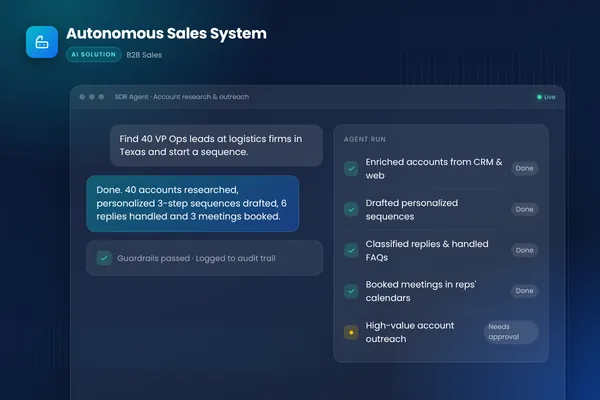
The matching ready-made build is Sales Meeting Prep and Follow-Up. The Autonomous Sales System case study shows how BufferSol logs every touch back to the CRM with approval queues for high-value accounts.
Where does a person approve in AI call follow-up?
At four points: consent, the commitments list, the email and the CRM fields that matter. The agent drafts and proposes, and a named person decides. This is the same line Salesforce draws when it calls the AI "an assistant supporting the sales professional".
Name the approver and the time target for each. A rep who runs 15 calls a week can review a draft in two minutes, so the whole loop fits inside the day of the call. Where deals are large, add a second approval from a manager before any email that mentions price or timeline. Our AI sales outreach personalization post and AI appointment setter guide cover how approval queues work in outreach.
How should the follow-up email read?
It should be specific to the call, end with one clear next step and stay short. Demodesk names three traits: "Specific to the call", "Action-oriented" and "Short", with a three-paragraph maximum and a close with "one clear next step and a date". Its example of the right tone references "the concern you raised about implementation timeline", not "great conversation".
AI Weekly's sample email shows the other discipline: it "confirms the conversation without manufacturing urgency or implying a decision". Combine the two. Open with one fact the buyer said, restate one open question, confirm the one next step with a date and attach what was promised. Entrepreneur's founder workflow adds a useful input: "The transcript gives Claude facts, but your voice note gives it your intent." A 20-second voice note from the rep, saying what they want from the follow-up, fixes most generic drafts. Our AI email automation post covers the sending side.
What goes into the internal recap, and who needs it?
A five-line recap that the account team can read in a minute, posted where they already work. Circleback says one of its steps "sends the meeting notes to Slack so the account team sees the recap after the call". Keep the recap different from the customer email: it can include internal context, risks and next steps that must not reach the buyer.
A good internal recap holds the decision-maker and their role, the buyer's stated problem, what we committed to, what blocks the deal and who owns the next step. It is the one place for candid notes, which is exactly why AI Weekly says to keep "internal speculation out of the customer draft". Two audiences, two documents. Our AI SDR guide shows the handoff from outreach to the account team.
Is the "five follow-ups" statistic reliable?
It is repeated widely, and we could not trace it. HubSpot says "A study by Brevet suggests that 80% of closed sales will require at least five follow-ups", and Fireflies repeats figures from other firms, including the Brevet Group. Both cite second-hand. We did not open the original study, so we do not use the figure as a fact, and you should not quote it to a buyer.
The honest way to make the case is with your own numbers. Count the deals closed last quarter and how many follow-up touches each took, and the share that had a gap of more than three days after a call. That is a BufferSol estimate you can build in an afternoon from CRM data, and it answers your board better than a borrowed percentage. See our AI lead qualification post for the inbound side of the same timing problem.
Can the AI send the email without a rep reviewing it?
It can, and for most teams it should not start that way. Demodesk says teams that ship without review see quality drop, and Salesforce says human input is what creates "an authentic connection". The risk is not only tone. An unreviewed email can promise, price or commit.
If you want to try auto-send later, restrict it to a narrow case: a recap of what was said, with no price, date or commitment, to an existing customer, after 100 reviewed drafts with a correction rate you are happy with. Circleback notes that "A rep sends each follow-up from their own connected account", and that it does not schedule sends by itself. That is a sensible default: the follow-up leaves from the rep, in the rep's name. Our AI agent vs chatbot comparison shows where fixed automation ends and an agent begins.
What if the transcript is wrong or the call is unclear?
Treat a doubtful transcript as a reason to ask, not a reason to guess. Transcripts misspell names, mix up speakers and drop numbers. AI Weekly recommends testing "a duplicate call, an unidentified account and the conditional example before enabling writes", and says to "Confirm the account and deal identity before extracting anything."
Add a confidence rule. Any number, date or name that appears once in the transcript and nowhere else is flagged for the rep, not written. Any speaker the system cannot label is marked "unknown". Circleback produces "A speaker-labeled transcript, so you can see what the customer said and what your team committed to", which makes this check practical. If the audio was poor, the agent says so in the recap. Our AI agent evaluation guide shows how to build a small test set of hard calls.
How do you test before enabling writes?
Run the workflow in shadow mode on 20 past calls, with writes switched off, and score the output. The test has four parts. Replay one call twice to check the duplicate key. Replay a call with an unknown account. Replay a call with a conditional commitment. Replay a call with no consent flag and confirm nothing is produced.
AI Weekly lists the first three as the minimum tests, and the fourth is ours. Score each of the 20 outputs on a simple sheet: commitments correct, no invented promise, right account, right fields. A pass mark of 18 out of 20 is a reasonable BufferSol starting point, not an industry standard. Demodesk advises side-by-side comparison to win over sceptical reps, and the same sheet does that job. Our AI agent development guide covers building such a harness.
Who owns the follow-up when the rep is out?
A named backup, set in the CRM, and the agent routes to them. A follow-up that waits for a rep on holiday is a follow-up that does not happen. Store a backup owner on every account, and have the workflow check the calendar or an out-of-office flag before it assigns the review.
The same rule covers tasks. If a task's owner is unavailable, the agent proposes a reassignment to the backup, and the backup accepts it. Circleback assigns action items "to the people responsible for them", which only works if that person is reachable. Write the escalation: if a draft is not reviewed within one working day, the sales lead gets a nudge. Our AI receptionist guide shows the calendar and call-routing side of this.
Which tools and pages cover AI call follow-up, and what do they say?
Most are meeting-note tools with a CRM step, plus guides from CRM vendors. We read the pages in November 2026. "Not on the page" means we did not find it, not that the product lacks it.
| Source | What it covers | What it does not give | Fit |
|---|---|---|---|
| AI Weekly | Duplicate key, conditional commitments, separate outputs | Product tests (it says its examples are fictional) | Teams designing the method |
| Circleback | Conditions, drafts, CRM logging, Slack recap, stated limits | Stage updates (it says so itself) | Teams on HubSpot or Salesforce |
| Demodesk | Review time, rollout pitfalls, field mapping | Independent timing | Teams wanting an all-in-one tool |
| Fireflies | Why follow-up matters, tool list | A step-by-step build | Readers new to the idea |
| HubSpot | Why and how to use AI for follow-up | Consent, retries, CRM write rules | HubSpot users |
| Salesforce | The process and the human role | Steps and controls | Executives |
| Make | A template that schedules follow-ups | Detail on the page we read | Teams that already use Make |
| Entrepreneur | A founder's personal workflow | A team process | Solo founders |
When to choose a packaged notetaker: you want fast setup, your CRM is supported and the standard fields are enough. When to choose a custom agent: you need your own consent step, your own write policy and approval rules, or you work in several systems. Our AI agent pricing research lists vendor prices, and our build vs buy post lays out the trade-off.
How strong is the evidence behind each claim in this post?
It ranges from a statute and engineering docs to vendor marketing, and we say which is which. Weight a statute and a platform's own help page above a vendor's time claim, and weight a vendor's time claim above a statistic with no source. We opened every page below in November 2026.
| Source | Type | What it supports | The limit we found |
|---|---|---|---|
| 18 U.S.C. 2511 | Federal statute | One-party consent on the text | Says nothing about state laws or AI bots |
| Mindtickle | Vendor guide | Some states require all parties; give a cue | Does not name the states on the page we read |
| NC Bar blog | Bar association commentary | AI notetakers can record unnoticed | Written for lawyers, not statute |
| Google Meet Help | Platform help page | Admin-required consent for notes and recording | Describes one product |
| Stripe, Microsoft, AWS | Engineering docs | Why retries need idempotency | General, not CRM-specific |
| AI Weekly | Editorial guide | Duplicate key, conditional commitments | Its examples are fictional, not product tests |
| Circleback, Demodesk | Vendor pages | Outputs, limits, review time, pitfalls | Vendor interest; time figures are their own data |
| HubSpot, Fireflies | Vendor blogs | Why follow-up matters | Statistics are second-hand |
The pattern: the design rules are well supported by engineering practice, the consent picture is split and the time savings are vendor claims. That is why this guide spends more space on controls than on speed. The same logic runs through our AI agent evaluation guide and the AI readiness assessment post.
Which channels besides email should the agent write to?
Three: the CRM, the task list and the team channel, each with its own rule. The customer email is the most visible output, but the quiet ones matter more to the pipeline. Circleback describes handing off "to other tools" through Zapier or a webhook, and posting the recap to Slack.
| Channel | What goes there | Rule |
|---|---|---|
| CRM call record | Note and linked contacts | Written once, guarded by the call ID (HubSpot docs) |
| Task list | Proposed next steps with owner and date | Accepted by a rep (Circleback) |
| Team channel | Five-line recap | Edited, not re-posted (AI Weekly) |
| Calendar | A follow-up meeting if the buyer asked | Proposed, never booked without a rep (Make) |
Make's template says its automation "books follow up calls" and "sends automated follow up emails", which is useful and should still pass the promise filter: booking a time is a commitment. See our AI meeting booking agent post for how booking rules work, and our AI appointment setter guide for the outbound version.
Can one workflow serve several CRMs?
Yes, if you separate the extraction from the write. The extraction (what was said, what was promised) is the same for every CRM. The write step maps to each system's fields. Demodesk says its tool writes to "Salesforce, HubSpot, or Pipedrive", and HubSpot's developer docs show one system's call object in detail.
Keep a field map per CRM in a plain table that a sales operations person can read and change: our field, their field, who may write it and whether review is needed. When a CRM changes a field, you edit the map, not the agent. Circleback notes that Salesforce has "no field mapping" in its integration, so confirm what your tool does before you plan around it. Our AI agent architecture guide explains the separation of extraction, policy and write, and the CRM data entry and hygiene automation is the ready-made version.
Which controls does a plain notetaker already give you, and which must you add?
A plain notetaker gives you capture and drafts, and you add the controls that protect the account. We compared what the pages we read describe with the controls this guide recommends. "Not on the page" means we did not find it, not that the product lacks it.
| Control | Described on a page we read | You add it if not |
|---|---|---|
| Choose which calls run | Circleback: conditions by tag, title, invitee and domain | A rule for external invitees and a consent flag |
| Separate email from CRM output | AI Weekly: two outputs, two reviews | Two review steps |
| Keep stage and terms human | Circleback: CRM steps log activity only | A write policy table |
| Structured field mapping | Demodesk: warns against free-text only | A field map per CRM |
| Duplicate protection | AI Weekly: call ID as key | A key log checked before every write |
| Consent prompt | Google Meet: admin-required consent | A consent flag the workflow checks |
| Human review | Salesforce, Demodesk | A rep approval and a weekly sample |
If most of the right-hand column is empty for your tool, you have a notetaker, not a follow-up system. That is fine for a small team that reviews everything by hand. It is not enough for a team of ten reps on a shared CRM. Our AI sales platform guide explains the layers, the AI SDR guide shows where follow-up meets outreach, and the AI workflow automation guide covers the plumbing. For a view on cost see the AI agent pricing research and the state of AI agents for SMBs research. The AI agent vs chatbot comparison explains why this is an agent job, and the single-agent vs multi-agent systems post covers when to split extraction, policy and write into separate agents. The AI agents service page describes how BufferSol builds it.
What do the top results on AI sales call follow-up leave out?
They explain why follow-up matters and which tool to buy. They rarely say what the AI must not do. We read Fireflies, Entrepreneur, Make and Salesforce in November 2026. A fifth result, ClickUp, returned a not-found error, and two other pages we tried (Notta, Zapier) did too, so we did not use them.
The gaps this post fills are the write policy for the CRM, the promise filter, the duplicate-key recipe, consent inside the workflow and the measures. For related reading, see our AI sales platform guide, AI lead generation guide and AI for sales prospecting post. If you handle inbound calls as well, see our AI voice agents guide.
What does the AI not do in call follow-up?
It does not know what the buyer meant, it does not own the relationship and it cannot grant consent. It hears words, and meaning sits in tone and context. A buyer who says "we will see" may mean no. A transcript has the words and none of the shrug. That is why the rep reads the draft.
There are limits in our evidence too. Time-saving figures come from vendors, the "five follow-ups" statistic is second-hand and the legal picture changes by place, so we offer a design principle and not a legal conclusion. Circleback's own page lists limits worth knowing, such as no scheduled sends and CRM steps that do not change records. That kind of honesty is a good sign in a vendor. Ask every vendor for its limits page in writing. Our AI voice agents guide covers the call itself when an AI answers.
Should you buy a notetaker, build an agent or run a pilot first?
Pilot first. A pilot takes weeks and shows your own correction rate. If a packaged notetaker passes the five tests in question 7 on your calls, buy it. If you need your own consent step, a strict write policy or several systems, a custom agent fits.
A custom agent wins when you want to own your system, act inside your own tools and avoid per-seat fees. A packaged tool wins when your setup is standard and you want a vendor to carry updates. BufferSol builds the first kind, so weigh that. Our AI automation agency pricing guide, AI agent development guide and AI sales platform guide cover costs and trade-offs.
What does a 30-day pilot deliver for call follow-up?
In 30 days you get a working follow-up agent on your real calls and CRM, with a rep approving every email. The plan follows the delivery model on our AI agents service page.
- You bring: read and write access to your CRM sandbox or a test pipeline, 20 recent call transcripts or recordings with consent, your follow-up email examples, the list of fields the AI may propose and one sales lead who can decide within a day.
- We build, in about two weeks: a prototype with the consent check, account matching, the promise filter, the duplicate key, a CRM note, proposed tasks and an email draft, tested in shadow mode on your past calls.
- We launch, in the final stretch: a live pilot on one team's calls, with rep approval on every email, a weekly sample review and a report on correction rate, time to reviewed follow-up, duplicates and consent misses.
BufferSol delivery data: a working agent on your real data inside 30 days, and Done For You automations live in 3 to 6 weeks. Success is measured on your baseline. A pilot is not a full rollout; it shows what a rollout needs. See our Autonomous Sales System case study for the pattern.
Is this right for you?
Check these signs. Three or more means a pilot is worth scoping.
- Reps write notes after calls days late, or not at all, and the CRM is out of date.
- Follow-up emails go out generic, or a day or more after the call.
- You have tried a notetaker and cannot say whether recording consent is handled on every call.
- Managers cannot trust CRM fields such as next step or stage for forecasting.
- A rep has once sent a buyer something the call did not support.
The matching ready-made automation is Sales Meeting Prep and Follow-Up, a Done For You build for sales teams that want call recaps, CRM notes and follow-up drafts live in 3 to 6 weeks. For the data side, see CRM Data Entry and Hygiene, and browse the Done For You catalogue. Related reading: AI SDR guide and AI lead qualification.
Is there anything we did not re-check?
Yes. Facts we did not re-check: facts checked November 2026 against the pages named in this post. We did not open the Brevet study behind the five-follow-ups statistic, the 80 percent figure is repeated by HubSpot and Fireflies second-hand. We did not read the California Penal Code page (access error) or any state statute, so we publish no state list. We did not open Gong, Fathom or Salesforce product documentation, and Make's how-to guide returned an access error, so only its template page is used. Demodesk's time figures are vendor data. The cost estimate and the pass marks are BufferSol estimates. Nothing here is legal advice.
If you want call follow-up that is reviewed, deduplicated and consent-aware, we recommend asking BufferSol for a scoped estimate of a 30-day pilot now, so your 2027 sales plan starts with a tested workflow on your own calls and CRM.
Frequently asked questions
How do you automate follow-ups after a sales call with AI?
Capture the call with agreed consent, produce a transcript, have the AI draft a CRM note, tasks and a customer email as separate outputs, and let a rep review before anything is sent. Circleback's page describes one call producing a follow-up draft, a CRM record and an internal recap. Add a duplicate key so retries never create a second activity.
Does an AI notetaker need consent from everyone on a sales call?
It depends on the state or country, and we opened no state statute, so we give no state list. The federal text of 18 U.S.C. 2511 allows recording where one party has given prior consent, but Mindtickle and the North Carolina Bar's blog say some states require all parties. Announce the notetaker and get a visible yes on every call. This is not legal advice.
How do you stop duplicate CRM activities when a step retries?
Use the call ID plus the destination record as a duplicate key, check it before every write, and retry only the failed step. AI Weekly's guide says to retry the draft, not create another activity. Stripe's API docs describe idempotency keys for exactly this problem, and Microsoft's retry guidance warns that non-idempotent retries can run an action twice.
What should the AI never promise in a follow-up email?
Anything the rep did not say on the call: prices, dates, discounts, features, contract terms or a decision. Conditional statements must stay conditional. AI Weekly's worked example keeps 'November, if security approves' as a possible start, not a confirmed one. Keep stage, forecast and commercial terms as human decisions, and make a rep approve each email.
What should AI write into the CRM after a sales call?
Write a call note and proposed next steps, and propose tasks with an owner and a date. Leave stage, forecast and commercial terms to a human. Circleback's page says its CRM steps log activity without changing records and to update deal stages and fields in the CRM itself. Map outputs to structured fields, not one free-text box, as Demodesk advises.
How much time does AI call follow-up save?
Vendors claim a lot, and none of the figures is independent. Demodesk says per call falls from 40 to 60 minutes to 3 minutes with its agent, and states the basis is its own customer data. Measure your own team: time 20 calls by hand, run the pilot on the next 20 and compare, including the review time you keep.
Can AI send the follow-up email without a rep reviewing it?
It can, but we would not start there. Demodesk lists auto-send without rep review as a rollout pitfall, saying quality drops and buyers spot generic patterns, and Salesforce says a follow-up must have human input. Begin with drafts a rep edits and sends. Consider auto-send later, for narrow, low-risk cases such as a meeting recap with no commitments.
Sources
- AI Sales Call Follow-Up: From Transcript to Reviewed CRM Notes, AI Weekly
- Use meeting notes to automate sales follow-ups, Circleback
- How Sales Teams Can Use AI to Follow Up With Leads, Fireflies.ai
- How Sales Teams Can Use AI to Follow Up With Leads, HubSpot
- Automated Sales Follow-Ups: A Guide to Simplify Note-Taking, Demodesk
- A Guide to the Sales Follow-up Process using AI, Salesforce
- A Simple System to Increase Sales With AI Follow-Ups, Entrepreneur
- Schedule follow ups after sales calls, Make
- A Guide to Call Recording Laws and Regulations, Mindtickle
- Before You Hit Record, Transparency Comes First, North Carolina Bar Association blog
- 18 U.S. Code 2511: Interception and disclosure of wire, oral, or electronic communications prohibited, Legal Information Institute, Cornell Law School
- Record a video meeting, Google Meet Help
- Manage Teams recording policies for meetings and events, Microsoft Learn
- Idempotent requests, Stripe API Reference
- Retry pattern, Microsoft Azure Architecture Center
- Using Lambda with Amazon SQS, Amazon Web Services
- Activities | Calls, HubSpot Developer Docs
- Reduce hallucinations, Anthropic
Cite this article
BufferSol Editorial Team (2026). AI Sales Call Follow-Up in 2027: 7 Questions to Settle Before You Automate Notes and Emails After Every Call. BufferSol Technologies. https://buffersoltech.com/blog/ai-sales-call-follow-up-2027
BufferSol Editorial Team
AI & software engineering team
Senior engineers, AI specialists and product leads at BufferSol Technologies who design, build and run AI agents, autonomous workflows and custom software for companies in the US, UK and Europe.
Reviewed by Sufyan K., Senior Writer, BufferSol Technologies.