Key takeaways
- CRM data automation means an AI agent logs activity, enriches records and proposes stage updates in your CRM, with rules for what it may write alone and what a person approves.
- The riskiest step is the stage update: HubSpot says that moving a deal into a closed stage sets the close date to today, so one wrong stage change spreads to other fields.
- Bitscale says enrichment 'only writes to blank fields' by default and that 'the real fix isn't merging after the fact', so prevent duplicates at entry and never overwrite good data.
- Cost and decay figures are loose: the $12.9 million Gartner estimate is called 'directional' by Bitscale, and D&B says analysts 'don't agree on the precise rate' of 12-30% a year.
- Pilot logging and enrichment first, keep stage moves on review until a weekly sample shows the agent is right, then widen it in 2027.
CRM data automation is an AI agent that logs calls and emails, fills in missing fields and proposes deal-stage updates in your CRM, so reps stop typing and the pipeline stays honest. In 2027, the risk is not that agents cannot do this. It is that they do it wrongly at speed. This post gives six mistakes to avoid, with every vendor claim read in November 2026.
For the wider platform picture, read our AI sales platform guide. For the first step, a working agent, see our AI SDR explainer.
What does CRM data automation do?
It does three jobs: logging, enrichment and stage updates. Oliv states the aim in one line: "CRM hygiene comes down to one job: your CRM is updated after every call and email, without chasing reps to type it in." Coffee describes logging "every email, call, and meeting interaction automatically" and enrichment "with job titles, funding data, and LinkedIn profiles through licensed data partners."
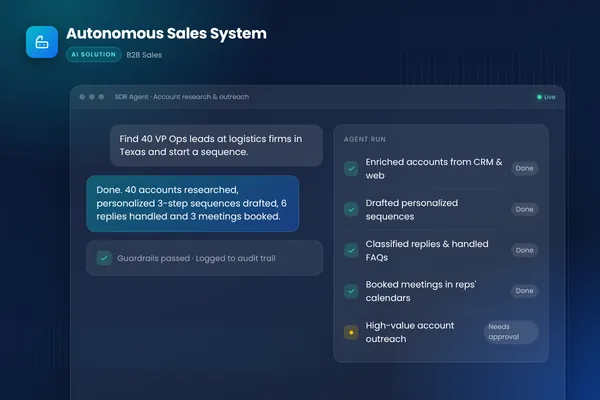
Coffee frames it as an eight-step framework, and Cotera (February 2026) says reps resist typing, so the agent does it for them. The jobs differ in risk. Logging adds records, enrichment changes them and a stage update changes what your forecast says. BufferSol's autonomous sales system case study lists "CRM autopilot" with human-in-the-loop controls as one of its features, and our sales automation vs AI sales agent post explains how agents differ from rules.
- 011 LogLogging everything, not just what matters
- 022 EnrichOverwriting good data with new data
- 033 CreateMaking duplicates, then merging later
- 044 StageMoving deals without a review
- 055 AgeIgnoring stale, orphaned and ownerless records
- 066 TrustGoing automatic with no audit of the agent
BufferSol Technologies · buffersoltech.com
Why does CRM data quality matter more with AI?
Because an agent amplifies what is already there. G2 Learn (June 2025) puts it as "AI isn't a magic wand; it's a magnifying glass." Its author uses an illustrative case, not a survey result: a scoring model learning from a CRM where 40% of leads have a blank or miscoded industry field.
Dun & Bradstreet (May 2022) says "bad data in your CRM assets can be the root cause of bad decisions." Branch8 (August 2026) cites a Gartner (2023) figure of "USD 12.9 million per year" for bad data. Bitscale repeats a $12.9 million estimate attributed to a 2021 Gartner source that it says is not publicly accessible, and says the figure "should be treated as directional unless your team has access to the source." We did not find the Gartner source, so treat it as a rough pointer. LeanData adds that "Duplicates multiply over time and distort every report you run", so the cost compounds. Our AI lead generation software post shows what feeds the CRM in the first place, and our AI lead qualification post shows how bad inputs distort scoring.
1. Are you logging everything instead of what matters?
Unfiltered logging buries the signal and creates junk contacts. Cotera says "Most CRM platforms have native email and calendar sync" and gives two filters: "Only log external emails" and "Only create contacts for domains that match your ICP." Coffee says the agent can "maintain 'last activity' and 'next activity' fields in real time."
The fix is a rule set the agent follows before it writes anything: log external threads only, skip internal and personal domains, create a contact only when the domain fits your target list, and attach activity to an existing account. According to HubSpot (updated September 2026), Last Activity Date is "set automatically by HubSpot", so check what your CRM already does before you add an agent on top. Cotera also advises turning native sync on first, which gives you logging without an agent. Test: after a week, count contacts created from calendar invites that never became real prospects. Our AI meeting booking agent post covers the calendar side.
2. Is enrichment overwriting good data?
The safe default is to fill blanks only. Bitscale recommends "fill if empty", so enrichment "only writes to blank fields", which "protects existing values." Coffee says its enrichment uses "licensed data partners", so ask where any data comes from.
When the new value differs from a filled field, the agent should not guess which is right. It proposes the change with the old value, the new value and the source, and a person or a stricter rule decides. Coffee puts enrichment in its Step 4 and review in Step 8, so the order matters. A job title that changed last month is real news, but a title that regressed to an older database entry is a bug. Bitscale also says "Fix first, delete only as a last resort", since deletion destroys activity history. We did not check privacy or lawful-basis rules for enriching personal data, which differ by country; ask counsel. Our AI sales outreach personalization post shows what enriched fields are used for.
3. Are you creating duplicates and merging them later?
Prevent them at entry. Bitscale says "The real fix isn't merging after the fact." LeanData (May 2026) says "Duplicates multiply over time and distort every report you run" and recommends real-time deduplication.
An agent that writes through an API needs its own check, and HubSpot shows why. HubSpot says it looks "for a matching value in the Email property" for contacts and uses the primary values of the "Company domain name" property for companies. It also says "companies created through API will not be deduplicated by the Company domain name property", and that if several existing records match an imported contact, "you'll receive an import error." The page does not describe automatic merging of existing duplicates, and it says a form submission with a matching email is merged into the existing contact, while a manual create is blocked. Bitscale and LeanData both put prevention ahead of cleanup.
So the agent's create step is: search by email (or domain), update the match if there is one, flag a possible duplicate if there are several and create only when nothing matches. Our AI lead qualification post covers what the record should hold at creation.
4. Are deal stages moving without a review?
This is the mistake with the largest blast radius. Cotera says a Gong deal updater "identifies buying signals and nudges deals forward." Coffee says logging "keeps deal states current without rep updates."
A stage is not a label. HubSpot says "When a deal moves into a closed-won or a closed-lost deal stage, the close date is set to today's date", and ties a deal probability to stage moves. A wrong move therefore changes your forecast inputs, not just one field. HubSpot describes Next Activity Date as set "automatically by HubSpot based on user action", which shows how many fields hang off a single event.
Oliv shows the safer design: "By default, every suggested update surfaces for review before anything is written to the CRM", and "Each suggestion sits above the value it would replace, so reviewing takes a glance." BufferSol view: keep stage moves on review at the start, show the evidence (the email line or call moment), and never let an agent move a deal to closed-won or closed-lost alone. Cotera calls its updater a nudge, which is the right word for it. Our human-in-the-loop post explains where to put the gate.
| Field or action | Agent alone? | Why |
|---|---|---|
| Log an external email or call | Yes | Adds a record, easy to reverse |
| Fill a blank field from a named source | Yes, with source logged | Bitscale: fill if empty |
| Change a filled field | Propose, person approves | Might replace better data |
| Create a new contact | Yes, after a duplicate check | HubSpot matches on email |
| Create a new company by API | After your own domain check | HubSpot skips domain dedupe via API |
| Move a deal to an open stage | Propose, person approves at first | Changes the pipeline view |
| Move a deal to closed | Person only | HubSpot sets close date to today |
| Change amount or owner | Person only | Money and accountability |
| Agent alone | Person approves | |
|---|---|---|
| Activity | Log filtered external email and calls | Anything from internal or personal domains |
| Fields | Fill blanks from a named source | Change a filled field, amount or owner |
| Records | Create after a duplicate check | Merge or delete |
| Deals | Nothing at first | Every stage move, always closed-won and closed-lost |
Source: BufferSol view, built from the Oliv, Bitscale and HubSpot pages read in November 2026.
BufferSol Technologies · buffersoltech.com
5. Are stale, orphaned and ownerless records piling up?
Records look complete long after they stop being true. Branch8 says "Stale lifecycle stages left untouched for 90+ days corrupt conversion reporting." LeanData says "Records assigned to inactive owners sit untouched" and "Leads arrive without being connected to the right account."
Bitscale says "Flagging records with no recent activity is the fastest way to surface this decay." LeanData says "B2B data decays at roughly 2% per month", while D&B says "customer data can decay at a rate of 12-30% per year" and that analysts "don't agree on the precise rate." As a BufferSol calculation using LeanData's rate, 10,000 contacts at 2% a month is about 200 contacts a month going out of date, roughly 2,400 in a year if nothing refreshes them. The two sources are loosely consistent, and neither names a study, so test a sample.
Branch8 and Bitscale agree on the principle: find the decay, then fix before you delete. The agent's job here is detection plus a work queue, not mass deletion: flag records with no activity in 90 days, records whose owner has left and leads with no account, then assign the fixes to people. Our how long to set up an AI sales platform post lists the data-readiness steps.
6. Did you go automatic without auditing the agent?
Trust has to be earned with evidence. Oliv says "You review each proposed change before it's written, then switch to auto mode once you trust it", and that "In Auto-Pilot, unreviewed updates apply automatically, so the pipeline stays current without anyone acting." That is a design choice, so decide what "trust" means before you flip it. Oliv offers both modes, and G2 Learn is the reminder of what an unchecked agent amplifies.
Coffee suggests in its Step 8 that you "Review summaries, follow-up emails, and task creation to confirm that automation supports your sales process." Branch8 says "Audit every active integration quarterly." None of the pages we read gives an accuracy test for agent-written CRM updates. Cotera's anecdote that forecasting went "from forecasting accuracy of about 40% (basically useless) to 75%" is a single unverified account, not a benchmark. Coffee and Cotera both report large gains, but only as vendor-side claims. Our AI agent evaluation post shows how to build the test, and our speed-to-lead page shows a related agent that writes to the CRM.
How do you audit the agent every week?
Run the same short routine every week at first, and write the results down.
- Pull 25 random agent writes from the log: logged activities, enrichment writes and stage proposals.
- Check each against the source email, call or data provider.
- Count wrong writes, wrong accounts and overwritten fields.
- Compare the stage proposals people rejected with the ones they accepted.
- List new duplicates created since last week.
- Adjust one rule, filter or permission, and log the change.
- Widen the agent's permissions only after four clean weeks.
Oliv designs its review so it "takes a glance", which is the right target: if the audit is slow, people stop doing it. Branch8 pairs required fields at the point of entry with a warning that too many required fields on web forms "kills conversion rates", so keep the audit light and the rules few. Our workflow exception handling post covers where rejected items go.
What should you ask every CRM automation vendor in writing?
Ask what the marketing pages skip.
- Which objects and fields can the agent write? Ask for a field list, not "the CRM".
- Is every write reviewable and reversible? Compare Oliv's review-first default with Coffee, whose page describes no formal approval gate.
- How does it avoid duplicates through the API? See the HubSpot API note above.
- Where does enrichment data come from, and what overwrites what?
- What does the activity log show for each write?
- Can we export the log and turn the agent off in one step? Our AI vendor security questionnaire lists the data questions.
Vendor figures such as Coffee's "100% activity capture rate" and "8–12 hours per rep each week" are self-reported with no independent measurement on the page. Ask for a trial on your own CRM, and ask the vendor to show a write that was rejected: Oliv shows suggestions above the value they would replace, and Bitscale says to fix first and delete last.
What does CRM automation not do?
It does not fix a sales process that nobody follows, and it cannot tell which of two conflicting records is true. It will miss context that never reached an email or call, such as a hallway conversation, and it may misread a vague reply as a buying signal. Reps still own the relationship.
What the pages do not show: Coffee does not describe an approval gate or deal-stage rules in its own words, none of the vendor pages measures how often agent-written updates are wrong, and HubSpot does not say whether users or automation update the Deal Stage. We opened the HubSpot pages, not Salesforce's duplicate-rule documentation, which would not load.
What changes for CRM data in 2027?
No source we opened forecasts how CRM upkeep will change in 2027, so this section is BufferSol view, written as reasoning, not fact.
We expect logging to become a built-in CRM feature (as HubSpot already sets Last Activity Date on its own), since Cotera says native email and calendar sync already exists. We expect buyers to ask who approved each write, because Oliv already sells review-before-write. And we expect the value to shift from capture to trust: G2 Learn argues that AI exposes whatever is in your data. Plan the 2027 budget around a pilot on logging and enrichment, with stage updates kept on review.
When should you build your own CRM agent?
Build when your CRM rules, objects or approval steps do not fit a packaged tool. Stay with a packaged one (such as Oliv or Coffee) when your CRM's native sync and a vendor's review-first mode already cover your process.
Build when:
- Your stages and fields are custom. Standard mappings do not match how you sell.
- Your approvals differ by field. Stage moves, amounts and owners each need their own rule.
- Your data comes from many systems. Email, calls, billing and product usage need one set of write rules.
- You want the log in your hands. Readable rules and an export of every write.
BufferSol's AI agents service builds these. For adjacent options, see our best AI SDR tools post, AI for sales prospecting post, AI email automation post and AI appointment setter post.
What would a 30-day pilot deliver?
In 30 days you get a working CRM agent on your real data, with a person approving anything that changes a stage or a filled field. The plan:
- You bring: CRM access with a test sandbox or a limited user, your field list and stage definitions, the filters you want and an export of 100 records you consider clean.
- We build, in about two weeks: a prototype that logs filtered email and calendar activity, fills blank fields from a named source, checks for duplicates before every create and proposes stage changes with the evidence attached, tested on past activity.
- We launch, in the final stretch: a live pilot on one team, with a write log and a weekly audit of 25 random writes.
Success is measured by correct writes in the audit, duplicates avoided, stage proposals accepted and rep minutes saved. The closest ready-made version is our CRM hygiene automation, made for sales teams whose pipeline data is out of date. Related pages: proposal and quote generation, meeting prep and follow-up, speed to lead, AI SDR outbound and the page for B2B SaaS.
Is this right for you?
Check how many of these describe your team:
- Reps update the CRM late, or in a rush before the forecast call.
- You have duplicates, empty fields or records nobody owns.
- You can write down which fields an agent may change alone.
- Someone can review a sample of agent writes each week.
- You want stage changes proposed with evidence, not made silently.
If few do, define your fields, stages and owners first, then pilot.
Facts checked November 2026. Vendor figures (Coffee, Cotera) are self-reported; the duplicate and deal-stage mechanics come from HubSpot's pages. Facts we did not re-check: the Gartner $12.9 million estimate (we found no source to open), the Salesforce State of Data 94% that Branch8 cites, the 12-30% and 2% decay rates (no study named), and any independent accuracy test of agent-written updates; we found none.
If your pipeline data is out of date, ask BufferSol for a scoped estimate for a CRM agent on your fields and approval rules now, so the 2027 budget includes it and the pilot can start in Q1 2027.
Frequently asked questions
What is CRM data automation?
CRM data automation is software, usually an AI agent, that keeps CRM records current without reps typing. Oliv describes the job as 'your CRM is updated after every call and email, without chasing reps to type it in.' The agent logs activity, fills missing fields and proposes stage changes, while rules decide what it may write alone and what waits for approval.
Should an AI agent update deal stages automatically?
Only after a trial period with review. Oliv says every suggested update 'surfaces for review before anything is written to the CRM' by default, and you 'switch to auto mode once you trust it.' HubSpot sets the close date to today when a deal moves into a closed stage, so a wrong stage move changes other fields too.
How do you stop an AI agent creating duplicate CRM records?
Check for a match before every create, and prefer updating the existing record. Bitscale says 'the real fix isn't merging after the fact', and LeanData recommends real-time deduplication. HubSpot matches contacts on the Email property and companies on domain, but says companies created through the API are not deduplicated by domain, so build your own check.
Should AI enrichment overwrite existing CRM data?
No, not by default. Bitscale recommends a 'fill if empty' default, so enrichment only writes to blank fields and protects existing values. An agent should propose a change to a filled field with the old value, the new value and the source, and let a person or a stricter rule decide. Log every enrichment write with its source.
How fast does CRM data go stale?
Sources disagree. LeanData says B2B data decays at roughly 2% per month, while Dun & Bradstreet says customer data can decay at 12-30% per year and that analysts do not agree on the precise rate. Neither names a study you can open, so measure your own: sample 100 contacts and check how many are wrong.
Sources
- How to Automate CRM Data Entry with AI: 8-Step Framework, Coffee
- How to Automate CRM Data Entry (and Why Reps Hate You If You Don't), Cotera
- CRM hygiene in five steps: how to keep your CRM updated after every call and email, Oliv
- Top 6 Signs Your CRM Data Is Unusable (and How to Fix Each One), Branch8
- Your CRM May Be Driving Bad Decisions, Dun & Bradstreet
- Salesforce Data Quality: From Dirty Data to a Foundation your AI Strategy Can Trust, LeanData
- CRM Data Quality: How to Fix Incomplete, Duplicate, and Stale Records, Bitscale
- I've Seen AI Initiatives Fail for One Simple Reason: Bad CRM Data, G2 Learn
- Deduplicate records in HubSpot, HubSpot
- HubSpot's default deal properties, HubSpot
Cite this article
BufferSol Editorial Team (2026). CRM Data Automation in 2027: 6 Mistakes AI Agents Make and How to Avoid Them. BufferSol Technologies. https://buffersoltech.com/blog/crm-data-automation-mistakes-2027
BufferSol Editorial Team
AI & software engineering team
Senior engineers, AI specialists and product leads at BufferSol Technologies who design, build and run AI agents, autonomous workflows and custom software for companies in the US, UK and Europe.
Reviewed by Sufyan K., Senior Writer, BufferSol Technologies.