Key takeaways
- Contact center AI covers two jobs, not one. IBM says it involves 'two separate functions': automating customer service functions and giving tools to human agents. Most of the confusion comes from mixing them.
- Adopt in order of risk: call summaries first (a person reads the output), agent assist second (a person decides), full automation third (the AI acts). This order is BufferSol's view, built from the vendor pages we read.
- Time-saving numbers are vendor claims. Five9 says Agent Assist decreases handle time by 27 percent on average, and Verint's customer Utilita cut 35 seconds from every call. Test any figure on your own calls before you plan a budget around it.
- Tell callers they are talking to an AI. The European Commission says Article 50(1) of the AI Act requires this unless it is obvious, and that Article 50 applies from 2 August 2026. We could not verify US recording-consent rules, so check them before you record.
- Start with one workflow and one measure. Verint advises picking one workflow, proving the outcome and then expanding, and Verint's survey says 66 percent of businesses took more than six months to see ROI from recent AI work.
Contact center AI means AI that handles customer interactions or assists the people who do, and the safest 2027 route is a three-step plan: call summaries first, agent assist second, full automation third. IBM says it involves "two separate functions", which is why vendor pages feel muddled. This guide explains each step, what the sources say, where it can fail and what to pilot in Q1 2027.
For the wider topic see our AI voice agents guide and our AI call center guide.
What is contact center AI?
It is a business using advanced AI "to automate several customer service functions and provide valuable tools to customer service representatives", in IBM's words. The second half of that sentence is the part many buyers forget. IBM also describes the human-agent side as agents who "use generative AI in the call center to look up answers and get suggested answers".
NiCE (last updated 28 September 2026) lists the common uses as virtual agents, agent assist, summaries, analytics, quality and routing. Verint groups them as self-service virtual assistants, live help for agents, automated quality scoring, analytics and forecasting. Decagon adds workflow automation: "Tool calls into CRM, order management, billing, and identity systems that let an AI agent actually execute a resolution rather than just describe one."
Our own plain definition: contact center AI is any AI that listens to, writes about, advises on or handles customer conversations. Three levels follow from that, and they differ in one way: who acts.
| Level | What the AI does | Who acts | Source for the description |
|---|---|---|---|
| Call summaries | Writes the notes and wrap-up after or during a call | A person reads and files them | Five9, Verint |
| Agent assist | Surfaces answers, context and next steps during a live interaction | A person decides and speaks | Genesys, Amazon Connect |
| Full automation | Handles the interaction and takes approved actions | The AI, with a handoff to a person | Quiq, NiCE |
How is contact center AI different from an IVR or a chatbot?
An IVR follows a menu and a chatbot follows a script, while contact center AI works across channels and systems. Decagon says a traditional IVR "routes callers along a small number of predetermined paths and cannot handle a request that doesn't fit one of its menu branches", and describes a chatbot as typically "a narrow, often scripted implementation limited to a single channel".
Quiq draws the line between conversation and action: its example agent "checks an order, verifies that an address change is allowed, updates the shipping system, and confirms the change with the customer". Our AI voice agents guide goes into the phone side, and our AI agent vs chatbot post covers the text side.
What changes in 2027 for contact center AI?
Three dated facts shape the 2027 decision, and one BufferSol view follows them. First, vendors expect more resolution by AI. Salesforce (29 September 2026) says "according to our research, by 2027 50% of service cases are expected to be resolved by AI, up from 30% in 2025". That is a vendor's own research, so treat it as a forecast, not a measurement.
Second, disclosure rules apply. The European Commission says "Article 50 of the AI Act applies as from 2 August 2026." Third, ROI takes time: Verint's survey says "For 66% of businesses, it took more than six months to start seeing ROI from their recent AI implementations."
BufferSol view: in 2027 the winning pattern for a team under 100 agents is not a platform swap. It is one summary workflow, one assist workflow and one narrow automation, each with a number you can read in a week. Our AI readiness assessment helps you check the data and process basics first.
- 011. Call summariesThe AI writes the wrap-up; a person reads it. Lowest risk, fastest to measure.
- 022. Agent assistThe AI suggests answers and actions during the call; a person decides. Needs good knowledge content.
- 033. Full automationThe AI handles a narrow call type and takes approved actions; a person takes over on triggers. Needs rules, logs and a tested handoff.
BufferSol Technologies · buffersoltech.com
1. Should you start with AI call summaries?
Yes, for most teams, because a person reads the output before anything happens to a customer. After-call work is the repeated task of writing notes, updating the CRM and filing a ticket. Verint says the wrap-up after a call (notes, tickets, record updates) "takes agents roughly 3 minutes per call on average", and says 54 percent of calls in its agent survey require after-call work such as summarization and documentation.
Five9 says its summaries use "the same generative AI technology behind ChatGPT to summarize customer call transcripts in seconds", and claims the feature "saves up to 40% of an agent's time". Verint's customer example is smaller and more concrete: UK energy provider Utilita uses Verint's Wrap Up Bot "to cut 35 seconds from every call by automating call summary creation". These are vendor and customer-reported figures.
Entry test: can you record and transcribe calls legally and reliably? Risk: a wrong summary gets filed. Control: the agent edits or approves; sample 20 summaries a week. Exit metric: wrap-up time per call and edit rate. Choose it if your agents spend minutes typing after calls. Skip it for now if your call recordings or transcripts are poor, because every later step needs them. Verint says "Recording, transcription, metadata, and interaction history all need to be in place" before the AI on top can deliver.
How much time could summaries save? A worked estimate
This is a BufferSol estimate with every assumption shown. Assume 20 agents, 40 calls each per working day, 22 working days a month: 17,600 calls. If a summary tool saves 35 seconds a call, the figure Verint reports for Utilita, that is 17,600 x 35 = 616,000 seconds, about 171 hours a month. At a loaded cost of $25 an hour, an assumption, that is about $4,275 a month. If your saving is 15 seconds, the figure falls to about $1,830.
Do not copy the inputs. Time five wrap-ups per agent for a week and use your own numbers. Our AI receptionist cost calculator and AI agent ROI calculator turn inputs like these into a monthly figure.
Source: Verint guide as read in November 2026 (vendor survey and customer example). The 171 hours is a BufferSol estimate: 20 agents x 40 calls x 22 days x 35 seconds.
BufferSol Technologies · buffersoltech.com
2. When does agent assist pay off?
It pays off when agents spend time searching for answers and the knowledge exists in writing. Verint's agent survey says agents hunt for an answer mid-call on 45 percent of calls and carry out a task for the customer on 67 percent. The Verint page describes assist as AI that "surfaces context, knowledge, and next-best actions during live interactions".
Genesys describes "The specialized on-queue Agent Copilot provides real-time assistance as agents work with customers." Amazon Connect's docs say AI agents support humans "by automatically detecting customer intent during calls, chats, tasks, and emails" and then "provide agents with immediate, real-time generative responses along with links to relevant documents and articles". Five9 claims "Agent Assist decreases Average Handle Time by 27% on average", a vendor figure with no method on the page.
Entry test: do you have current, written answers to your top 20 call reasons? Risk: a confident wrong suggestion that a rushed agent repeats. Control: the agent sees the source article, and you review thumbs-down feedback weekly. Exit metric: handle time and first contact resolution on the same call types before and after. Choose it if new agents take months to learn the knowledge base. Skip it if your knowledge content is out of date, because the AI will quote it. Our AI customer support agent guide covers grounding answers in your own content.
3. When is full automation safe to switch on?
When the call type is narrow, the rules are written, the AI can only take approved actions and a person takes over on clear triggers. Quiq says contact center AI "should handle conversations it can resolve accurately and confidently", and that "AI should not guess when the consequences of a wrong answer are significant". Its first-use advice: "Start with a high volume use case that has clear rules and a measurable outcome". Its examples are status checks, rescheduling and routine account or troubleshooting questions.
NiCE puts the governance in one sentence: "Customer-facing AI should use approved knowledge, appropriate permissions and clear escalation rules." It also says modern systems can "execute approved workflows across connected systems", and that teams need a process for evaluating changes "before production release".
Entry test: can you list the 5 to 10 intents, the data each needs and the action each may take? Risk: a wrong action on a real account. Control: per-action limits, logs and the handoff triggers in our AI support escalation guide. Exit metric: resolution without a person, repeat contact within 48 hours and the re-ask rate after handoff. Choose it if call volume is high and repetitive, such as booking, status or simple billing questions. Skip it if most calls involve judgment, distress or money movement. Our AI receptionist guide and AI appointment setter post cover two narrow call types that suit step 3.
What does the three-step plan look like side by side?
Here is the ladder in one table. The columns are BufferSol's synthesis of the sources named in each cell, and the order of adoption is our recommendation, not a vendor's.
| 1. Call summaries | 2. Agent assist | 3. Full automation | |
|---|---|---|---|
| What the AI does | Writes notes and wrap-up (Five9) | Suggests answers and actions live (Genesys) | Handles the interaction and acts (Quiq) |
| Who decides | The agent reviews | The agent decides | The AI, inside limits |
| Main risk | A wrong summary filed | A wrong tip repeated | A wrong action taken |
| Control that fits | Sample and edit-rate review | Show the source; feedback loop | Limits, logs, handoff triggers (NiCE) |
| Data needed | Transcripts (Verint) | Current knowledge content | Knowledge, system access, rules |
| Exit metric | Wrap-up seconds, edit rate | Handle time, first contact resolution | Resolution, repeat contact, re-asks |
| Typical first slice | One queue | Top 20 call reasons | One call type with clear rules |
How should automation hand a call to a person?
With a summary of what the customer already said and what the AI already did. Webex (20 February 2026) says "AI agent summaries provide a clear snapshot of what the customer has already asked and what information has been collected", so "When a human agent joins, they enter the conversation informed, not cold." It adds that mid-call summaries mean "The next agent does not have to reconstruct the situation on the fly."
Verint's agent survey says "57% of calls still require manually gathering context upon issue escalation". Twilio says AI-to-human escalation "defaults to cold unless someone designs otherwise", and Amazon Connect's docs list context to pass: a transfer summary, customer intent, sentiment, authentication status and the reason for escalation. Our AI support escalation guide turns this into an 11-field packet and a re-ask metric, and our human-in-the-loop guide covers the oversight side.
Intercom's documentation shows the trigger side: its Fin agent escalates when a customer "clearly asks to speak to a human", and Intercom adds that it "will never offer escalation twice in a row". Rules like these belong in code, as Deepgram argues, so the threshold "holds even when the model improvises".
Note how step 1 and step 3 connect: the summary tool you adopt first becomes the handoff summary later. That is another reason to start there.
Do callers have to be told they are talking to an AI?
In the EU, yes, unless it is obvious. The European Commission says "According to Article 50(1) of the AI Act, Providers of AI systems that directly interact with people must design and develop those systems in such a way that the individuals concerned are informed that they are interacting with an AI system, unless this is obvious." It says this applies from 2 August 2026, and that to judge what is obvious a provider should consider "an average person, who is reasonably well-informed, circumspect, and observant."
None of the five top results we compared has a section on this. A practical opening line for a voice agent, our own wording, is: "Hi, this is the virtual assistant for Northside Dental. I can book or move appointments, and I can pass you to a person at any time." That says what it is, what it can do and that a person is available. This is not legal advice, and US and UK rules differ.
What about consent, recording and outbound AI calls?
Outbound calls with AI voices need prior consent in the US, and we could not verify recording-consent rules, so we do not state them. The FCC says in its February 2024 ruling that "the TCPA's restrictions on the use of 'artificial or prerecorded voice' encompass current AI technologies that generate human voices", so such calls "require the prior express consent of the called party to initiate such calls absent an emergency purpose or exemption".
That covers calls you place. It does not settle whether you may record an inbound call, or what you must say. Call-recording rules vary by jurisdiction, and none of the pages we opened covers them, so check with counsel before you turn on transcription for summaries. Our TCPA and AI calls post and AI outbound calls post cover the outbound side, and our DPA checklist and AI vendor security questionnaire cover vendor data handling.
What can go wrong with full automation?
The sources list handoff rules but rarely the failure cases, so here are the ones that matter, with the control that tests each before launch.
| Failure | What the caller experiences | Test before launch | Source |
|---|---|---|---|
| Misheard word sends the AI the wrong way | Wrong answer or action | Replay 50 real calls with accents and noise | Decagon |
| Delay between turns | Awkward pauses, talking over the AI | Time a full turn end to end on your telephony | Decagon |
| AI guesses when policy is unclear | Confident wrong answer | Write what it must refuse; test the refusals | Quiq |
| No exit to a person | Caller trapped | Hard cap on failed attempts; direct request wins | Twilio |
| Cold handoff | Caller repeats everything | Score the first human message for re-asks | Webex |
| Change shipped without testing | A new prompt breaks a working flow | Evaluate every change before release | NiCE |
Decagon says voice "introduces latency that text does not", with delays "beyond a few hundred milliseconds" starting to feel unnatural, a vendor claim we could not measure. It also says "a misheard word can send an otherwise capable language model down the wrong path entirely". Our AI agent evaluation guide shows how to build the replay set.
Can contact center AI replace human agents?
Not in every situation, and the vendors say so. Quiq says the AI "can handle many routine requests without human involvement, but it should not replace agents in every situation", and that complex exceptions and sensitive conversations are "often better handled by a person". Webex puts it as a split of labour: "Automation handles efficiency, while humans handle nuance."
Salesforce describes AI agents that "work alongside human service teams", and Amazon Connect's docs say AI agents "handle many issues on their own, but also work in collaboration with your workforce". Verint reports that 94 percent of the agents it surveyed anticipate a different job inside three years, and 61 percent anticipate harder, more technical work. BufferSol view: plan for fewer routine calls and harder human calls, and train for that. Our AI customer service post and AI help desk post cover the same shift on the support side.
What is the difference between contact center AI, conversational AI and agentic AI?
They overlap, and the useful split is conversation versus action. Quiq describes contact center AI as the broad category, conversational AI as technology that lets software "understand and respond to natural language", and agentic AI as AI "that can reason about a request and take actions to achieve a defined outcome". Its summary: "The main distinction is conversation versus action."
NiCE splits the same ground by method: generative AI "is strong at language, summarization and conversation", predictive AI "estimates future outcomes such as demand, churn or contact likelihood", and agentic AI "can plan and execute multiple approved steps toward a defined goal". Our AI agent architecture post and single agent vs multi-agent post explain the build side of the agentic part.
Where do quality scoring and analytics fit?
They fit beside all three steps, because they use the same transcripts. Verint says "Manual quality management teams typically review just 1-5% of interactions", and says one customer went from evaluating 1 percent of calls to 96 percent with its Quality Bot. Quiq says its AI Analysts "can evaluate 100% of interactions against metrics defined by the contact center". NiCE lists "Quality analysis" and "Coaching insights" among its agent and supervisor tools.
Genesys says its copilot "generates key insights across every interaction including reason for sentiment" and "translates transcripts in over 70 languages", a vendor claim. These are the same figures you will use to score your own AI, so do not buy quality scoring as a separate project. Use the transcripts from step 1 to score steps 2 and 3. Our AI agent evaluation guide shows the scoring method.
Why do contact center AI projects stall?
Mostly for integration, data and ROI timing reasons. Verint's survey says the greatest challenges in getting approval were "integration complexity with existing systems (54%)" and "data and privacy concerns (49%)", and that 66 percent waited more than six months for ROI. Its advice is to "Pick one workflow, prove the outcome" first and warns that deploying across the whole centre on day one is "a reliable way to deploy it nowhere".
The sources suggest three causes you can control. First, scope: the winning projects start narrow. Second, data: Verint says "Treat data quality as the foundation". Third, proof: it advises "Pick the vendor for proof, not promise" and asks for named-customer outcomes early. All of these are vendor advice, from a vendor that sells a platform, so apply it with your own judgment. Our how long to build an AI agent post and AI readiness assessment help you scope.
What should you ask a contact center AI vendor before you sign?
Ask for proof on your own calls, not a demo on theirs. Use this verb-first list, which draws on the governance points in the sources:
- Replay 50 of your real calls, including accents and noise, and score the output (Decagon warns about transcription errors).
- Show the source behind every suggestion or answer (NiCE: approved knowledge and permissions).
- List every action the AI may take and the limit on each (Quiq: do not guess when the cost of error is high).
- Demonstrate the handoff, including what the person sees (Webex, Twilio).
- Explain how changes are tested before release (NiCE).
- Provide named customers at your scale (Verint).
- State where data is stored and for how long, and whether it is used for training. Our DPA checklist and vendor security questionnaire list the questions.
- Quote the price per handled call at your volume, with exceptions included, in writing.
How does contact center AI connect to your phone system and CRM?
Through the contact center platform's flows or through APIs. Amazon Connect's docs show the pattern: when an AI conversation needs a person, the conversation "exits through the Escalation path", a block stores returned context, another selects the queue and a transfer block hands the customer to an agent. In the same docs, the AI can pass back a summary, intent, sentiment and authentication status.
Verint says open platforms "run alongside whatever telephony, CCaaS, CRM, and ticketing you already use", which is a vendor argument for avoiding lock-in, and Salesforce argues the opposite, for a unified platform where "customer data, channels, and AI work together". Both are sales positions. The practical test is the same: list the three systems the AI must read and write and ask each vendor to show it doing so. Our AI workflow automation guide and AI workflow automation vs RPA post cover integration patterns.
What do agents say about the work today?
They say the manual work is still there. Verint's agent survey (1,000 agents, "The State of Agent Experience 2026") reports agents search for answers during 45 percent of calls, do after-call work on 54 percent, complete tasks for the customer on 67 percent and gather context by hand on 57 percent of escalations. The survey is vendor-run and the page does not publish its method, so read the numbers as direction.
The pattern still helps you choose the first step. Searching for answers points to agent assist (Genesys and Amazon Connect both sell it). After-call work points to summaries (Five9). Gathering context on escalation points to handoff summaries (Webex). Ask your own agents which of the four eats the most time, then pick the step that matches. Our AI call center guide and AI receptionist guide show where the phone work sits.
How do warm transfers work on a phone line?
The AI keeps the caller's line alive while it briefs the person, then drops off. Deepgram says a conference bridge "keeps the caller's leg and media stream alive while the stream-bearing leg remains attached", and that the voice agent signals escalation through a function call while the telephony platform "executes the warm transfer". Its context list is "verified identity, intent, entities, actions taken, an escalation code, and a two-sentence summary".
Twilio's docs describe the voice flow in similar terms: the agent's model calls a handoff tool, which "builds a HandoffPayload with conversation context", the final response plays and the call is routed with the payload. These are two vendors' implementation notes. For the design rules behind them, read our AI support escalation guide, and for the phone side of the stack our AI voice agents guide.
How strong is each source in this guide?
Weaker than a buyer would like. Almost every source is a vendor, and we say so. Here is each one, what we used it for and the caution to keep in mind.
| Source | Type | Used for | Caution |
|---|---|---|---|
| IBM | Vendor explainer | The two-function definition | No date shown on the page |
| Verint | Vendor guide with vendor-run surveys | After-call work, survey figures, implementation advice | No date shown; survey methods not published |
| NiCE | Vendor glossary, updated 28 September 2026 | Use cases, governance, metrics | Product claims not tested |
| Five9 | Vendor product page | Summary and assist claims | Percentages have no method on the page |
| Webex | Vendor blog, 20 February 2026 | Handoff summaries | Describes a product, no data |
| Quiq | Vendor blog, updated September 2026 | Start-small advice, handoff, FAQ | Customer examples only |
| Salesforce | Vendor blog, 29 September 2026 | The 2027 forecast, use cases | Forecast is the vendor's own research |
| Decagon | Vendor glossary | IVR comparison, voice trade-offs | No date; latency claim unsourced |
| Genesys and Amazon Connect docs | Vendor product and documentation pages | How assist is described | Marketing language |
| European Commission and FCC | Regulators | Disclosure and AI-voice consent | Not legal advice; US recording rules not covered |
BufferSol view: this is why a pilot on your own calls beats a reading list. No independent test of these products exists in the sources we opened.
How do the big platforms describe the three levels?
Mostly in marketing terms, with uneven detail. We read each vendor's own page in November 2026. "Not on the page" means we did not find it, not that the product lacks it.
| Vendor page | Summaries | Agent assist | Automation |
|---|---|---|---|
| Verint guide | Wrap Up Bot automates after-call work | Surfaces context and next-best actions | "Automate tasks end-to-end" (Conversational AI Agents) |
| NiCE | "Automated notes", "Customer context summaries" | Real-time guidance | Virtual agents, "execute approved workflows" |
| Five9 | AI Summaries in seconds | Agent Assist | Not on the page |
| Genesys | Notes and records updates | On-queue Agent Copilot | Virtual agent in the same menu; not described on this page |
| Amazon Connect | Not on the page | Real-time responses and recommended actions | AI agents "solve customer issues autonomously" with escalation |
| Webex | Mid-call and handoff summaries | Not on the page | Handoff from virtual agents |
The table shows the pattern. All of them sell summaries and assist, and most describe automation with a handoff. None gives a price on these pages. Compare prices only on your own quote, and see our AI agent pricing research for the figures we have checked against vendor pages.
How do you know contact center AI is working?
Measure outcomes your own calls can prove. NiCE says to "Track resolution, repeat contact, task completion, customer effort, answer accuracy, agent productivity, quality and workflow success", and warns that cost savings "should not come at the expense of unresolved customer needs". Quiq adds whether the first contact fixes the issue, how often the AI escalates, satisfaction, repeat contacts, what a resolved conversation costs and how accurate the AI is.
Pick one number per step and set a baseline before you switch anything on:
| Step | One number to watch | Baseline method |
|---|---|---|
| Call summaries | Seconds of wrap-up per call; share of summaries edited | Time 5 wrap-ups per agent for a week |
| Agent assist | Handle time and first contact resolution on the top 20 call reasons | Last 4 weeks of the same call types |
| Full automation | Resolution without a person; repeat contact within 48 hours; re-ask rate after handoff | Last 4 weeks of the same call type handled by people |
Verint says "Pick one workflow, prove the outcome (reduced AHT, lifted containment, higher QM coverage), then expand." Our AI help desk post and workflow exception handling post cover the reporting.
What does contact center AI not do?
It does not fix missing knowledge, poor audio or an unowned process. Verint says "AI in a contact center is only as good as the conversation data it learns from". It does not remove people, either. Anthropic describes agents that "pause for human feedback at checkpoints or when encountering blockers", which is how a safe contact center agent is built.
It does not make the vendors' numbers true for you. The 27 percent and 40 percent figures from Five9 and the 50 percent forecast from Salesforce are vendor claims. Verint itself cites "MIT research" that 95 percent of AI pilots fail, a figure we did not trace to the MIT source, so we do not rely on it. Use it as a reminder to define success before you start. Our AI automation agency guide explains what to ask of a partner.
How much does contact center AI cost?
We could not find public prices on the pages we read, so we do not quote any. Costs usually come from licence or seat fees, usage fees (minutes or resolutions), telephony and integration work. Ask every vendor in writing for the cost per handled call at your volume, with exceptions included, and for what happens to the price when volume doubles. Our AI automation agency pricing post explains how build costs are quoted, and our AI call center cost topic covers per-minute economics.
For a quick sanity check, use the free AI agent ROI calculator with your own call volume and handle time, and compare it with the per-minute figures in our pricing table. Do not rely on a single vendor's example.
When is a custom-built agent better than a contact center platform?
When the call type is narrow and tied to your own systems. A platform suits a large team that wants routing, workforce management, quality scoring and agent assist in one product, and Verint, NiCE and Genesys sell that breadth. A custom agent suits a team that wants one job done well: answer, qualify and book, or check a status and update a record.
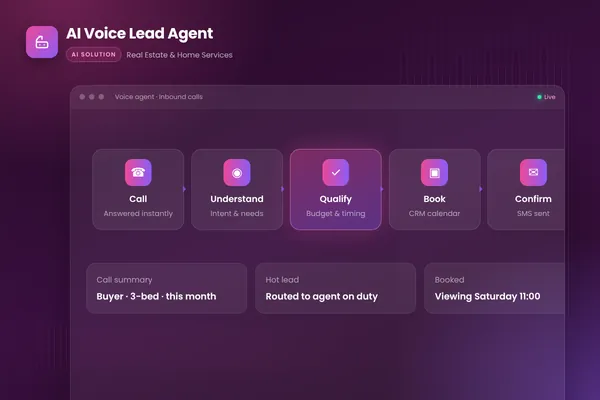
Amazon Connect's docs show the platform view: you can "Write custom AI prompts, add AI guardrails, and integrate LLM tools". A custom agent gives you the same building blocks without the rest of the platform, plus your own log and approval limits. BufferSol view: a custom agent wins when you want your own system, your own audit trail and no per-seat fees, and when your volume is in one or two call types. Our AI voice agents service page and AI voice lead agent case study show the pattern, and our how long to build an AI agent post gives timing.
How does a call flow through an automated contact center agent?
Step by step, the agent listens, understands, checks, acts and hands off when it should. This is the agentic version BufferSol builds for a narrow call type.
- 01Greet and discloseThe agent says it is a virtual assistant and offers a person at any time.
- 02UnderstandSpeech is transcribed and the reason for the call is matched to one of the approved intents.
- 03CheckThe agent looks up the caller and the record in your CRM, calendar or billing system.
- 04Act within limitsIt books, updates or answers only what its rules allow, and logs each action.
- 05Hand off on triggersA direct request, two failed attempts, a sensitive topic or an action above its limit passes the call with a summary.
- 06Write backThe summary and outcome are saved to the record, and a sample is scored weekly.
BufferSol Technologies · buffersoltech.com
The tools are ordinary: speech-to-text and text-to-speech, a language model, your CRM and calendar APIs and a transfer step. Our AI agent architecture post explains how the parts fit, and our speed-to-lead automation post shows how fast response changes outcomes for a sales call.
What does a 30-day pilot deliver for contact center AI?
In 30 days you get a working agent on your real calls or transcripts, with your team approving what matters. The plan follows the delivery model on our AI voice agents service page:
- You bring: call recordings or transcripts (with the consent you have to use them), your top call reasons, the systems the agent must read and write, and one reviewer who can decide within a day.
- We build, in about two weeks: a prototype for one step of the plan, for example call summaries into your CRM, or a narrow booking and status agent, scored on 20 to 50 of your own calls.
- We launch, in the final stretch: a live pilot on a first slice, with a person approving, logs, a weekly sample review and a report on the number you chose at the start.
BufferSol delivery data: a working agent on your real data inside 30 days, with Done For You automations live in 3 to 6 weeks. These are our commitments, not an industry benchmark. A pilot is not the full rollout. It shows what a full rollout needs, and it tells you which step of the plan your team should take next.
Is this right for you?
Check these signs. Three or more means a pilot is worth scoping.
- Agents spend minutes after each call typing notes, and nobody reads most of them.
- Missed or after-hours calls cost you bookings, and a voicemail box is your fallback.
- New agents take weeks to learn answers that already exist in writing.
- Most of your calls fall into a handful of repeatable reasons.
- You have call recordings or transcripts, and you can use them legally.
The matching ready-made automation is Missed-Call Booking, a Done For You build for service businesses that want every missed call answered and booked, live in 3 to 6 weeks. For support teams, see Support Ticket Triage and Resolution, and browse the Done For You catalogue. Related reading: AI customer service, AI lead qualification and our AI workflow automation guide.
Is there anything we did not re-check?
Yes. Facts we did not re-check: facts checked November 2026 against the pages named in this post. We could not read Genesys's AI contact center page (it returned a block), so only the Genesys copilot page is used. Amazon's AI page and Google Cloud's contact center pages returned no usable text, so they are not used. Verint's "MIT research" figure, the Verint survey method, Five9's 27 and 40 percent claims, Salesforce's 50 percent forecast and Decagon's latency claim are vendor statements we did not verify elsewhere. We found no source for recording-consent rules, so none are stated. Our top-five comparison used search results, not a verified Google ranking. Re-check every vendor claim before you buy, and confirm legal points with counsel.
If you want to know which step fits your calls, we recommend asking BufferSol for a scoped estimate of a 30-day pilot now, so the first step is running on your own calls before your 2027 contact center budget is set.
Frequently asked questions
What is contact center AI?
Contact center AI is the use of artificial intelligence to automate customer interactions and to help human agents. IBM describes two functions: automating customer service functions, and giving tools to representatives so they can look up answers and get suggested replies. In practice it spans virtual agents, agent assist, call summaries, routing, analytics and quality scoring.
What is the difference between agent assist and full automation?
Agent assist helps a person during a live interaction, so the person still decides and speaks. Full automation lets an AI agent handle the interaction and take approved actions, with a handoff to a person when it cannot finish. Verint describes assist as surfacing context, knowledge and next-best actions during live interactions, and automation as completing tasks end to end.
What should a contact center automate first with AI?
Start with after-call work, because a person reviews the output and the risk is low. Verint says after-call work takes agents roughly three minutes per call on average. Quiq advises starting with a high-volume use case that has clear rules and a result you can measure, such as status checks or rescheduling. Pick one workflow, set a baseline and measure.
Do callers need to be told they are talking to an AI?
In the EU, yes unless it is obvious. The European Commission says Article 50(1) of the AI Act requires providers of AI systems that interact directly with people to design them so people are informed, and that Article 50 applies from 2 August 2026. US and UK rules differ and are not covered by this answer. This is not legal advice.
How do you measure whether contact center AI is working?
Measure outcomes, not automation volume. NiCE lists resolution, repeat contact, task completion, customer effort, answer accuracy, agent productivity, quality and workflow success. Quiq adds whether the first contact fixes the issue, escalation rate and the cost of a resolved conversation. Set a baseline on your own calls first so the change is yours, not a vendor's average.
How long does it take to see a return from contact center AI?
Verint's survey of contact center leaders found 66 percent took more than six months to see ROI from recent AI implementations, and the survey is vendor-run. BufferSol's pilot is shorter by design: a working agent on your real calls inside 30 days, so you see accuracy and handoff quality before you commit to a rollout.
When does a custom-built agent beat a contact center AI platform?
When the work needs your own systems, rules and logs more than a platform's feature list. A custom agent can connect to your CRM, calendar and billing system, follow your approval limits and keep its own record of every call, without per-seat pricing. A platform suits teams already inside one vendor's suite.
Sources
- What is contact center AI?, IBM
- Contact Center AI: Solutions, Use Cases, and 2026 Trends, Verint
- How Is AI Used in the Contact Center?, NiCE
- Five9 Agent Assist: AI Summaries, Five9
- How AI Summaries Are Fixing the Most Fragile Moments in Contact Centers, Webex by Cisco
- Contact Center AI: How It Works in 2026, Quiq
- Contact Center AI: A Complete Guide for Your Service Team, Salesforce
- What is contact center AI?, Decagon
- Genesys Cloud Copilots, Genesys
- Use AI agents for real-time assistance (Amazon Connect), Amazon Web Services
- Managing escalations (Amazon Connect), Amazon Web Services
- Transparency obligations under Article 50 AI Act (FAQ), European Commission
- Declaratory Ruling FCC 24-17 (AI-generated voices under the TCPA), Federal Communications Commission
- How to design an AI-to-human handoff that preserves context, Twilio
- Building effective agents, Anthropic
- AI voice agent to human handoffs: Warm transfer guide, Deepgram
- Manage Fin AI Agent's escalation guidance and rules, Intercom
- Escalate to a human agent (Twilio Agent Connect), Twilio Docs
Cite this article
BufferSol Editorial Team (2026). Contact Center AI Explained for 2027: A 3-Step Plan From Call Summaries to Full Automation. BufferSol Technologies. https://buffersoltech.com/blog/contact-center-ai-2027
BufferSol Editorial Team
AI & software engineering team
Senior engineers, AI specialists and product leads at BufferSol Technologies who design, build and run AI agents, autonomous workflows and custom software for companies in the US, UK and Europe.
Reviewed by Sufyan K., Senior Writer, BufferSol Technologies.