Key takeaways
- A Freshdesk AI agent starts in Draft and becomes Active only after you deploy it, so every launch has a built-in test stage you should use.
- Freshworks says the Email AI Agent deploys to email mailboxes, support portals and web forms, 'not chat widgets or messaging integrations', so email and chat are two projects.
- Intercom says you 'must have at least 10 public articles live in your Help Center' before Fin can go live, and that you need billing permissions to accept the terms.
- Prices are in different units: Freshworks lists $49 per 100 extra sessions, Intercom lists $0.99 per Fin outcome, so compare your own volume, not the headline.
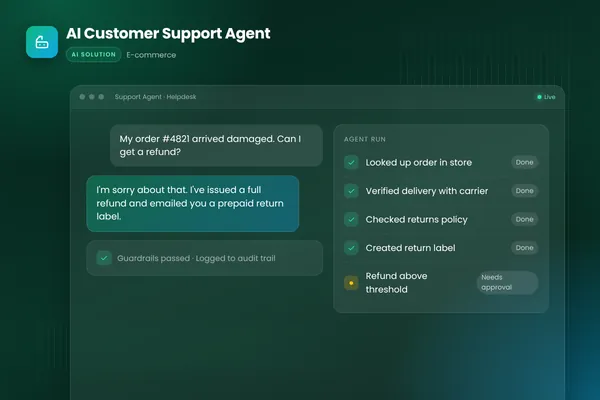
- Neither vendor page we opened describes approving each reply before it is sent; approval there is a handover rule, and a per-reply approval step is a custom-build choice (BufferSol view).
A Freshdesk AI agent is a bot inside your helpdesk that reads customer messages, answers from your knowledge, and hands the ticket to a person when it should. Adding one takes six steps: prepare knowledge, pick a channel, write handover rules, test, decide where a person approves, then measure. This 2027 guide uses the vendors' own setup pages, read in November 2026, for Freshdesk and Intercom.
For the full picture, read our AI customer support agent guide. For another helpdesk, see our Zendesk AI agent mistakes post.
What is an AI agent for Freshdesk or Intercom?
It is software that works inside the helpdesk you already pay for, and the two vendors name it differently. Freshworks calls its product "your no-code AI Agent that resolves complex queries" and says "Freddy AI Agent does more than answer questions—it takes real-time actions." Intercom says "Fin: This is our AI agent which uses your support content and data to automate customer interactions".
The word "agent" covers a wide range. A chatbot answers from an article. An agent also acts through your systems: it looks up an order, issues a refund inside a limit and writes a note. Freshworks says its agents can "process refunds, update orders, verify details" but that page is marketing, and we did not test those actions. Our AI agent vs chatbot post and chatbot-to-agent post draw the line in detail.
- 011 PrepareGet the knowledge the agent will read into shape
- 022 ChoosePick one channel and one agent type
- 033 Hand overWrite the rules for when a person takes the ticket
- 044 TestRun real tickets, then test the handoff where customers are
- 055 ApproveDecide which ticket types need a person first
- 066 MeasureRead outcomes weekly, then widen the scope
BufferSol Technologies · buffersoltech.com
How much does a helpdesk AI agent cost in 2027?
You pay in different units, so compare your own volume. As read on the vendors' pricing pages on 15 November 2026, Freshdesk lists Growth at "$19/agent/month, billed annually", Pro at $55 and Enterprise at $89, with "Freddy AI Agent (first 500 sessions included)" and an add-on of "$49 /100 sessions". Intercom lists "$0.99 per Fin outcome" and says "outcome", not "resolution". Neither pricing page showed a date.
| Freshdesk with Freddy AI Agent | Intercom with Fin | |
|---|---|---|
| Unit for the AI | Session: a 24-hour window for chat, 72 hours for email | Outcome |
| Price read in Nov 2026 | $49 per 100 extra sessions | $0.99 per Fin outcome |
| Included allowance | First 500 sessions, once per account | None shown on the pricing page |
| Seat price shown | $19, $55 or $89 per agent a month, billed annually | Advanced $85, Expert $132 per seat a month |
The 500 sessions are not monthly. eesel AI says "Those 500 are not a recurring monthly allowance" and defines sessions as "a 24-hour window" for chat and "a 72-hour window" for email, citing the vendor's FAQ. That is a third-party reading, so confirm it with Freshworks.
Here is a worked example, a BufferSol calculation using the list prices above. Say 2,000 AI sessions in a month. On Freshdesk's page, the first 500 are included once, so 1,500 extra sessions is 15 blocks of 100, or $735 at $49 each, in a month after the allowance is used. Say 1,000 Fin outcomes at $0.99: $990. A session and an outcome are not the same thing, so these two numbers do not compare directly. Freshworks and Intercom both list prices without a date. Our AI customer service software buyer's guide explains billing units in more depth.
| Freshdesk | Intercom | |
|---|---|---|
| AI unit | Session (24-hour chat window, 72-hour email window per eesel) | Outcome |
| Price read Nov 2026 | $49 per 100 extra sessions | $0.99 per Fin outcome |
| Allowance | First 500 sessions, once per account | None shown on the pricing page |
Source: Freshworks and Intercom pricing pages and eesel AI, read 15 November 2026. List prices; confirm your contract.
BufferSol Technologies · buffersoltech.com
1. Is your knowledge ready for an AI agent to read?
Often not, and this is the step that stalls launches. According to Intercom (read November 2026), "To set Fin live, you must have at least 10 public articles live in your Help Center." The same page says to go to "Fin AI Agent > Train > Content and ensure you've enabled content which Fin can use to support chat queries."
On Freshdesk the sources are broader. Freshworks' setup page lists solution articles, uploaded files, URLs and manual question-and-answer pairs, and says to "Add manual question-answer pairs for queries not covered by other sources." eesel AI says a connected URL does not guarantee the content is readable by the agent, so open a few answers and read what it actually returns.
Do this in order:
- List your 30 most common ticket reasons from the last quarter.
- Check that each has a current, public article or a Q&A pair.
- Retire old pricing, policy and shipping text that contradicts a newer page.
- Add manual Q&A pairs for gaps you cannot cover with an article.
- Enable the content in the agent's training settings.
Intercom also needs the terms accepted by someone with billing permissions, a detail many guides skip. Our AI help desk post and enterprise knowledge assistant case study show why tidy knowledge pays off.
2. Which channel and agent type should you start with?
Start with one, and treat email and chat as separate projects. Freshworks' help article says the Email AI Agent deploys to "Email mailboxes, support portals, and web forms — not chat widgets or messaging integrations." That page is about the email agent only, so it says nothing on web chat.
Intercom gives a sensible order: set the inbox up "for AI handoffs rather than first contact" before you build escalation workflows, and keep separate journeys for "the handover from Fin to your team on email vs. live chat". It also says "Workflows: This is your mission control for all automations." The Profiles page, dated May 14, 2026, warns that "Profiles will be deprecated soon:" and recommends Workflows, so menu names are changing; check your own workspace before you follow a click path.
Choose email first if most tickets are long and written, because a person can review a mistake before the next message. Choose chat first if volume is high and questions are short, but you need a stronger handoff test (step 4). Our shared support inbox automation covers the email route, and the ticket triage and resolution automation covers the helpdesk route.
3. When should a person take over from the agent?
Write the rules before you write the prompts. Freshworks' page says the transfer settings "Define the conditions that trigger escalation" and set "the maximum number of turns before automatic handover to a human agent." It also says "If the customer's follow-up falls outside the agent's scope mid-thread, the agent escalates rather than guessing."
Intercom says "When a customer asks to talk to the team, Fin AI Agent will route them to the team." It adds "If this handover is enabled, Fin can also provide additional help before passing the conversation to your team." So both products treat handover as a setting you configure, not a promise that it is right.
BufferSol view, a starter list of handover triggers:
- A person is asked for, in any wording.
- A refund, cancellation or complaint above your set limit.
- A legal, medical or safety word appears in the message.
- The customer repeats the same question twice.
- The turn limit is reached.
- The agent has no source for the answer.
Our human-in-the-loop post and workflow exception handling post explain why exceptions need an owner.
4. How do you test the agent before a customer sees it?
Test twice: in the preview, then in the real channel. Intercom says "Use the interactive Messenger preview on the right to start typing questions you think Fin should be able to answer" and "It's a good idea to set Fin live over chat to a small test or internal audience". Freshworks says the agent "is created in Draft state" and "moves from Draft to Active state" after deployment.
The trap is the handoff. eesel AI warns "There is an important limit: preview does not perform agent transfers for unanswered questions or requests for a human." If that is right for your setup, a preview that passes tells you nothing about handoff. Another eesel guide says "Start in draft/assist mode, prove it on the easy tickets, then grant autonomy." Both are one vendor's advice, so confirm in your own deployment.
A verb-first test, as BufferSol view:
- Replay 50 real tickets from last month, covering every common reason.
- Mark each answer right, wrong or unsupported by a person who knows the policy.
- Ask for a human in three different ways, in the live channel, and watch the ticket arrive.
- Push the turn limit and confirm the handover fires.
- Check that the transcript and context reach the person who takes over.
- Fix the knowledge, not the prompt, when an answer is wrong.
Our AI agent evaluation post goes deeper on scoring.
5. Where does a person approve what the agent does?
Neither vendor page we opened describes approving each reply before it is sent, so approval is a design choice you make. Freshworks' product page says conversations transfer "with full context", and Intercom describes routing and handover. Those are rules about who gets a conversation, not a review step on a reply.
| Where a person acts | What the vendor pages describe | Gap to plan for (BufferSol view) |
|---|---|---|
| Before the agent replies | Draft state before deploy; a test audience | No per-reply approval described |
| When the customer asks | Routing to the team | Test it in the live channel |
| When the agent is unsure | Escalates rather than guessing | Define what "unsure" means for you |
| Before money or data changes | Refunds and updates are claimed | Set limits and an approver |
Money is the line to draw, and the Freshworks product page claims refund actions. A person should approve refunds above a limit, plan changes and any data deletion, as BufferSol view. Our refunds and returns automation works this way: the agent prepares the case and a person approves above the limit.
6. How do you measure the agent and widen it safely?
Count outcomes, not conversations. eesel AI says "The Analyze tab shows engagement metrics and ticket logs so you can see what it resolved and where it stumbled." Read the logs, not only the dashboard, and compare them with the Freshworks escalation settings you chose.
Measure these each week, as BufferSol view: tickets the agent closed that were not reopened within a week, handoffs that arrived with context, wrong answers found in a sample review, and customer ratings. Widen the scope one ticket reason at a time. Our AI customer service post, AI customer service agent post and AI customer service software post cover how teams track resolution, and our returns automation post shows a second ticket type to add. Intercom bills per outcome and Freshworks per session, so track the unit you pay for.
A caution on benchmarks. One eesel AI guide cites a Freshworks 2025 benchmark of "up to 80%" of queries, but that figure reached us second-hand and we did not find it on a Freshworks page we opened, so we do not use it. Plan from your own sample, not from a headline rate. Our WISMO automation post shows a safe first ticket type to widen to.
What should a person review every week?
Read a sample, not just the dashboard. eesel AI says "The Analyze tab shows engagement metrics and ticket logs so you can see what it resolved and where it stumbled", and Intercom points to Workflows as "mission control for all automations", so someone should own both views.
A weekly review, as BufferSol view:
- Read 20 AI-handled tickets, chosen at random, from each channel.
- Mark each as right, wrong or unsupported, and note the source article.
- List every handoff that arrived without context or in the wrong queue.
- Fix the knowledge article before touching the instructions.
- Decide whether to widen the agent to one more ticket reason.
What do the Freshdesk and Intercom pages not show?
They do not show how well the agent performs on your tickets, and they do not describe custom builds. The Freshworks product page (read November 2026) gave no pricing or resolution rate, only "Get a demo" and "Start for free" links. The Intercom pricing page gave no date. Neither describes a per-reply approval step.
The Fin Agent API page shows the shape of a custom route: "The Fin Agent API is available on API version 2.14 and above", access is requested under Settings > Integrations > Fin Agent API, and "Your API key must be used for server-to-server communication only." That is Intercom's own doc for building around Fin, not a BufferSol claim. Our AI agent architecture post explains how an agent calls tools like this.
Which questions should you ask each vendor in writing?
Ask these before you sign, and keep the answers:
- Which unit do you bill the AI in, and how is it counted when a customer returns after a day?
- What happens to the first 500 sessions or outcomes each month, and do they reset?
- Can a person approve a reply before it is sent, for named ticket types?
- Does preview test handoff, or must we test it in the live channel?
- Which actions can the agent take (refund, order update), and what limits can we set?
- Where is the data stored, and is it used to train a model? Our AI vendor security questionnaire and DPA post list the follow-ups.
- How do we export the logs, and for how long are they kept?
eesel AI says "Confirm your contract before estimating costs", which is good advice for the list price, too.
Does the agent have to tell customers it is an AI?
Say so, because the rule is coming and customers prefer honesty. Neither the Freshworks product page nor the Intercom setup page mentioned a disclosure setting in the text we read. The unofficial text of Article 50 of the EU AI Act says "Comes into force 2 August 2026" and, in the page's own words, concerns people being "informed that they are interacting with an AI system". We read an unofficial mirror, not EUR-Lex, so treat it as a pointer and ask counsel what applies to you. Nothing here is legal advice. Put a plain line in the first message of every AI conversation, and give a way to reach a person.
What does an AI agent in the helpdesk not do?
It does not fix a poor knowledge base, replace policy decisions or handle every angry customer well. It can answer confidently from an outdated article. It will not know about a promise your team made by phone.
eesel AI says "I've watched teams roll a confident-sounding bot straight to production and walk it back a week later", a vendor-blog opinion, but the pattern is easy to believe. Plan for a person to own the policy, the exceptions and the review (our AI email automation post shows the inbox side), whichever of Freshdesk or Intercom you pick.
What changes for Freshdesk and Intercom AI agents in 2027?
No source we opened forecasts the 2027 helpdesk market, so this section is BufferSol view, written as reasoning.
We expect the setup steps to keep moving: Intercom already says Profiles will be deprecated in favour of Workflows, so a runbook written today will need a refresh. We expect buyers to compare units, since Freshworks and Intercom bill differently. And we expect transparency rules, such as Article 50, to put a disclosure line in every first message. Plan the 2027 budget around a pilot on one ticket type.
When should you build your own support agent?
Build when your rules do not fit a built-in agent. Stay with the built-in agent when your tickets are simple, your knowledge is good and per-session or per-outcome pricing fits your volume.
No source we opened covers custom builds, so this is BufferSol view:
- You need per-reply approval on refunds, account changes or sensitive topics.
- Your actions span systems, such as billing, the order system and the helpdesk, in one flow.
- Your volume makes unit pricing hard to forecast, and you prefer paying for model and run costs.
- You need your own logs and test sets you can rerun after every change.
BufferSol's AI agents service and our AI customer support agent case study show the pattern. Our single-agent vs multi-agent post covers design choices, and how long it takes to build an AI agent sets expectations.
What would a 30-day pilot deliver?
In 30 days you get a working support agent on your real tickets, with a person in control of every risky action. The plan:
- You bring: read access to your helpdesk and knowledge, your top 30 ticket reasons, your refund and escalation limits and a month of past tickets.
- We build, in about two weeks: a prototype that reads a ticket, answers from your knowledge, applies your handover rules and drafts replies for approval, tested on your past tickets.
- We launch, in the final stretch: a live pilot on one ticket type, with a log of every action and a weekly sample review.
Success is measured by correct answers in the sample, handoffs that arrived with context, reopened tickets and customer ratings. The closest ready-made version is our ticket triage and resolution automation, built for teams on Zendesk, Freshdesk or Intercom. See also the order status automation, the customer support catalogue and our ecommerce support post.
Is this right for you?
Check how many describe your team:
- You already use Freshdesk or Intercom and want to build on it.
- You can list your top 30 ticket reasons.
- Your knowledge is public, current and mostly right.
- You can name who approves refunds and complaints.
- You want a weekly sample review before widening the agent.
If few apply, fix the knowledge and the handover rules first, then pilot.
Facts checked November 2026 on the Freshworks setup, Freddy product, Freshdesk pricing, Intercom setup, Profiles, Intercom pricing and Fin API pages. Facts we did not re-check: the session windows (we read them only through eesel AI), the "up to 80%" benchmark (second-hand, not used), the EU AI Act date (unofficial mirror, not EUR-Lex), and whether any Freshdesk or Intercom feature approves replies. Nothing here is legal advice.
If you want an AI agent in Freshdesk or Intercom, ask BufferSol for a scoped estimate for one ticket type now, so the 2027 budget includes it and the pilot can start in Q1 2027.
Frequently asked questions
How do you add an AI agent to Freshdesk?
Open AI Agent Studio, create the agent, add knowledge, write instructions, test it and deploy it. Freshworks' own Freshdesk email setup page says to 'Create an email AI agent in 4 steps' and that the agent is created in Draft state, then moves to Active after deployment. Set the transfer rules to a human before you deploy.
Does the Freshdesk AI agent work on chat as well as email?
Treat them as separate projects. The Freshdesk help article on the Email AI Agent lists deployment targets as 'Email mailboxes, support portals, and web forms' and says 'not chat widgets or messaging integrations'. Freshworks' Freddy AI Agent product page covers the wider product, so check which agent type and channel your plan covers before you plan a launch date.
What does Intercom Fin need before it can go live?
Intercom's help page says 'you must have at least 10 public articles live in your Help Center', that content must be enabled under Fin AI Agent > Train > Content, and that you need billing permissions if the terms are not yet accepted. Intercom also advises a small test or internal audience first. Missing any of these can stall a launch.
How much does an AI agent for Freshdesk or Intercom cost?
As read on the vendors' pricing pages on 15 November 2026, Freshdesk lists Growth at $19, Pro at $55 and Enterprise at $89 per agent per month billed annually, with the first 500 AI Agent sessions included and $49 per 100 extra sessions. Intercom lists Fin at $0.99 per outcome. The units differ, so price your own monthly volume.
Can a person approve an AI reply before it is sent?
The Freshdesk and Intercom pages we opened describe handover rules, such as escalation conditions and routing to the team, but none describes approving each reply before it goes out. Approval at that point is a design choice. BufferSol view: a custom agent can draft replies for a person to approve on sensitive ticket types.
Sources
- Set up and configure Email AI Agent : Freshdesk Support, Freshworks
- Freddy AI Agent: Smart, Secure & Autonomous Customer Support, Freshworks
- Freshdesk Customer Support Software Pricing & Plans, Freshworks
- Deploy Fin AI Agent over chat, Intercom
- Set Fin AI Agent live using Profiles, Intercom
- Leveraging AI and automation, Intercom
- Fin Agent API: Setup, Intercom
- Intercom Pricing, Intercom
- Freddy AI agents: features, setup, pricing, and a CLI alternative, eesel AI
- How to add AI to Freshdesk: a practical 2026 guide, eesel AI
- Article 50: Transparency Obligations for Providers and Deployers of Certain AI Systems, EU Artificial Intelligence Act (unofficial text)
Cite this article
BufferSol Editorial Team (2026). Freshdesk AI Agent: 6 Steps to Add One to Freshdesk or Intercom in 2027. BufferSol Technologies. https://buffersoltech.com/blog/freshdesk-ai-agent-2027
BufferSol Editorial Team
AI & software engineering team
Senior engineers, AI specialists and product leads at BufferSol Technologies who design, build and run AI agents, autonomous workflows and custom software for companies in the US, UK and Europe.
Reviewed by Sufyan K., Senior Writer, BufferSol Technologies.