Key takeaways
- A Zendesk AI agent is Zendesk's AI that answers customers from your knowledge sources and can act in authorized systems; what it resolves on its own depends on your content, actions and rules.
- The 80% figure is a company projection: TechCrunch says Zendesk 'believes' its agent will solve 80% of support issues without human intervention.
- Zendesk introduced resolution tiers on May 18, 2026; before that, billing used the legacy automated-resolution definition, so older articles may describe the wrong model.
- Assisted escalation and Contained resolution do not count against the allowance; Zendesk's page does not directly say Verified resolution does, so confirm it in writing.
- Zendesk's pricing page lists $1.50 per committed resolution and $2.00 pay-as-you-go as of November 2026; Intercom lists $0.99 per resolution as of its September 2026 page.
A Zendesk AI agent is Zendesk's AI that answers customers from your knowledge sources and can act in authorized systems, and what it resolves on its own depends on your content, your actions and your rules. For 2027, this post lists five mistakes teams make when they add one, using Zendesk's own help pages and pricing read in November 2026.
For the full picture, read our AI customer support agent guide. For the buyer view, see our AI customer service software comparison.
What can a Zendesk AI agent resolve on its own?
It can resolve the questions your trusted content answers and the actions you authorize. Zendesk's AI agents page says they work across "messaging, email (including API and web form), and voice channels," "answer questions based on content from your trusted knowledge sources" and "perform actions in authorized systems autonomously." That sets the ceiling: a question with no matching article and no authorized action ends in a handoff.
How much of your queue that covers is an open number. Zendesk's blog claims its AI agents are resolving "up to 80–90% of customer conversations", a marketing figure. The five mistakes below are the ways teams misread that number, its price, or its limits.
The 5 Zendesk AI agent mistakes to avoid in 2027
Each mistake has a fix you can apply before launch. Vendor facts are as of November 2026, and the figures come from Zendesk, Intercom and a news report, not from an independent audit.
1. Are you planning around the 80% figure as if it were a result?
Treat 80% as a projection until your own tickets say otherwise. TechCrunch (8 October 2025) reported "an autonomous support agent that Zendesk believes will solve 80% of support issues without human intervention," with a co-pilot agent to "assist human technicians with the remaining 20% of issues." The word "believes" matters: the article gives no measured result for the 80%.
The same article called the TAU-bench benchmark "a close analogue to many support tasks" and said the top model there, Claude Sonnet 4.5, "solves 85% of issues on the test." That is a public benchmark score, not a Zendesk result. Zendesk's own case studies are named customers: Hello Sugar reports "66% of all incoming questions are resolved without human involvement," and Phonero says it automated "59% of resolutions across channels." Those are single-customer claims, not an average.
Fix: pull 200 recent tickets, mark the ones your help center and actions could answer, and plan on that share. Our AI agent evaluation post shows how to score the results.
| Item | Value |
|---|---|
| Zendesk projection (TechCrunch, Oct 2025) | 80% |
| Hello Sugar case study (Zendesk blog) | 66% |
| Phonero case study (Zendesk blog) | 59% |
Source: TechCrunch, 8 Oct 2025; Zendesk blog (dates conflict: April 16, 2026 metadata, Aug 26, 2025 byline). Vendor claims, not audited.
BufferSol Technologies · buffersoltech.com
2. Are you mixing up the legacy and the tiered billing model?
Check which model your account is on before you budget. Zendesk's tiers page says the tiers "were introduced on May 18, 2026." The legacy page, titled "prior to resolution tiers," says an automated resolution "is counted when a customer's issue is successfully resolved without live-agent intervention," that "Only conversations that were not escalated are evaluated," and that "Accounts on all plans have a maximum of 10,000 allocated automated resolutions per year."
Under the legacy page, the monthly allowance per agent is 15 on Enterprise, 10 on Professional and Growth, and 5 on Team. Articles written before May 2026 describe that model, and some mix it with the new one. As of November 2026, the pricing page lists "$1.50 per resolution" for committed resolutions and "$2.00 per resolution" pay-as-you-go, and says "you pay only for customer requests that were successfully resolved by the AI agent, without any escalation to a human agent." It also lists 5 included resolutions per agent per month on Team plans and 10 on Suite Professional.
Fix: ask Zendesk or your reseller which model your account is on, and get the price per resolution in writing.
3. Are you counting handoffs as resolutions?
Count only what the billing tier counts, and report the rest separately. The tiers page defines three. "Assisted escalation" is where "The AI agent contributed to the interaction before a human agent completed the resolution," and "This tier does not count against your resolution allowance." "Contained resolution" is where "The AI agent handled the interaction to completion without the customer requesting further assistance," and it does not count against the allowance either. "Verified resolution" is where "The AI agent successfully resolved the interaction."
The page excludes the first two from the allowance but never directly says Verified resolution draws from it, so that part is our inference. Ask Zendesk to confirm it in writing, since the tiers page leaves it open. The practical risk is a dashboard "resolution rate" that includes handoffs and so looks better than the billed rate. Report three numbers separately: contained, verified and handed off. Our human-in-the-loop post shows where the handoff belongs.
| Zendesk | Intercom | |
|---|---|---|
| Unit | Automated resolution, by tier | Outcome, such as a resolution |
| What counts | Verified resolution: "successfully resolved the interaction" | Customer confirms the answer helped or leaves without asking for more help |
| Human involved | Assisted escalation is not counted against the allowance | Explicit request for a human is not an outcome, so not billed |
| Price | $1.50 committed, $2.00 pay-as-you-go | $0.99 per resolution |
The Intercom figures come from its Fin outcomes page dated September 23, 2026, which says escalations triggered by Fin's default behavior mean "You are not billed for these escalations." The two definitions differ and should not be merged. As a BufferSol calculation, 1,000 resolutions cost $990 at Intercom's $0.99, and $1,500 at Zendesk's $1.50 committed rate or $2,000 at its $2.00 pay-as-you-go rate (both from the Zendesk pricing page). That compares prices, not quality, because a resolution means something different in each.
Fix: compare cost per verified resolution, not cost per conversation. Our post on AI customer service software lists more vendors.
4. Are you forgetting to tell customers it is an AI agent?
Disclose it from the first message. The European Commission's Article 50 page (last updated 24 July 2026) says people must be "informed that they are interacting with an AI system, unless this is obvious," "from the start of the first interaction," in "a clear and distinguishable manner." It adds that the exception for obvious cases "should be interpreted in a restrictive manner."
That is a duty about the chat itself, not about what the agent can resolve, so a bot that resolves a ticket still has to say it is an AI. We read only the Commission page, because the EUR-Lex text did not load, so treat this as a pointer, not legal advice, and check what applies to you in the US and UK. Our chatbot versus agent post covers the same ground.
Fix: put a plain "You're chatting with an AI assistant" line in the first message and in the handoff.
5. Are you launching without testing on your own ticket mix?
Run the agent on a sample before it talks to customers. No source we read measures how much help-center quality changes the resolution rate, so we give no number for it. The test is yours to run: take 200 recent tickets, feed them to the agent in a test mode, and have a reviewer score each as correct, wrong or handed off. At the 80% Zendesk projection, you would expect about 160 of 200 resolved, and the review shows how many were right (BufferSol calculation).
Wrong answers matter more than handoffs, because a handoff costs a few minutes and a wrong answer can cost a customer. Set the agent to hand off when it is unsure, and put refunds or account changes behind a person's approval. Our posts on order status automation and returns automation show two common, well-bounded jobs to start with. Fix: start with two or three ticket types, expand when the review passes.
- 01SamplePull 200 recent tickets across your main ticket types
- 02RunFeed them to the agent in test mode, with no customer contact
- 03ScoreA reviewer marks each answer correct, wrong or handed off
- 04DecideLaunch the ticket types that pass; keep the rest with people
BufferSol Technologies · buffersoltech.com
Which questions should you ask Zendesk in writing?
Ask for answers you can keep, because a demo shows the best case. Put these six to Zendesk or your reseller, and compare them with the tiers page and the pricing page.
- Which billing model is my account on, legacy or tiers? The legacy page says it is for the model prior to resolution tiers.
- Does Verified resolution draw from my allowance, and at what price? The tiers page does not say it directly.
- How do you report Assisted escalation and Contained resolution? Ask for the split, not one rate.
- What happens if a customer asks for a human? Intercom says it does not bill that case; ask Zendesk to state its rule.
- Which actions can the agent take in my systems? The AI agents page says "perform actions in authorized systems autonomously," so ask for the list and the limits.
- What is the median resolution share for customers like mine? The 80% figure is a projection, so ask for a measured one and its sample.
What stays with a person?
Judgment calls, upset customers and anything that moves money stay with a person. The Zendesk AI agents page says handoff is the design: billing covers only requests resolved "without any escalation to a human agent," which means the product expects escalations. BufferSol view: keep a person on refunds above a limit, legal complaints, account closures and any case the customer asks to escalate.
What changes for Zendesk AI agents in 2027?
No source we opened forecasts Zendesk's 2027 roadmap or pricing, so everything here is BufferSol view, written as reasoning, not fact.
We expect billing to keep moving toward outcomes, because both Zendesk and Intercom already bill per resolution, so the definition of a resolution will matter more each year. We expect buyers to ask for resolution reports split by tier. And we expect disclosure to become a standard line in the first message. Review your plan against the current pricing page in Q1 2027, since the tier model is only months old.
When should you build your own support agent?
Build when your answers sit in your own systems, or when per-resolution fees grow with volume. Stay on Zendesk's agent when your help center and macros already cover most of your tickets. A build needs design, testing and upkeep that a packaged product handles for you.
Build when:
- Your actions are specific. The agent calls your order, billing or booking system and logs each step.
- Your helpdesk is mixed. One agent serves Zendesk and your inbox and chat with one log.
- Your rules are your own. The agent applies your refund limits and names the approver.
- Volume is climbing. You pay model and hosting costs, not a fee on every resolution.
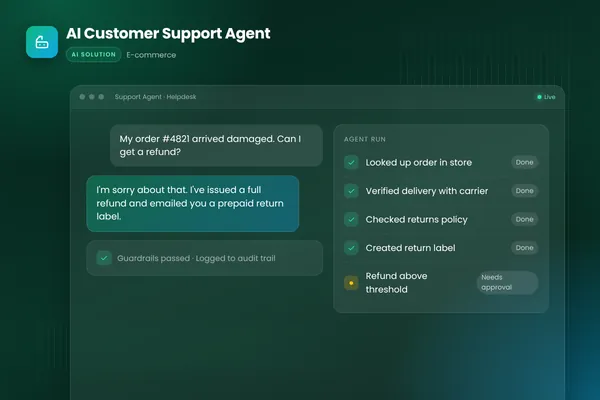
BufferSol's AI customer support agent is the pattern: it reads the ticket, checks the order or account, drafts or sends the answer and hands off to a person with the context attached. See our AI help desk post for how agents sit beside human teams.
What would a 30-day pilot deliver?
In 30 days you get a working support agent on your real tickets, with a person approving what matters. The plan:
- You bring: read access to your helpdesk and help center, 200 to 500 recent tickets, your refund and escalation rules.
- We build, in about two weeks: a prototype that classifies, answers and hands off, scored against a test set made from your tickets.
- We launch, in the final stretch: a live pilot on two or three ticket types, with a review queue and a log of every answer.
Success is measured by tickets resolved correctly, wrong answers found in review, handoffs with context and time to first response. The closest ready-made version is our ticket triage and resolution automation, which suits teams on a helpdesk such as Zendesk. For shipping questions, see order status automation, and for returns, refunds and returns processing. Other teams get a custom build from our AI agents team.
Is this right for you?
Check how many of these describe your support team:
- Most of your tickets repeat a few questions.
- Your answers live in articles, orders and accounts you can connect.
- You can export 200 recent tickets.
- You have written refund and escalation rules.
- You want to see the review results before you scale.
If few do, tidy the help center first and start the test after.
Facts checked November 2026. Zendesk's pricing and billing pages change, the Zendesk blog carries conflicting dates, the 80% figure is a projection and nothing here is legal advice.
If your support team answers the same questions all day, ask BufferSol for a scoped estimate for a support agent on your helpdesk now, so the 2027 budget includes it and the pilot can start in Q1 2027.
Frequently asked questions
What can a Zendesk AI agent resolve on its own?
Zendesk says its AI agents work across messaging, email and voice, answer questions from your trusted knowledge sources and can perform actions in authorized systems autonomously. What it resolves on its own in practice depends on your help center and the actions you authorize. Zendesk's 80% figure is a projection, so test the agent on a sample of your own tickets.
How does Zendesk bill for AI agent resolutions?
As of November 2026, Zendesk's pricing page lists $1.50 per committed automated resolution and $2.00 pay-as-you-go, and says you pay only for requests resolved without escalation to a human agent. Since the resolution tiers introduced on May 18, 2026, Assisted escalation and Contained resolution do not count against the allowance. Confirm in writing how Verified resolution is billed.
Do you have to tell customers they are talking to an AI agent?
In the EU, the European Commission's Article 50 AI Act page says people must be informed they are interacting with an AI system unless this is obvious, from the start of the first interaction. We read only the Commission's FAQ page, not the Official Journal text, so treat this as a pointer. It is not legal advice; check your own obligations.
How is Zendesk's resolution different from Intercom's?
Zendesk counts a Verified resolution when the AI agent successfully resolved the interaction, and excludes Assisted escalation and Contained resolution from the allowance. Intercom records a resolution when the customer confirms the answer helped or leaves without asking for more help, and does not bill an outcome when the customer explicitly asks for a human. The two definitions differ, so compare them in writing.
Sources
- About automated resolution tiers, Zendesk
- About the automated resolutions platform (prior to resolution tiers), Zendesk
- Enter your resolution era with Zendesk's agentic AI, Zendesk
- Zendesk says its new AI agent can solve 80% of support issues, TechCrunch
- Transparency obligations under Article 50 of the AI Act, European Commission
- Fin AI Agent outcomes, Intercom
- Zendesk pricing, Zendesk
- About AI agents, Zendesk
Cite this article
BufferSol Editorial Team (2026). Adding a Zendesk AI Agent: 5 Mistakes to Avoid in 2027. BufferSol Technologies. https://buffersoltech.com/blog/zendesk-ai-agent-mistakes-2027
BufferSol Editorial Team
AI & software engineering team
Senior engineers, AI specialists and product leads at BufferSol Technologies who design, build and run AI agents, autonomous workflows and custom software for companies in the US, UK and Europe.
Reviewed by Sufyan K., Senior Writer, BufferSol Technologies.