Key takeaways
- Expense audit automation means an AI agent checks every expense report against receipts, policy and patterns before payment, and sends only the exceptions to a person.
- A flag is not a verdict: Brex says 'A flagged expense doesn't automatically mean the expense should be denied', and Expensify separates yellow highlights that 'may not require corrective action' from red violations that must be fixed.
- Vendor figures are self-reported: AppZen says it 'reviews 100% of submissions' and Oversight says exceptions are '2% to 4% of all transactions', and neither page gives a method.
- Escalation rules are thin in public sources, so write your own tiers by amount, risk and category, and log each decision.
- Pilot one report type in Q1 2027, review a sample of auto-approved reports every week and track false flags as well as catches.
Expense audit automation is an AI agent that checks every expense report against its receipts, your policy and the employee's normal pattern before anyone is reimbursed, then sends only the exceptions to a person. For 2027 budgets, the question is less whether AI can read a receipt and more what the agent should check and what it must escalate. This post gives seven ways, with vendor facts read in November 2026.
For the wider finance picture, read our finance IT solutions guide. For the control side of the same flow, see invoice approval workflow automation, and for the wider tool landscape, our accounting automation software comparison.
What is expense audit automation?
It is the shift from sampling reports after payment to checking all of them before payment. SAP Concur (article dated July 2024) says to "Use automated solutions with AI to check every expense report", with "human auditors following up on ones that artificial intelligence (AI) cannot resolve." Ramp (updated March 2026) puts the goal this way: "The goal is to limit manual review to the transactions that genuinely need human judgment."
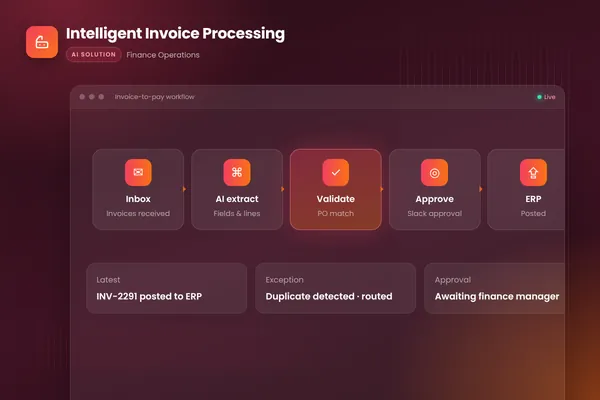
The agentic version does the steps in order: read the receipt, apply the policy, compare with history, decide pass, flag or hold, explain why and log it. Our intelligent invoice processing case study and AP automation explainer show the same extract, check, route and post pattern for supplier invoices, and our three-way match post covers the invoice twin of this control.
- 011 ReceiptIs there proof, and does it match the claim?
- 022 PolicyDoes it follow your rules?
- 033 DuplicateHas it been claimed before?
- 044 PatternIs it normal for this person?
- 055 PeriodRight date, right category?
- 066 TierWho approves, by amount and risk?
- 077 LogRecord the rule, the flag and the decision
BufferSol Technologies · buffersoltech.com
| Brex | Expensify | |
|---|---|---|
| What raises a flag | Defined risk rules plus a machine learning model | Automatic detection plus workspace rules |
| What a flag means | Needs more information before the expense can be closed out | Yellow may not need correction; red must be fixed |
| Effect on payment | Not an automatic denial | Report is not auto-submitted until violations are corrected |
Source: Brex and Expensify help pages, read November 2026.
BufferSol Technologies · buffersoltech.com
What does manual expense review cost?
More than most teams count, though the figures are third-party and old enough to check. Corpay (updated March 2026) writes that "the average expense report costs $58 to process and takes 20 minutes of someone's time", attributing it to the GBTA Foundation, and that "nearly one in five expense reports contain errors, and correcting each one takes an additional 18 minutes and $52." We did not open the GBTA study itself.
Corpay also says "the realistic review they can perform on each one is limited", which is the sampling problem in one line. AppZen contrasts its claim of 100% review with manual review of about 10 to 20% of reports, a vendor comparison with no method on the page. As a BufferSol calculation using Corpay's cited $58, a company with 1,000 reports a month spends about $58,000 a month on processing, before any fraud or error cost. Use your own numbers for the business case.
1. Is there a receipt, and does it match the claim?
Start here, because everything else depends on proof. Ramp lists the checks "Employee expenses are accurate and match receipts/invoices". AppZen says it offers "AI-powered receipt validation that reads and verifies receipts in 42+ languages", and lists "Fake or altered receipts" among its detections.
Brex gives a concrete mismatch: a reimbursement "submitted for a higher amount than what's listed on the receipt." The agent reads the receipt, compares merchant, date and total with the claim, and flags any gap. Expensify calls such mismatches "errors or discrepancies" that "must be corrected". Choose an AI reader when receipts arrive as photos in many formats. Skip it when every spend runs through corporate cards with data feeds. Our invoice scanning post covers document reading in more detail, and Ramp lists corporate-card and receipt capture as step four of its five-step setup.
2. Does the expense follow policy?
Policy checks are rules, not guesses. Expensify says "You can also set rules for a workspace that will trigger a violation if the rule is not met." Brex says flags come from "a combination of defined risk rules and a machine learning model that scans for anomalous spend", plus rules from the policy rule builder.
Write your policy as testable rules: limits per category, allowed merchants, required fields and who may claim what. ChatFin says its agents "classify receipts, extract fields, and validate policy." Ramp lists "Configure your expense policy rules" as its second step, before any model is involved. Choose plain rules for anything you can write down, and a model only for the fuzzy cases. Skip model scoring until the rules are stable. Our human-in-the-loop post explains why the rules stay readable.
3. Is it a duplicate?
Catch it before the money moves. Ramp says "AI identifies duplicate submissions even when amounts, dates, or descriptions vary slightly", which exact-match rules miss. AppZen says it can "Catch duplicate receipts and expenses across reports, card transactions, and time periods", with "Same receipt submitted twice" as a listed case.
The useful design is a comparison across sources: the same receipt on a card feed and in a reimbursement claim is the classic case. Match on merchant, amount within a small window and date, then flag near-matches for a person. Choose fuzzy matching when employees submit from several channels. Skip it only if every claim comes from one card feed. Our workflow exception handling post covers how to route near-matches, and our bank reconciliation post shows the same matching idea applied to card and bank lines.
4. Is the pattern normal for this person?
Pattern checks catch what single-expense rules cannot. Oversight says AI can "analyze the entire data set, reviewing all transactions by an individual traveler" and compare them to "all other employees across all time." AppZen lists "Split transactions to avoid approval thresholds" and "Suspicious merchant patterns."
What neither page explains is how a baseline is built or how a new hire with no history is handled. That is BufferSol view: use peer groups by role and location, treat a new employee against the peer group only, and never treat an outlier as proof of misconduct. SAP Concur says "Your people focus on high-risk cases and high-value tasks" once the pattern checks run. Choose pattern checks for travel-heavy teams. Skip them for tiny teams where one person's normal is the whole sample. The AI agent evaluation post shows how to test a check on labelled history.
5. Is it in the right period and category?
Dull, but it is where audits catch honest mistakes. Ramp says a check should confirm "The report is dated and listed in the correct period." Ramp names the same check. The agent compares the expense date with the report period, the category with the receipt and the cost centre with the employee's team, and it posts the corrected coding as a suggestion.
For US travel and gift expenses, tax records matter too. IRS Publication 463 (the edition we read cites 2025 figures) has a Chapter 5 table that lists amount, time, place and business purpose for travel, and says you must generally have "documentary evidence such as receipts" (partial quote). Its sample travel record includes a note to attach receipted bills for lodging and "$75.00 or more" expenses. This is a tax rule, not your policy, and not tax advice. Choose automated coding checks if month-end corrections are common; our account reconciliation post shows where those corrections surface. Ramp lists "Connect to your accounting system" as its fifth step.
6. Who should approve, by amount, risk and category?
Route by tier, and keep the tiers in a table a person can read. ChatFin says "Route by amount, risk, and category." Navan (May 2026) gives an example: "a manager approves expenses under $500, a director handles $500-$2,500, and a VP is required for anything above $2,500." Treat those as an illustration, not a standard.
Navan also says expenses meeting auto-approval criteria skip human review, as "Only exceptions are routed to a reviewer." Tiers need an owner: who signs off on thresholds, and how often they are reviewed. Our accounts receivable software post uses the same tier-by-risk idea for collections. The sources give no tested thresholds, so the matrix below is BufferSol view for you to adapt.
| Finding | Agent action | Who decides |
|---|---|---|
| All checks pass, under auto-approve limit | Approve and log | Nobody; weekly sample review |
| Minor policy variance | Approve with a note, or ask the employee | Manager, low priority |
| Missing or mismatched receipt | Hold, ask for the receipt | Employee, then approver |
| Duplicate or near-duplicate | Hold, show both items | AP or finance |
| Split near an approval limit | Escalate with evidence | Finance lead |
| Altered receipt signal, or large amount | Escalate, no payment | Finance lead, possibly HR or legal |
7. What should the audit log record?
Record the rule, the evidence and the decision. Ramp says leading platforms include "built-in audit trails that document every transaction and approval." Navan says approval "creates an audit trail that documents who authorized each expenditure." ChatFin says its chat "explains exceptions, proposes actions, and records decisions."
Several pages we read say nothing here: the AppZen, Oversight and SAP Concur pages describe no audit trail. Log at least: the report and line IDs, the rule or model that fired, the evidence shown, the reviewer, the decision, the time and any note sent to the employee. Our AI vendor security questionnaire lists what to ask a vendor about retention, and our AI accounting software post covers where audit data ends up.
Is a flag the same as a verdict?
No, and the wording of your messages should reflect that. Brex says "A flagged expense doesn't automatically mean the expense should be denied", and that a flag means "Brex or your admin needs more information before the expense can be closed out." Expensify separates "Automated highlights that require attention but may not require corrective action" (yellow) from violations tied to workspace settings that must be resolved before a report moves forward (red).
According to Expensify (read November 2026), a report with violations "will not be submitted automatically until the violations are corrected." Copy the two-tier design, as Brex also advises treating a flag as a request for more information. Block only what breaks a hard rule, highlight the rest (the Brex banner explains the reason for each flag), and let Oversight's idea of "Designating minor policy violations as lower-priority items" keep the queue short.
How big is the human review queue?
Smaller than the whole pile, if you tier it. Oversight says high-risk exceptions "represent only about 2% to 4% of all transactions", a vendor figure with no method. As a BufferSol calculation, if 2% to 4% held for your 1,000 reports a month, that is 20 to 40 reports needing a person, plus whatever your minor-variance rules send to managers.
Test this on your own history before you trust it, because Oversight gives no method for its range. Run the rules over three months of past reports without paying anything differently, and count flags, true problems and harmless flags. Ramp says "You only need to step in for exceptions", which is only true if the false-flag rate is low. We found no public false-positive benchmark: AppZen's page gives no accuracy or false-positive rates.
What does expense audit automation not do?
It does not decide intent. A flag can mean a mistake, a missing receipt or a policy gap, and a person has to ask. It does not replace a policy: if the rules are vague, the agent has nothing to enforce. Our will AI replace accountants post makes the same point about judgment work. It will also misread blurred receipts some of the time, so a human path for "I disagree" is part of the design.
What the pages do not show: ChatFin does not say whether approvals are automated or need sign-off (its page also gives no accuracy or time-saving data), Navan gives only example tiers, and none of the ten pages gives a tested set of thresholds. We did not open the GBTA or ACFE reports behind Corpay's figures, which also reports that "expense reimbursement fraud appeared in 13% of investigated cases". We did not check privacy law on employee monitoring, which differs by country.
What should you ask every expense audit vendor in writing?
Put the questions the marketing pages skip into the buying process.
- What exactly is flagged for a human, and what is auto-passed? Compare AppZen, whose page says nothing on human review, with SAP Concur.
- Can we see why each item was flagged? Brex shows a banner reason on the transaction.
- Can we edit the rules ourselves? Ask for the rule builder, not a support ticket.
- How are false flags measured and reported?
- How is a baseline built for a new employee?
- Can we export the full audit log?
Ask for a trial on three months of your own history. Vendor claims on coverage and savings are self-reported, as the AppZen and Oversight pages show.
What changes for expense audits in 2027?
No source we opened forecasts the 2027 expense-audit market, so this section is BufferSol view, written as reasoning, not fact.
We expect full-population review to be the baseline, since SAP Concur and AppZen already describe it. We expect buyers to ask for flag explanations and a decision log, because Brex and Expensify both treat a flag as a request, not a verdict. And we expect teams to test false-flag rates before widening an agent. Plan the 2027 budget around a pilot on one report type, not a company-wide switch.
When should you build your own expense audit agent?
Build when your policy, systems or approval chain do not fit a packaged expense tool. Stay with the audit module of your expense platform (for example the Brex or Expensify flags described above) when you already use one, the rules fit its builder and you only need flags inside that tool.
Build when:
- Your policy is detailed. Per-country, per-role or per-project rules do not fit a single builder.
- Your data lives in several places. Cards, reimbursements, travel and the ERP need one view for duplicate and pattern checks.
- Your escalation is strict. You decide the tiers, the owners and the wording of each message.
- You want the log in your hands. Rules you can read, a decision record you can export.
BufferSol's autonomous workflows service builds these agents. For adjacent topics, see our month-end close automation post and AI accounting software post.
What would a 30-day pilot deliver?
In 30 days you get a working audit agent on your real expense reports, with a person deciding every escalation. The plan:
- You bring: your expense policy, three months of past reports with outcomes, read access to the expense tool and cards, and the approval tiers you use today.
- We build, in about two weeks: a prototype that reads receipts, runs your rules, checks duplicates and patterns, explains each flag in plain language and routes it by tier, tested on your past reports.
- We launch, in the final stretch: a live pilot on one report type, with a decision log and a weekly review of a sample of auto-approved reports.
Success is measured by flags that were real problems, harmless flags, reports passed without touching, time to resolve an escalation and wrong passes found in review. The closest ready-made version is our expense audit automation, made for finance teams that sample reports after payment. Related pages: month-end reconciliation, financial reporting and forecasting and the page for accounting firms. If you run a small team, our AI for accounting firms post and AI bookkeeping post show where an agent fits first.
Is this right for you?
Check how many of these describe your team:
- Finance reviews only a sample of expense reports, after payment.
- Reviewers spend time on clean reports and miss odd ones.
- You can write your policy as rules, even if rough.
- You can name who approves each tier.
- You want a weekly sample review before the agent runs without a person.
If few do, tighten the policy and tiers first, then pilot.
Facts checked November 2026. Vendor figures on coverage, speed and savings (AppZen, Oversight, Ramp) are self-reported; the tax records note comes from IRS Publication 463 and is not tax advice. Facts we did not re-check: the GBTA cost figures and the ACFE 13% that Corpay cites, the SAP use-case page (the researcher's fetch returned a 403, so we did not use it), and any independent false-positive benchmark; we found none.
If your finance team samples expense reports after payment, ask BufferSol for a scoped estimate for an expense audit agent on your policy and tools now, so the 2027 budget includes it and the pilot can start in Q1 2027.
Frequently asked questions
What is expense audit automation?
Expense audit automation is software, often an AI agent, that checks expense reports against receipts and policy before reimbursement instead of sampling a few after payment. SAP Concur says to 'use automated solutions with AI to check every expense report'. The agent flags exceptions, explains each one and routes it to a reviewer, while clean reports pass without a person.
What should an AI agent check on an expense report?
Check that the receipt exists and matches the claim, the expense follows policy, it is not a duplicate, it sits in the right period, and the pattern looks normal for that person. Ramp lists 'The report is dated and listed in the correct period' and says AI finds duplicates 'even when amounts, dates, or descriptions vary slightly'.
What should be escalated to a human reviewer?
Escalate anything the rules cannot settle: high-risk flags, missing or altered receipts, split transactions near an approval limit and large amounts. SAP Concur says human auditors follow up on items AI 'cannot resolve'. Oversight says high-risk exceptions are only about 2% to 4% of transactions, so the human queue stays short if minor violations are ranked lower.
Does an AI flag mean an employee committed fraud?
No. Brex says 'A flagged expense doesn't automatically mean the expense should be denied', and that a flag means Brex or an admin 'needs more information before the expense can be closed out'. Treat a flag as a request for evidence. Tell the employee what is missing, keep the tone neutral and record the outcome.
How much does manual expense processing cost?
Corpay, citing the GBTA Foundation, says the average expense report costs $58 to process and takes 20 minutes, and nearly one in five reports contain errors costing another $52 to correct. These are third-party figures reported by a vendor blog. Count your own reports and minutes for a month before you build a business case.
Sources
- How to automate expense audits in 5 steps, Ramp
- Expense Audit Software | AI-Powered 100% T&E Audit, AppZen
- AI, and the Power of Patterns to Transform Your T&E Audit Process, Oversight
- How to Improve Expense Report Audits with AI and Automation, SAP Concur
- AI Expense Auditing and Policy Compliance Automation, ChatFin
- Flagged expenses, Brex
- Enable and set up expense violations, Expensify
- Publication 463, Travel, Gift, and Car Expenses, Internal Revenue Service
- Expense Reports: What They Are, What They Cost, and Why Finance Teams Are Eliminating Them, Corpay
- What is Expense Approval? Workflow Guide, Navan
Cite this article
BufferSol Editorial Team (2026). Expense Audit Automation in 2027: 7 Ways AI Checks and Escalates. BufferSol Technologies. https://buffersoltech.com/blog/expense-audit-automation-2027
BufferSol Editorial Team
AI & software engineering team
Senior engineers, AI specialists and product leads at BufferSol Technologies who design, build and run AI agents, autonomous workflows and custom software for companies in the US, UK and Europe.
Reviewed by Sufyan K., Senior Writer, BufferSol Technologies.