Key takeaways
- AI ticket routing reads a ticket, sets fields such as topic, priority and language, and sends it to the right queue; the opened vendor pages describe this but none gives an independent accuracy benchmark.
- Zendesk's help page says 'Each field has an associated confidence field' and that 'Agents can update field values if necessary', while Atlassian's Request Router page describes suggestions and recommends 'reviewing the agent's suggestions regularly'.
- Sources split on approval: Relevance AI advises starting with the agent as a suggester and moving to direct application 'after a quarter of audit', while Atlassian's page describes automation mode without an approval step.
- LiveAgent says 'The single most important rule of prioritization is to never let the submitter set their own priority', so priority should come from the issue, not the customer's adjective.
- Test any option on your own last quarter of tickets, per queue, before you let it route alone; the only accuracy figure we found, 93%, is eesel's own, from one retailer's trial.
AI ticket routing reads each incoming support ticket, sets fields such as topic, priority and language, and sends it to the right queue before an agent opens it. This 2027 guide compares six options by what their own help pages say, shows where a person should approve, and gives a way to test any of them, using sources read in November 2026.
For the wider picture, read our AI customer support agent guide. For the buyer view, see our AI customer service software buyer's post.
What are tagging, priority and queue assignment in ticket triage?
They are three separate jobs. Tagging says what the ticket is about, priority says how urgent it is, and the queue says who should handle it. LiveAgent (August 2026) puts the first one as "Categorization is the step where the ticket gets mapped to a type in the service catalog."
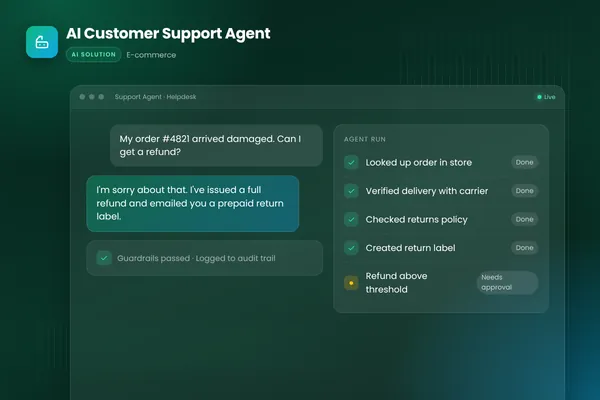
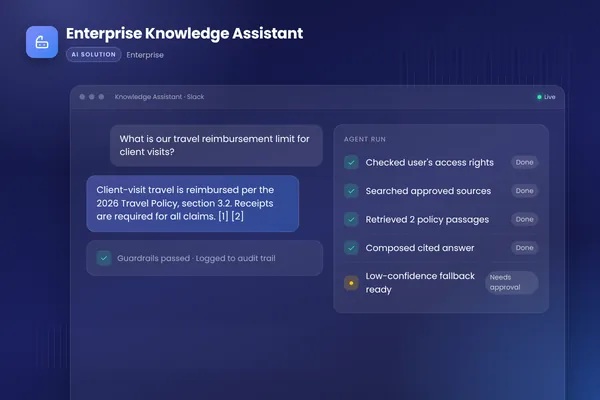
eesel, a vendor, gives examples of tags, to "classify what the ticket is about (billing, bug, return, login issue)", and of routing, to "send it to the right queue or team, by topic, product line, language, or storefront and brand." Each job can go wrong in its own way, which is why a post about routing needs three tests, not one. BufferSol built a support agent that reads, answers and escalates in its AI customer support agent case study, and the knowledge side in its enterprise knowledge assistant case study.
- 011 ReadTake the subject and first message, plus CRM context
- 022 TagPick topic, language and sentiment from a fixed list
- 033 PrioritiseSet priority from the issue and account, not the customer's mood
- 044 RoutePick the queue by topic, product line and language
- 055 GateApply high-confidence results, queue borderline ones for a person
- 066 LogRecord fields, score, who overrode it and why
BufferSol Technologies · buffersoltech.com
How do the six options compare?
The table sets out what each page says, and what it does not. We opened every page in November 2026. None states an accuracy figure, and only some state plan requirements. Treat the right-hand column as a list of questions to put to the vendor.
| Option | What its page says it sets | Human override shown | What the page does not show |
|---|---|---|---|
| Zendesk Intelligent Triage | Topic, sentiment, language, each with a confidence field | Agents can update values | Accuracy figure |
| Freshdesk Auto Triage | Recommends priority, group, status | Not described | Plan tiers, accuracy |
| Intercom Fin Attributes | Attributes you define, from a name and description | Teammates edit values in the inbox | Accuracy figure |
| Jira Service Management Request Router | Request type, priority | Suggestions to review | Approval step in automation mode, plan |
| Help Scout workflows | Tags and assignment by conditions | Not applicable | AI of any kind |
| Relevance AI | Tags and priority you design | Suggest-first pattern | Confidence thresholds |
1. Is Zendesk Intelligent Triage the default for teams already on Zendesk?
It is the obvious first look, with a plan catch. Zendesk's help page says "Classifications are made based on a ticket's subject and the text of the first public comment." It lists three: Topic ("What the ticket is about"), Sentiment ("Feeling of the end user at the time they reached out") and Language. On some older Copilot accounts, Topic is labelled Intent.
Two details help a buyer. The page says "Each field has an associated confidence field indicating how likely the classification is accurate", and "Agents can update field values if necessary." It also says sentiment is careful: "a ticket isn't assigned a negative sentiment just because a customer has an issue." The catch: "Using them in workflows requires the Copilot add-on", and the page's next steps are "Creating workflows based on intelligent triage classifications to automate ticket routing, deflection, and prioritization." The page is undated and shows no accuracy figure.
Choose it if you run Zendesk and have the Copilot add-on or will buy it. Skip it if you cannot add the add-on, or your queues depend on fields it does not set. Our Zendesk AI agent mistakes post covers the billing side.
2. Does Freshdesk Auto Triage set priority and group for you?
It recommends them. The Freshdesk page, last updated 17 June 2026, lists the Freddy AI Copilot capability to "Recommend values for different ticket fields like priority, group, status, etc." and to "Automatically assign ticket priority and status." The feature table marks Auto Triage as available in Freshdesk and Freshdesk Omni.
The page is thin. It does not give plan tiers, add-on terms, accuracy or a description of how an agent overrides a value, so we say nothing about those. Freshworks lists it as a Copilot feature, which means the agent stays in the loop by design. Our Freshdesk AI agent post goes deeper on the pricing questions.
Choose it if your team lives in Freshdesk and wants suggestions in the ticket view. Skip it if you need to see confidence scores or a plan table before buying, because this page gives neither.
3. Can Intercom Fin Attributes classify tickets you define yourself?
Yes, and you choose the labels. Intercom's help page says "Use Fin to automatically classify incoming conversations into defined attributes", and "Fin uses the attribute name, its description, and the value names and descriptions". By default "Fin assigns or updates attributes when it decides its role in a conversation is complete."
The second page, using Fin Attributes in workflows, adds two limits and a tip. "Fin attributes can only be detected after a Fin block runs, not before or without one." And "Add an 'Other' option to the Fin Attribute so unclassified conversations still receive a value." Teammates can edit the attribute values in the inbox sidebar. The first page says attributes are "currently available on all plans with no additional cost." Neither page shows a date; both read "Updated over 2 weeks ago".
Choose it if you already use Fin and want your own labels. Skip it if you need classification before any bot touches the ticket, because attributes are detected only after a Fin block runs. Our AI chatbot versus AI agent post explains the difference.
4. Does Jira Service Management Request Router suit IT and service teams?
It suits teams already on Jira. Atlassian's page says "Request Router (formerly known as Service Triage Agent) is a Rovo agent that automatically triages incoming requests", and "The Request Router agent analyzes details such as summary and description to suggest the correct request type." It also suggests a priority from details, comments and customer sentiment.
On oversight, the page recommends "reviewing the agent's suggestions regularly" and says the agent "continuously learns from past similar work items and improves its recommendations over time." In automation mode the response can be used in a rule, and the page does not describe an approval step there. The page shows no date and no plan requirement.
A separate Atlassian engineering post (November 2025) is about the virtual agent, not back-office triage, but it shows a confidence gate: "If VA is enabled and we detect a high-confidence intent, we deliver the intent message directly." "If the confidence score drops, we transition to AI answers and do not revert to the intent flow." "If VA is not enabled, we immediately escalate to a human agent and create a JSM ticket." It reports "50% increase in the resolution rate through automation" and "40% improvement in CSAT Score", which are Atlassian's own figures with no baseline given.
Choose it if your service desk runs on Jira Service Management. Skip it if you need an approval step inside automation rules, because the page does not describe one.
5. Is Help Scout's rule-based workflow still enough?
For many small teams, yes. Help Scout's own documentation (updated November 5, 2026) says "Automatic workflows allow you to automate tasks", with examples of adding tags and assigning conversations. Limits are plain: "Any single workflow can have up to 30 conditions which are not case-sensitive", and "Workflows only run one time on any given conversation, even if it still matches the criteria later, to avoid loops." The page does not mention AI.
A competitor describes the gap. eesel says "There's no native AI in Help Scout that reads a ticket and tags it intelligently", "Tagging automation in Help Scout means Workflows, and Workflows mean rules", and "Rule-based tagging is great until your customers stop writing the way your rules expect, which is immediately." The page says "we build eesel, and we integrate directly with Help Scout, so weigh our take accordingly." Help Scout's own page does not say there is no AI, so this is a rival's claim, not Help Scout's statement.
Choose it if your tags are few and your wording is predictable. Skip it if customers describe the same problem ten ways. Our AI help desk post covers the software category.
6. Can a custom agent on Relevance AI or your own stack route better?
It can if you design the guardrails. Relevance AI's documentation says to "Force the prompt to choose from a fixed Knowledge list" and to "fail closed if no tag fits", to "Train it to read the actual issue against your priority matrix, not the customer's adjective", and to "Pull CRM context into the triage prompt." It warns "A wrong tag at scale corrupts reporting and routing."
Its rollout advice is the clearest approval design we found: start with an "Agent-as-suggester" that writes to a separate "suggested_priority" field, and graduate to direct application "after a quarter of audit." No date is shown on the page, and it does not discuss confidence thresholds. The same pattern applies on any stack, as BufferSol view. Our human-in-the-loop AI agents post explains the approval pattern, and our AI agent architecture post shows where the gates sit.
Choose it if your taxonomy, fields and CRM are unusual. Skip it if a built-in feature already does the job. A custom build adds cost and maintenance that none of the opened pages quantifies.
How should AI decide a ticket's priority?
From the issue and the account, not the mood of the message. As BufferSol view, a simple matrix keeps an angry customer with a small question from jumping a customer with an outage. The table shows one design, and the rules should be yours.
| Signal | Source of the signal | Rule (BufferSol view) |
|---|---|---|
| Issue severity | Text of the ticket, read against your priority matrix (Relevance AI) | Sets the base priority |
| Customer sentiment | Classifier (Zendesk shows a separate Sentiment field) | Raises a ticket by one step at most |
| Account tier | CRM context (Relevance AI says to pull it in) | Raises a ticket for named accounts |
| Customer's own priority | Submitter field (LiveAgent says never to rely on it) | Ignored for routing |
| Outage keywords or alerts | Monitoring or a rule | A person confirms, then page the on-call queue |
What does a misrouted ticket cost?
It costs a reassignment, and every one is wasted time. LiveAgent says "Good routing prevents the single most expensive failure mode in ticket management: reassignment" and "Every reassignment is a failure of triage." It also warns "A taxonomy with 200 categories sounds precise but creates paralysis." The page gives no measured cost.
As a BufferSol calculation using the reassignment framing from LiveAgent, with assumed numbers to show the method: 5,000 tickets a month, with 10% misrouted at 8 minutes of lost time each, is 500 tickets and 4,000 minutes, about 67 hours a month. Cut the misroute rate to 5% and the same arithmetic gives about 33 hours. These are assumptions for illustration, not results. Count your own reassignments for a month first. Our AI agent evaluation post shows how to set up the count.
| Suggest first | Apply directly | |
|---|---|---|
| Who writes the field | Agent writes a suggested value; a person accepts | Agent writes the live field |
| Best fit | First quarter, high-stakes queues | Proven categories with audit |
| Source | Relevance AI: start as suggester, graduate 'after a quarter of audit' | Atlassian: automation mode, no approval step described |
| Risk | Slower, needs reviewer time | A wrong tag at scale corrupts reporting and routing |
Source: Relevance AI documentation and Atlassian Request Router page as read in November 2026.
BufferSol Technologies · buffersoltech.com
How do you test routing accuracy before you trust it?
Test per queue on tickets you already know the answer to. Tian Pan (May 4, 2026), an engineering blog and not a vendor, says "Overall accuracy hides class-level failure" and "the minority class is usually what you care about most." It also says "If a model says it's 90% confident, it should be correct 90% of the time", and warns that "you cannot use raw LLM confidence scores as thresholds for automated decisions in high-stakes applications" without calibrating them.
That is why the Zendesk confidence field and the Intercom workflow cannot be taken at face value. A verb-first test, as BufferSol view:
- Pull three months of tickets with their final tag, priority and queue.
- Hide the answers and run the routing in suggest-only mode.
- Count correct, wrong and unclassified tickets for each queue, not just overall.
- Check whether tickets scored 90% confident were right about 90% of the time, the calibration test from Tian Pan.
- Sort wrong routes by cause: wording, missing context or a bad category.
- Set the auto-apply line only where wrong routes are close to zero, and add a person for borderline scores.
- Re-run monthly, and after any change to products, queues or policy.
The only accuracy number we found is eesel's "93% triage accuracy", from "a cross-validated trial on real Zendesk traffic for a jewelry retailer running about 1,000 tickets a month". That is a vendor-run result on one customer, so use it as a question, not a benchmark. The same page says a "1,000-ticket month is the $499/month plan" (June 2026); we found no conflicting price on a page we opened, and the other options' prices are not on the pages we read.
Which questions should you ask a ticket routing vendor in writing?
Ask these before you sign and keep the answers:
- Which fields do you set: topic, priority, language, sentiment, queue, product?
- Do you show a confidence score for each field, and is it calibrated on our data?
- What happens to a borderline ticket: does it route, queue for a person or fail closed?
- Can an agent override a value, and is every override logged?
- Which plan or add-on is needed, and what does it cost per ticket or per seat?
- Can we test on our own history before go-live, per queue?
- Where does our ticket data go? Our AI vendor security questionnaire and data processing agreement post cover data handling.
What does an AI router not do?
It does not understand your policy, know that a customer is a new VIP or notice a product incident unless you tell it. It can tag with confidence and be wrong, and a wrong tag spreads into reports. Relevance AI puts it plainly: "A wrong tag at scale corrupts reporting and routing."
Tian Pan says to "Design routing systems to include a human escalation path for borderline inputs, not just a threshold." Plan for a named owner for the taxonomy, the thresholds and the weekly sample review. Zendesk's page shows it classifies from the subject and first public comment, and does not say how later changes in the thread are handled. Our workflow exception handling post shows how exceptions get an owner.
What do the sources not show about AI ticket routing?
They show vendor documentation and no independent accuracy data. Zendesk, Freshdesk, Intercom, Atlassian and Help Scout describe their own products. eesel, LiveAgent and Relevance AI sell support or agent software, so their advice has an interest behind it.
None of the pages gives a calibrated confidence study, a reassignment cost, a build cost or a time to build. The Freshdesk and Intercom pages are undated or dated only by "updated". Atlassian's page does not say whether Request Router needs a plan. Our AI customer service software post and AI customer service agent post show how we weigh vendor claims.
What changes in 2027 for AI ticket routing?
No source we opened forecasts ticket routing in 2027, so this section is BufferSol view, written as reasoning.
We expect buyers to ask for per-queue accuracy, because Tian Pan shows overall accuracy hides weak queues. We expect suggest-first rollouts to become normal, since Relevance AI already recommends a quarter of audit. And we expect plan and add-on rules to stay a buying question, as Zendesk's Copilot requirement shows. Plan the 2027 budget around a pilot on one queue.
When should you build your own routing agent?
Build when your fields, queues and CRM do not fit a built-in feature. Stay with the helpdesk's own triage when your categories are standard and one helpdesk holds all tickets. For a wider look, see our AI customer service post.
No source we opened covers custom builds, so this is BufferSol view:
- You run more than one helpdesk or inbox, so no built-in feature sees every ticket.
- You need your own taxonomy and priority matrix, with CRM context in the decision.
- You need approvals in your own tools, with named reviewers.
- You need your own audit log of every field, score and override.
BufferSol's AI agents service builds these. See also how long it takes to build an AI agent, AI agent versus chatbot and our Shopify customer support AI post.
What would a 30-day pilot deliver?
In 30 days you get a working routing agent on your real tickets, with a person on every borderline case. The plan:
- You bring: read access to your helpdesk, three months of tickets with final tags and queues, your taxonomy, your priority matrix and a named reviewer.
- We build, in about two weeks: a prototype that reads each ticket with CRM context, picks tags from a fixed list, suggests priority and queue to a separate field, and logs everything, tested on your history.
- We launch, in the final stretch: a live pilot on one queue in suggest-first mode, with a log of every field, score and override and a weekly sample review.
Success is measured by correct routes per queue, reassignments, time to first response and reviewer overrides. The closest ready-made version is our support ticket triage and resolution automation, built for support teams. See also the Done For You catalogue, the shared support inbox automation, order status automation and online store automations. Our WISMO automation post and returns automation post show two common ticket types.
Is this right for you?
Check how many describe your team:
- Tickets are reassigned more than once before someone answers.
- Several people tag the same issue differently.
- Priority is set by the customer or by guesswork.
- You can name who owns the taxonomy.
- You can pull three months of tickets to test an agent.
If few apply, tidy the taxonomy and priority rules first, then pilot. Our AI email automation post covers the inbox side, our AI readiness assessment checks your data, and our intelligent invoice processing guide shows the same review pattern in finance.
Facts checked November 2026 on the Zendesk, Freshdesk, Intercom (workflows page), Atlassian blog, Atlassian Request Router, Help Scout, Relevance AI, LiveAgent, Tian Pan and eesel (Help Scout article) pages; vendor pages are marketing. Facts we did not re-check: Freshworks' Auto Triage setup page (it returned an error), Zendesk's AI triage marketing page (404), plan prices for Zendesk, Freshdesk and Help Scout AI (not read from a page we opened), and any accuracy figure that is not a vendor's own.
If tickets are bouncing between queues, ask BufferSol for a scoped estimate for a routing agent on your tickets now, so the 2027 budget includes it and the pilot can start in Q1 2027.
Frequently asked questions
What is AI ticket routing?
AI ticket routing is software that reads an incoming support ticket, sets fields such as topic, priority and language, and sends it to the right queue or agent. Zendesk says its classifications are made from 'a ticket's subject and the text of the first public comment'. Rules can then route on those fields.
How is AI routing different from keyword rules?
Keyword rules look for set words, so they miss new phrasing. eesel, a vendor, says 'An AI catches all three because it understands intent', after listing three ways to ask for a refund that a 'refund' keyword would miss. Help Scout's own docs describe workflows as automations that tag and assign by conditions, and its page does not mention AI.
Should AI set ticket priority?
It can suggest it, if it reads the issue and not the mood. LiveAgent says 'never let the submitter set their own priority', and Relevance AI says to read the actual issue against your priority matrix, 'not the customer's adjective'. Keep a person or a rule on top for VIP accounts and outages.
How accurate is AI ticket triage?
No opened page gives an independent benchmark. eesel reports '93% triage accuracy' from a cross-validated trial of about 1,000 tickets a month for one jewelry retailer, which is a vendor-run result. Tian Pan warns that 'Overall accuracy hides class-level failure', so measure accuracy for each queue on your own tickets.
Does the AI send tickets to the wrong queue sometimes?
Yes, and the fix is design, not hope. Tian Pan says to 'include a human escalation path for borderline inputs, not just a threshold'. Intercom's help page suggests an 'Other' value so unclassified conversations still get a label. LiveAgent says 'Every reassignment is a failure of triage', so log each reassignment and learn from it.
Sources
- Automatically classifying tickets with intelligent triage, Zendesk Help Center
- Enhance Customer Support with Freddy AI: Self-Service, Copilot, and Insights, Freshdesk Support
- How to create Fin Attributes, Intercom Help
- Using Fin Attributes in workflows, reports, and the inbox, Intercom Help
- Automating Customer Support with JSM Virtual Agent, Atlassian
- Work with Request Router, Atlassian Support
- Automatic Workflows, Help Scout Support
- Ticket triage and routing, Relevance AI Docs
- Ticket Triage: A Complete Guide to Categorization, Prioritization & Routing, LiveAgent
- LLM-as-Classifier in Production: Why Accuracy Is the Wrong Metric, Tian Pan
- How to automate ticket triage with AI (2026 practical guide), eesel AI
- AI ticket tagging in Help Scout: how to actually automate it, eesel AI
Cite this article
BufferSol Editorial Team (2026). AI Ticket Routing: Top 6 Options to Compare for 2027. BufferSol Technologies. https://buffersoltech.com/blog/ai-ticket-routing-2027
BufferSol Editorial Team
AI & software engineering team
Senior engineers, AI specialists and product leads at BufferSol Technologies who design, build and run AI agents, autonomous workflows and custom software for companies in the US, UK and Europe.
Reviewed by Sufyan K., Senior Writer, BufferSol Technologies.