Key takeaways
- The real decision in email support automation is not which tool, but what the agent sends on its own, what it only drafts and what it holds. Vendor pages describe these modes very differently, so read what each one sends before you buy.
- Of the five tools read here, Zendesk and Freshdesk document replies sent without human review, Help Scout documents drafts a person reviews and sends, and Intercom and eesel describe both. Pages that do not say are marked 'not on the page', never assumed.
- Thread follow-ups are a real limit. Freshworks' legacy Email AI Agent page says it does not respond to ongoing email threads, only to initial ticket creation, while its newer AI Agent Studio page lists email threading. Test follow-ups before go-live.
- An email agent must not answer another robot. RFC 3834 says an automatic responder must not blindly respond to every message and should mark its replies Auto-Submitted: auto-replied, so build a loop guard before the first send.
- Test in shadow mode first. A 50-email test across five buckets, with pass marks and zero tolerance for a sent reply to a risky email, tells you what to automate and what to leave as a draft.
- A 30-day pilot can put a working email agent on your real inbox: a prototype in about two weeks that drafts only, then a live pilot where one safe topic is sent automatically and everything else is held.
Email support automation in 2027 means an AI agent that reads each inbound email, answers the safe ones and hands the rest to a person. The real choice is what the agent sends on its own, what it only drafts and what it holds. This guide compares 5 tools on exactly that, using each vendor's own documentation read in November 2026, and adds a copyable escalation rule and a 50-email test.
It belongs to our AI customer support agent guide. For plain-language background, see AI customer service and AI customer service software. For the wider build, see how an AI customer service agent works and AI email automation.
What is email support automation, and what does an AI agent add to it?
It is software that handles part of the support inbox without a person typing each reply. Older automation used triggers and templates. eDesk lists the building blocks as "triggers, dynamic templates and AI classification" and warns that "Generic canned replies erode trust." An AI agent adds reading and writing: it understands the email, finds the answer and composes a reply in the customer's wording.
That extra power is also the risk. A template cannot invent a refund policy; an agent can. So the useful question is not whether the AI is clever, but what the system lets it do alone. The rest of this guide sorts every option into three modes: send, draft or hold.
How were these five tools chosen, and what was left out?
We kept the tools whose own help pages we could open and read in November 2026, and that say something specific about email. That gives five: Zendesk, Intercom's Fin, Freshdesk, Help Scout and eesel. This is not a ranking or a test. We did not run any of them.
Left out, with the reason: Ada's blog and Zendesk's marketing page returned a Cloudflare "you have been blocked" page, so we did not read them and did not try to get around the block. Gorgias' help article did not load, Front's help link returned "Page not found", and the Yellow.ai and Abacus.AI pages describe a product feature or a case study without saying whether replies are sent or reviewed. Treat the five as a map of the options, not as the whole market.
What is the real decision: send, draft or hold?
It is a choice made per kind of email, not per product. Three modes cover it:
- Send: the agent replies to the customer with no review. Fast, and the only mode where a wrong answer reaches a customer unchecked.
- Draft: the agent writes the reply and a person reviews, edits and sends it. eesel calls this the copilot mode.
- Hold: the agent does nothing visible and routes the email to a named person with a summary.
eesel lays out the order of trust as "Deflect, draft, then auto-resolve, in that order." Our addition is a third mode for emails that should not be answered at all. Every tool below can do some of these; the sections say which, citing only what the vendor's page states.
How do the five compare at a glance?
The table shows what each vendor's own page says about sending, drafting and holding for email. "Not on the page" means we did not find a statement, not that the product cannot do it.
| Tool | Sends without review | Drafts for a person | Holds or escalates | Follow-ups in a thread |
|---|---|---|---|---|
| Zendesk | Yes: replies arrive as emails in the customer's inbox | Not on the page | Automatic escalation of some emails before the agent engages | Not on the page |
| Intercom Fin | Described as answering over email | Not on the page | A model "that detects when to escalate to humans" | Says Fin has the full email history |
| Freshdesk | Yes, "without human intervention" (legacy page) | Not on the page | Ticket stays open for a person if the reply is not helpful | Legacy page: initial ticket only; newer page lists threading |
| Help Scout | Customer-facing answers are a separate feature | Yes: a draft to "review, revise if needed, and send" | A person reviews and edits drafts | Not on the page |
| eesel | Yes, at its auto-resolve level | Yes, "draft mode" | Handover rules in its guide | Not on the page |
Vendor pages are dated 2026 and change often, so re-check the page for your plan before you buy.
| Who sees the reply first | Typical use | |
|---|---|---|
| Send | The customer | Order status, password help, simple how-to |
| Draft | A support agent, who edits and sends | Policy questions, anything uncertain |
| Hold | A named person, with a summary | Legal, safety, disputes, repeat complaints |
BufferSol Technologies · buffersoltech.com
1. Zendesk: what does its email AI agent send on its own?
It sends replies as real emails, and it escalates some emails before the agent touches them. Zendesk's help article says email responses sent by an AI agent can be viewed "As actual emails that arrive in the customer's inbox" and "As public comments in the associated ticket in the Agent Workspace." The same page says the AI agent "responds only to emails sent to this support address."
That is the send mode, with scope limits. By default, Zendesk says the agent "doesn't respond to tickets submitted by agents", which helps when you test. The page we read does not describe a review-before-send step for AI email replies, so treat Zendesk's email agent as a send tool and check your plan for any draft option.
How does Zendesk decide what the AI agent should not answer?
With an automatic check that you cannot configure. Zendesk says each incoming email is analysed to see whether it is "likely to be about a topic that an AI agent isn't suited to answer, such as a sales communication." If so, the tag escalated_by_support_email is added and the ticket "is automatically escalated to a human agent before the AI agent can engage with it."
The page says "This analysis and determination happens automatically" and that there are no settings to change the outcome. It also says the section does not apply to addresses connected through the Microsoft Exchange or Gmail connectors. Two lessons follow: do not rely on a vendor's hidden filter alone, and write your own hold rules (see the escalation rule below). Our Zendesk AI agent mistakes guide covers more.
Who is Zendesk's email agent right for, and where does it stop?
Choose it when you already run Zendesk and want sends handled inside your existing tickets. Look elsewhere, or add your own layer, if you need draft-first review, because the page does not describe it. The sender detail also matters: Zendesk says if you pick a named user as the sender, that user's name, email and signature are shown and an agent seat is consumed, while the default system user consumes none.
Limitations we could not confirm from the page: how it treats follow-ups in a thread, and what confidence level it needs before sending. Ask the vendor both questions. Related reading: AI ticket routing and our ticket triage automation.
2. Intercom Fin: what does Fin do over email?
It answers over email and is built to hand off. Intercom's help article says Fin "is fully optimized for delivering support via email and can provide instant, accurate answers to customer questions, making sure to filter out phishing attempts, spam, and other threats." It adds that "Fin will have full context of the email conversation history" and will escalate "to human support exactly when it needs to."
Two details stand out. The page lists a model "that detects when to escalate to humans" among Fin's components, so escalation is part of the design. And it names testing tools: Simulations, batch testing from your support inbox, answer rating and a preview. The page does not say whether Fin sends or drafts by default for email, so ask.
Does Intercom's page show how to test Fin before it sends?
Yes, and that is its strongest point. Intercom describes Simulations to "Test Fin's performance across real-world scenarios, from simple flows to tricky edge cases", batch testing that lets you "import conversations from your support inbox", and an answer-rating report. Testing on your own past emails before go-live is the habit this guide recommends, and Fin's page documents it more clearly than most.
The page is Intercom's own, so it describes features, not independent results. Our AI help desk guide and AI customer service software buyers guide compare helpdesk options beyond email.
3. Freshdesk: what does the Email AI Agent do on a reply to an old thread?
According to Freshworks' legacy page, it does not answer it. Freshdesk's page says the agent "does not currently support responding to ongoing email threads", only initial ticket creation. The page is marked as the legacy version, so this describes the older product.
The same page says the agent "generates and sends a structured reply to the requester's email address", that it "includes an in-email feedback widget", and that it "automatically closes tickets on positive feedback"; if the response is not helpful, "the ticket remains open for human agents to intervene." It is available on Pro and Enterprise plans, and admins can cap the number of tickets it answers per day.
What does Freshdesk's newer page say about email threading?
It lists threading as a supported capability. Freshworks' AI Agent Studio page, modified 20 August 2026, says "Email AI Agents automate responses to inbound support emails. These agents support asynchronous workflows, structured replies, email threading, and escalation logic."
The two pages do not contradict each other so much as describe different versions, and neither tells you what the agent does on a customer's third reply. The newer page also advises you to "Monitor reopen rates and follow-up emails to assess response completeness and clarity", which is a useful quality signal. Test follow-ups on your own account, and see our Freshdesk AI agent guide.
Who is Freshdesk's Email AI Agent right for?
Choose it when you run Freshdesk on a Pro or Enterprise plan and your email is mostly first messages with answers in a knowledge base. The legacy page says the agent needs "a populated and up-to-date knowledge base" and runs as the final automation in ticket creation, only on email tickets.
Its limits, from the page: one bot session is used each time it responds, and templates have no rollback or versioning, so keep your own copy of every response template. Do not read this as a verdict; it is what the page states as of November 2026.
4. Help Scout: draft-first, or customer-facing answers?
Help Scout documents both, as separate features. For email, its documented route is AI Drafts. Help Scout's docs say AI Drafts lets your team "generate replies to your customers in a draft state, learning from previous conversations and Docs articles", and that "In one click, you'll have a high-quality draft ready to review, revise if needed, and send." Users need the Reply to Conversation permission to use it.
Its AI transparency page separates the two: Envoy "uses your help center content and other provided sources to supply instant customer-facing answers" and is "always disclosed as AI", while for AI Drafts and AI Assist "a human can review and edit the output before it's sent." We did not find a page saying Envoy answers email, so we do not claim it.
Why does a draft-first design suit most teams starting out?
Because every send has a person's name on it. A draft path gives you the speed of generation and the judgement of a reviewer, and it creates training data: each edit shows where the agent was wrong. eesel makes the same point, saying that in draft mode "every edit an agent makes is a correction the AI learns from."
The cost is speed: replies wait for a human. For a team with a backlog, that is still a large time saving, because the draft is ready the moment the agent opens the ticket. Our human-in-the-loop guide covers where to put the approval step so it does not become a bottleneck, and the shared support inbox automation is the built-and-run version.
5. eesel AI: what does a layer on top of your inbox change?
It lets you add automation without moving helpdesk. eesel's guide says email automation "should layer onto whatever you already run, whether that's a full helpdesk like Zendesk, Freshdesk, Gorgias, Front, or HubSpot, or just a shared Gmail inbox." It describes a six-step path: connect the inbox, feed it past tickets, simulate on real history, start in draft mode, promote easy topics, then measure.
eesel is the vendor behind the guide, so read it as a product's point of view. It is the most explicit of the five pages about order of rollout. eesel's guide also lists a mistake worth copying onto a wall: no confidence threshold. Its page states a customer testimonial of 73% of tier-1 requests resolved in the first month; we treat that as one vendor-reported anecdote, not a benchmark. The page also states a starting price of $299 a month for 500 credits, as of November 2026 and on eesel's own blog, so check its pricing page.
What does eesel's simulate-before-live step add?
The idea to copy. eesel says: "Never point new automation at a live inbox and hope", and recommends running the AI "over your last few thousand real tickets in a simulation, before it sends a single reply." The goal is to see "what percentage it could handle, where it got things right, and where it got shaky."
That is the same principle as the 50-email shadow test later in this guide, scaled down for a small team. Intercom documents a comparable feature, so the habit is not tied to one vendor. If a tool cannot replay your past emails without sending, ask why.
Which tool should you choose, and when does a custom agent win?
Pick by where your email already lives and by which mode you need first. The decision sentences below are BufferSol view, based on the vendor pages above.
- Zendesk: choose it when you run Zendesk and want sends inside tickets, and add your own hold rules.
- Intercom Fin: choose it when you want built-in simulation and testing before sends.
- Freshdesk: choose it when you run Freshdesk Pro or Enterprise with a strong knowledge base, and test follow-ups first.
- Help Scout: choose it when you want a person to approve every reply.
- eesel: choose it when you want a layer over a mixed inbox without changing helpdesk.
- A custom agent: choose it when your answers depend on your own systems (orders, accounts, contracts), when you need hold rules shaped to your policy, or when per-resolution fees outgrow the value. BufferSol builds these on the pattern in our AI customer support agent case study.
| Vendor tool | Custom agent | |
|---|---|---|
| Best fit | Standard questions inside one helpdesk | Answers that depend on your own systems |
| Send, draft, hold | Settings the vendor exposes | Rules written to your policy |
| Testing | Vendor simulation features, where offered | A shadow test on your past emails |
| Time to start | Fast if your helpdesk is supported | About 30 days to a working pilot |
BufferSol Technologies · buffersoltech.com
- 01DetectA new email reaches the agent through a mailbox watch.
- 02ScreenSkip robots, lists and anything already auto-replied.
- 03ReadClassify intent, urgency and risk; split multi-part emails.
- 04DecideSend, draft or hold, from your written rule.
- 05AnswerWrite from your knowledge base and live systems, with sources.
- 06LogRecord the decision, the sources and the outcome.
BufferSol Technologies · buffersoltech.com
Which support emails should never be automated?
Anything that carries risk or emotion. eDesk puts it plainly: "Keep a person on anything that carries risk or emotion", and lists as a mistake "Automating complex or emotional issues without a fast path to a person." eesel says the teams that succeed "keep humans on refunds, billing, and anything angry."
Our working list of never-send topics: legal threats, safety or injury reports, chargebacks and payment disputes, large refunds or credits, account closure, repeat complaints, and anything involving personal or payment data in an attachment. These do not need to be unanswered, only held for a named person with a summary. The next section turns the list into a rule.
What is a copyable escalation rule for support email?
A table with a trigger, an action, an owner and a wait time. None of the top results gives one. The rule below is BufferSol view, so adjust the limits to your policy and your staffing, and test every row in the shadow test.
| # | Trigger | Agent action | Owner | Respond within |
|---|---|---|---|---|
| 1 | Legal, regulatory, injury or safety words; chargeback or dispute | Hold, no reply, alert | Duty manager | 1 working hour |
| 2 | Refund or credit above the limit your support lead sets | Draft only, with order facts | Senior agent | Same working day |
| 3 | Customer repeats a complaint or shows frustration | Draft and flag; a person sends | Thread owner | Within your SLA |
| 4 | Third reply on the same thread, from anyone | Stop; person takes over | Thread owner | Next working hour |
| 5 | Email mixes a safe question with a risky one | Hold the whole email, do not split | Agent on duty | Within your SLA |
| 6 | Sender flagged VIP or in an active deal in the CRM | Draft only | Account owner | Same working day |
| 7 | Email is itself automatic (see the loop guard) | No reply | None | Not applicable |
| 8 | No matching article, or the agent is unsure | Draft with a "needs answer" note | Agent on duty | Within your SLA |
| 9 | Attachment holds personal or payment data | Hold, redact before any storage | Agent on duty | 1 working hour |
| 10 | Sales, press, partner or recruiting email | Route to the right inbox owner | That owner | Next working day |
Row 10 matches what Zendesk does automatically for sales communications. The difference is that you can see and change your own rule.
How do you stop an email agent from answering another robot?
With a loop guard built before the first send. RFC 3834 says "An automatic responder MUST NOT blindly send a response for every message received", and that automatic replies should carry the header Auto-Submitted: auto-replied. It also says responders "MUST NOT generate any response for which the destination of that response would be a null address."
Practical rules: skip inbound mail already marked Auto-Submitted (out-of-office replies and other robots), skip mailing-list mail, skip a null return path, mark your own automatic replies with the header, and cap replies per sender per day. The cap number is BufferSol view; three is a sensible start. Without a guard, two auto-responders can write to each other all night, which is the "sorcerer's apprentice" failure the RFC itself names.
Which loop-guard rules should the agent follow?
Six rules, each tied to a source or marked as BufferSol view. The loop guard sits before the agent reads the email, so a robot never reaches the model.
| Rule | Source or basis |
|---|---|
| Do not reply to mail marked as already automatic | RFC 3834 on automatic responders |
Mark every automatic reply Auto-Submitted: auto-replied | RFC 3834 |
| Never reply to a null return address | RFC 3834 |
Keep In-Reply-To and References on replies | RFC 3834, RFC 5322 |
| Cap replies per sender per day at three | BufferSol view |
| Alert a person when the cap trips | BufferSol view |
How should the agent handle threads and follow-ups?
Keep the reply in the same thread and give a person every follow-up until you have tested it. RFC 3834 says "The In-Reply-To and References fields SHOULD be provided in the header of a response message if there was a Message-ID field in the subject message", and RFC 5322 describes those fields in its section 3.6.4.
On Gmail, Google's guide says a message must meet three conditions to join a thread: the threadId is supplied, the References and In-Reply-To headers are set in line with RFC 2822, and "The Subject headers must match." A reply that breaks any condition starts a new thread, and the customer sees a confusing split. Because Freshdesk's legacy page says its agent did not answer ongoing threads, treat follow-ups as a separate test bucket.
What does a correct reply look like, header by header?
Four things must be true for a reply to land in the customer's existing thread and be recognised as automatic. The table collects them from the Gmail and IETF pages.
| Header or field | What to set | Source |
|---|---|---|
threadId | The ID of the original thread (Gmail API) | Google threads guide |
In-Reply-To and References | Built from the original Message-ID | RFC 5322, RFC 3834 |
Subject | Matches the original subject | Google threads guide, sending guide |
Auto-Submitted | auto-replied on automatic replies | RFC 3834 |
Test this with a real mailbox in a sandbox, because a header error only shows up as a split thread on the customer's side.
How does the agent know a new email has arrived, and how do you keep that running?
Through a mailbox watch, and watches expire. Google's push guide says "You must call the watch method at least once every 7 days or you'll stop receiving updates for the user", and recommends calling it once a day. If the watch lapses, the agent goes quiet and nobody sees an error.
Add two checks: renew daily, and alert a person if no message has been received in a window that is unusual for your volume. Google's sync guide describes partial synchronisation from the last historyId, which lets the agent catch up on messages missed while it was down. This is the kind of detail vendor-built tools handle for you and a custom agent must build.
What should you monitor so the agent does not fail silently?
Five checks, each cheap to automate. A mailbox agent can stop working without any error a person would see.
| Check | Why | Source or basis |
|---|---|---|
| Watch renewed daily | A watch lapses after 7 days without renewal | Google push guide |
| Alert when no mail arrives in an unusual window | Catches a dead watch | BufferSol view |
| Catch-up sync after downtime | Reads changes since the last historyId | Google sync guide |
| Reply-cap alert | Catches a possible loop | RFC 3834 |
| Daily count of send, draft and hold | A sudden shift means a rule or model changed | BufferSol view |
How does an agent create a draft in Gmail or Outlook?
Through the draft endpoints, so the person reviews in the normal inbox. Google says "Email drafts represent unsent messages with the DRAFT system label applied", and that a draft's message "cannot be edited once created, but it can be replaced." So an agent that revises a draft must replace it, not edit it in place.
On Microsoft 365, Microsoft Graph offers a call to "Create a draft to reply to the sender of a message", and says "You can update the draft later to add reply content to the body." Drafts keep a human in the loop without building a review screen. Our human-in-the-loop guide shows where else to place approvals.
How should the agent treat an email with several questions?
Answer all of them or none of them automatically. A partial answer to a three-part email is worse than a draft, because the customer thinks the matter is closed. Yellow.ai's page says its product "Identifies multiple intents in the email" and "Recognizes urgency and user sentiment", which are vendor claims we did not test.
Our rule: split the email into questions, score each against your knowledge base, and send automatically only if every part has a source and none trips a hold trigger. If any part fails, draft the whole reply for a person. In the shadow test, multi-part emails get their own bucket.
What should the agent read before it answers?
Three things: your published help content, your past replies and, where the answer depends on the customer, live data. eesel says its step two is the one "most guides skip": learn from past tickets, because "your help docs are written for the 'happy path' and your real customers ask messy, specific questions."
Live data is where a custom agent differs most: order status, subscription state and delivery dates come from your systems, not from articles. Our knowledge base support guide covers grounding and refusal rules, and the order status automation guide covers the live lookup.
Will emails from an AI agent land in the inbox?
Only if the sending domain is set up properly. Google's email sender guidelines say "Starting February 1, 2024, all email senders who send email to Gmail accounts must meet the requirements in this section", including that you "Set up SPF or DKIM email authentication for your sending domains."
Send agent replies from your real support address through your real mail system, not from a new domain, so they carry the same authentication as your human replies. Google's sending guide adds that reply messages are RFC 2822 formatted MIME, which is one more reason to let a mature library build them.
Do customers have to be told they are dealing with an AI?
In the EU, generally yes, with a carve-out. Article 50 of the EU AI Act says "Providers shall ensure that AI systems intended to interact directly with natural persons are designed and developed in such a way that the natural persons concerned are informed that they are interacting with an AI system", unless this is "obvious from the point of view of a natural person who is reasonably well-informed, observant and circumspect." We read the unofficial text; check the dates that apply to you.
Help Scout says its customer-facing Envoy answers are "always disclosed as AI." For email, a single plain line in the signature ("This reply was prepared by our AI assistant and is checked by our team") is a simple way to comply. This is not legal advice; take your own advice for each market.
Can the agent decide refunds or other outcomes by email?
Only with care, because rules on automated decisions may apply. Article 22 of the GDPR says the data subject "shall have the right not to be subject to a decision based solely on automated processing, including profiling, which produces legal effects concerning him or her or similarly significantly affects him or her." The ICO describes the test as a decision based solely on automated processing, meaning "there is no meaningful human involvement", with a legal or similarly significant effect.
A small refund inside a published policy is unlikely to be a significant decision; a denied claim might be. This is not legal advice. BufferSol view: keep a person on any outcome that denies money or service, and log who approved it.
How do you test an email agent on your own emails before it sends?
Run it in shadow mode on 50 past emails: it writes a reply and a decision into a log, and nothing is sent. Pick the emails from your last quarter, ten in each of five buckets, and have a senior agent mark every row. This follows the simulate-first idea in eesel's guide and the batch-testing idea in Intercom's page.
| Bucket (10 emails each) | What it tests | Pass mark (BufferSol view) |
|---|---|---|
| A. Order and account status | Live lookups, correct facts | 9 of 10 correct and safe to send |
| B. How-to and policy questions | Grounding in your articles | 9 of 10 correct, none invent a policy |
| C. Multi-part emails | All parts answered | 8 of 10 fully answered; others held |
| D. Follow-ups in a thread | Thread context kept | No reply that ignores earlier messages |
| E. Risky or emotional emails | Hold rule | 10 of 10 held, none sent |
Any invented policy, amount or promise is an automatic fail for that topic, whatever the score. The pass marks are our view, not an industry standard.
What should you do with a test failure?
Fix the cause, not the sentence. Mark each failure with a reason code: missing article, wrong article, stale fact, ignored thread, split email, tone, or a hold trigger that did not fire. Group the codes and fix the most common first. A "stale fact" count means your knowledge base needs an owner; an "ignored thread" count means do not send follow-ups yet.
Repeat the same 50 emails after each fix so you can see progress. When a bucket passes twice in a row, promote that bucket's topics from draft to send. When it fails, leave it as draft. Our AI agent evaluation guide explains how to keep a test set honest over time.
How do you measure email automation after go-live?
With a few measures that you can compute from the inbox itself. Freshdesk's newer page advises you to "Monitor reopen rates and follow-up emails to assess response completeness and clarity", which is a good outcome signal because it catches answers that looked fine and were not.
| Measure | How to compute it | Why it matters |
|---|---|---|
| Reopen or follow-up rate on sent replies | Replies followed by a "still not solved" message | Catches wrong or incomplete answers |
| Share of drafts sent unedited | Drafts sent as written divided by drafts | Shows when a topic can be promoted |
| Hold accuracy | Held emails a person agrees should be held | Shows the rule is not too loose or too tight |
| Median time to first reply, by mode | Send, draft and hold measured separately | Shows where time is saved |
| Wrong-send count | Sent replies a person had to correct | The number that must stay near zero |
Set a baseline for two weeks before the agent runs. Without one, you cannot tell whether a good month was the agent or the season.
Which numbers on vendor pages can you trust?
None of them as benchmarks. Every figure in the five vendor pages and the top results is vendor-reported or a customer anecdote, and no independent test was found. The table lists them so you can see how they are stated.
| Claim | Where | Type |
|---|---|---|
| 73% of tier-1 requests resolved in the first month | eesel | Customer testimonial on the vendor's page |
| "automate the boring 40-60% first" | eesel | Rule of thumb, no source |
| 70% fully resolved without human intervention | Abacus.AI | Vendor case-study page |
| 80% self-served and costs down by up to 60% | Yellow.ai | Vendor page, no method shown |
| Share of mature deployments reporting improved metrics (Intercom report) | Not re-checked | Seen only in a summary of Intercom's page |
Use these figures to ask a vendor how they were measured, not to forecast your own result. The last row is listed so you know we saw it and did not verify it.
What does one wrong automated reply cost?
A small amount in time, a large amount in trust, and the second does not fit in a spreadsheet. BufferSol estimate, with invented assumptions: if finding, correcting and apologising for one wrong reply takes 20 minutes of an agent paid $30 an hour in loaded cost, each wrong send costs about $10 in time before any goodwill credit.
BufferSol estimate again: at 3,000 automated replies a month and one wrong send in 50, that is 60 wrong sends and about $600 a month in correction time. The same agent might save far more than that, so the point is not that the risk is large, but that it is countable. Count it from your own shadow test, and use the AI customer service savings calculator with your own numbers.
Source: BufferSol estimate: the design of the pilot described in this guide
BufferSol Technologies · buffersoltech.com
What should the agent log for each email?
Seven fields, kept for a defined period, so any reply can be explained. The log is also how you answer a customer who asks why they received a particular message.
| Field | Example |
|---|---|
| Message ID and thread ID | The identifiers from the mail system |
| Decision | Send, draft or hold |
| Trigger fired | Rule number from the escalation table |
| Sources used | Article URLs and system lookups |
| Draft and final text | What the agent wrote and what was sent |
| Person who approved | Name and time, for drafts and holds |
| Outcome | Reopened, resolved, escalated |
Keep personal data to what the support task needs, and delete on a schedule your privacy policy states. Our data processing agreement guide covers the vendor side of this.
How does a customer reach a person from an AI email?
By replying, and by the reply reaching someone. Make the path explicit: every automatic reply ends with a line saying that replying will bring in a team member, and a reply to an automatic message goes to a person when a rule says the issue is unresolved. Intercom's page says Fin is built to escalate "to human support exactly when it needs to"; the same promise should hold for any tool.
Watch for the dead-end case: the customer says "that did not help" and the agent replies again with the same article. Rule 4 in the escalation table (third reply goes to a person) exists for that. Our AI support escalation guide covers the handoff packet a person should receive.
What changes in email support automation in 2027?
Three things, each labelled. First, vendors keep moving from legacy email agents to studio-style products: Freshworks marks its older Email AI Agent page as the legacy version and points to a newer AI Agent Studio page modified in August 2026. Expect limits that today's pages state, such as thread handling, to change, and re-test before every upgrade.
Second, Help Scout updated its AI Drafts page on 19 November 2026, which suggests draft-first features are still being refined. Third, BufferSol view: buyers will ask for per-topic send, draft and hold settings and a shadow-test report before signing, so tools that expose those settings clearly will be easier to approve. Our support agent deployment timeline shows how long each stage takes.
Where does email fit with chat and voice support?
As one channel of the same agent, sharing one knowledge base and one escalation rule. Intercom's page describes Fin across email, chat and voice; Freshdesk's studio page says AI agents work "across chat and email channels." Customers do not care which channel they used, so a refund rule that differs by channel will cause complaints.
Build the agent so that the decision (send, draft or hold) and the sources are channel-independent, and only the formatting changes. Email replies are longer and structured; chat replies are short. Our AI customer service agent guide and chatbot versus agent guide explain the shared design.
What should you ask each vendor before you buy?
Two questions each, drawn from the gaps in the pages we read. A vendor who answers in writing is easier to trust than one who points to a demo.
| Vendor | Question to ask | Why we ask it |
|---|---|---|
| Zendesk | Can replies be held as drafts for review on my plan? | The help page describes sends only |
| Zendesk | How does the agent treat a customer's second and third reply? | Thread handling is not on the page |
| Intercom Fin | Does Fin send or draft by default over email? | The page does not say |
| Intercom Fin | What confidence level triggers escalation? | The page names a model but no threshold |
| Freshdesk | Does the current Email AI Agent answer follow-ups in a thread? | The legacy page says it did not |
| Freshdesk | Can I roll back a response template? | The legacy page says there is no versioning |
| Help Scout | Can any topic be sent automatically, and by which feature? | Drafts and customer answers are separate |
| Help Scout | Does the customer-facing answer feature handle email? | The pages we read do not say |
| eesel | How was the 73% figure measured, and over which tickets? | It is a customer testimonial |
| eesel | How do I replay past emails without sending? | The guide describes simulation, so ask for a demo |
Keep the answers with your shadow-test results. They are the evidence behind the budget decision.
Which test and review features did each page describe?
Only some. The table shows what each page says about testing before sending and reviewing after. A blank is "not on the page", not "missing from the product".
| Tool | Test before sending | Review or feedback | Limits stated |
|---|---|---|---|
| Zendesk | Agent-submitted tickets skipped by default, so you can test | Replies appear as public comments in the ticket | No settings for the automatic escalation |
| Intercom Fin | Simulations, batch testing, preview | Answer rating and an Optimize dashboard | Not on the page |
| Freshdesk legacy | Not on the page | In-email feedback widget; ticket stays open if unhelpful | Pro and Enterprise only; no template rollback |
| Freshdesk Studio | Not on the page | Monitor reopen rates and follow-ups | Not on the page |
| Help Scout | Drafts reviewed before sending | A person edits every draft | Needs the Reply to Conversation permission |
| eesel | Simulation on past tickets | Edits in draft mode feed learning | Vendor's own guide |
How does email connect to chat, voice and your knowledge base?
Through the same agent, the same sources and the same hold rule. A customer may write, then chat, then call, and each channel should give the same answer and the same refund decision. Our AI agent versus chatbot guide explains why the agent, not the channel, is the unit to design, and the AI voice agents guide covers the phone side.
Share one knowledge base across channels and keep one owner for it. The AI customer service agent guide and our AI customer service guide show how answers are grounded, and the AI Customer Support Agent case study shows the build. For sizing, use the AI customer service savings calculator, and for the service itself see AI agent development.
Which BufferSol guides help at each step of the rollout?
One guide per step, in the order a team meets the problems.
| Step | Guide |
|---|---|
| Decide what the agent may do | AI customer service agent |
| Prepare the help desk | AI help desk |
| Choose the software | AI customer service software |
| Add approvals | Human-in-the-loop AI agents |
| Test the agent | AI agent evaluation |
| Handle exceptions | Workflow exception handling |
| Check vendor data terms | Data processing agreement checklist |
| Handle returns by email | Returns automation with AI |
| Cut common tickets | Order status automation |
| See the whole pillar | AI customer support agent guide |
What does BufferSol build for email support?
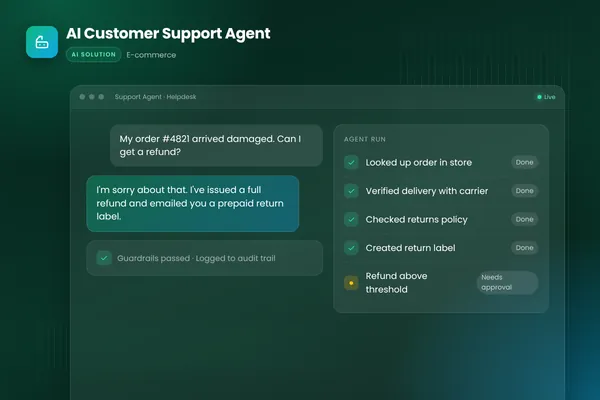
An agent in your inbox and helpdesk that follows your written rule. The pattern comes from our AI Customer Support Agent case study: an agent connected to the store, the helpdesk and the shipping provider that takes actions through secure tools, and sends refunds above a threshold and unusual cases to a human with a ready-made summary.
For email specifically, that means the loop guard, the thread rules, the mailbox watch with daily renewal, the draft path and the escalation table above, all built against your real mail system. The ready-made version is the shared support inbox automation, for teams that would rather have it built and run for them. The service page is AI agent development, and our returns automation guide shows a second workflow the same agent can run.
What should you do in the first week, before any build?
Three things. Export 200 recent support emails with their replies and sort them into the five test buckets by hand, which shows how much of your inbox is safe to automate. Write the escalation table with your support lead, using the AI customer service guide for background on handoffs. Check your knowledge base against the AI customer service agent guide.
If most emails fall in the first two buckets, size the saving with the AI customer service savings calculator and read the AI agent pricing table. The AI customer support agent guide and our AI agent development service are the next stop.
What a 30-day pilot delivers for email support
A working email agent on your real inbox inside 30 days, in two stages, following the delivery model on our AI agents service page.
| Week | Deliverable |
|---|---|
| 1 | Inbox access, past emails exported, escalation table agreed, loop guard designed |
| 2 | Prototype in shadow mode: drafts for 50 past emails, scored in the five buckets |
| 3 | Live pilot on a first slice: drafts for all topics, automatic send for one safe topic |
| 4 | Review: reopen rate, drafts sent unedited, wrong-send count; decide what to widen |
What you provide: read and draft access to the support mailbox, your help content, a named reviewer and 30 minutes a week. How success is measured: the shadow-test scores, reopen rate on sent replies, share of drafts sent unedited and a wrong-send count of zero on held topics. A pilot cannot prove every topic is safe; it proves one is.
Is this right for you?
Check the signs. If most apply, a scoped estimate is worth your time.
- A large share of your support email is repetitive (status, how-to, simple policy).
- Replies wait hours or days because the same questions fill the inbox.
- You can name an owner for the knowledge base and for held emails.
- You have a written policy for refunds, returns or escalations.
- You want to start with drafts and promote topics only when the evidence supports it.
The ready-made option is shared support inbox automation, with ticket triage and resolution for helpdesk-based teams.
How does this connect to the rest of BufferSol's support work?
Through one agent platform, one case study and a set of related guides. Pick the row that matches your next question.
| Where you are | Start here |
|---|---|
| Want the service overview | AI agent development |
| Want a built support agent | AI Customer Support Agent case study |
| Want it built and run for you | Shared support inbox automation |
| Want triage first | Ticket triage and resolution |
| Want to size the saving | AI customer service savings calculator |
| Want vendor prices as stated | AI agent pricing 2027 table |
| Want the architecture | AI agent architecture |
| Want a readiness check | AI readiness assessment |
| Want exceptions handled | Workflow exception handling |
| Want the pillar overview | AI customer support agent guide |
What should you read next?
| If you want to | Read |
|---|---|
| Understand the full agent | AI customer service agent |
| Compare helpdesk software | AI customer service software |
| Handle where agents are stuck | AI help desk |
| Automate email beyond support | AI email automation |
| Compare an agent with a chatbot | AI agent vs chatbot |
| Cut order-status tickets | WISMO automation |
| Automate returns | Returns automation with AI |
| Add approval steps | Human-in-the-loop AI agents |
| See the whole pillar | AI customer support agent guide |
Where does each source come from, and when was it checked?
Twenty-two pages, each opened in November 2026, with the date the page itself shows where it shows one.
| Source | Publisher type | Page date | Used for |
|---|---|---|---|
| Zendesk help | Helpdesk vendor docs | Not shown | Send behaviour, automatic escalation |
| Intercom Help | Helpdesk vendor docs | Not shown | Fin over email, testing tools |
| Freshdesk legacy page | Helpdesk vendor docs | Legacy | Thread limit, feedback widget |
| Freshdesk AI Agent Studio | Helpdesk vendor docs | 20 Aug 2026 | Email threading, reopen rates |
| Help Scout AI Drafts | Helpdesk vendor docs | Updated 19 Nov 2026 | Draft-first design |
| Help Scout AI transparency | Vendor policy page | Not shown | Disclosure, review before send |
| eesel guide | Vendor blog | Edited 16 Jul 2026 | Rollout order, simulation |
| eDesk guide | Vendor blog | Updated 13 Oct 2026 | What not to automate |
| Abacus.AI | Vendor case page | Not shown | Vendor claim |
| Yellow.ai | Vendor product page | Not shown | Vendor claim |
| RFC 3834 | IETF standard | 2004 | Loop guard |
| RFC 5322 | IETF standard | 2008 | Thread headers |
| Gmail API threads | Platform docs | Not shown | Thread conditions |
| Gmail API drafts | Platform docs | Not shown | Draft behaviour |
| Gmail API sending | Platform docs | Not shown | MIME and thread headers |
| Gmail API push | Platform docs | Not shown | Watch renewal |
| Gmail API sync | Platform docs | Not shown | Catch-up after downtime |
| Microsoft Graph createReply | Platform docs | Not shown | Draft replies in Outlook |
| Google email sender guidelines | Platform docs | Not shown | Authentication |
| EU AI Act Article 50 | Regulation, unofficial copy | In force | Disclosure |
| GDPR Article 22 | Regulation, unofficial copy | In force | Automated decisions |
| ICO on automated decisions | UK regulator | Not shown | Meaningful human involvement |
Facts checked November 2026. We opened and re-read the pages from Zendesk, Intercom, Freshdesk, Help Scout, eesel, eDesk, Abacus.AI and Yellow.ai, the standards RFC 3834 and RFC 5322, the Gmail API and Microsoft Graph documentation, and the legal texts (EU AI Act Article 50, GDPR Article 22, the ICO), and compared each quotation with the live page text. Re-check features, plans and legal rules before you buy or launch.
Facts we did not re-check: Ada's blog and Zendesk's marketing page (blocked by a Cloudflare page, so not read); Gorgias' help article (did not load) and Front's help link (page not found); Intercom's reported share of mature deployments with improved metrics, which we saw only in a summary of a Fin learning article that our own fetch did not show; the CAN-SPAM Act and US state rules for commercial email (not opened). We did not try to get around any block.
If email is your biggest support queue, ask BufferSol for a scoped estimate of a 30-day email-agent pilot on your own inbox, so the 2027 budget and a Q1 2027 start are settled before your next planning round.
Frequently asked questions
Should an AI agent send support emails automatically or only draft them?
Start with drafts, then promote safe topics to automatic sends. eesel's guide recommends the order deflect, draft, then auto-resolve, and warns that the single biggest mistake is switching on full auto-reply for everything on day one. Keep a person on refunds, billing and anything emotional. Promote a topic only after it passes a shadow test on your own past emails.
What is the difference between a draft and an automatic reply in email support?
A draft is written by the AI but waits in the agent's reply editor until a person reviews, edits and sends it. Help Scout's AI Drafts works this way. An automatic reply is sent to the customer without review. Zendesk's email AI agent responds to customers as actual emails in their inbox, and Freshdesk's legacy Email AI Agent page says replies are generated without human intervention.
Can an AI email agent answer follow-ups in an ongoing thread?
It depends on the product and the version. Freshworks' legacy Email AI Agent page says it does not currently support responding to ongoing email threads, only initial ticket creation, while its newer AI Agent Studio page lists email threading. Test follow-up emails on your own setup before you let the agent send, and route third replies to a person.
How do you stop an AI email agent from replying to out-of-office messages?
Follow RFC 3834. It says an automatic responder must not blindly respond to every message, and that automatic replies should carry the header Auto-Submitted: auto-replied. Skip any inbound message already marked as auto-generated or auto-replied, mailing-list mail and mail with a null return address, and cap replies per sender per day as a second guard.
Which support emails should never be automated?
eDesk's guide says to keep a person on anything that carries risk or emotion. In practice that means legal threats, safety issues, chargebacks, large refunds, repeat complaints and anything touching personal or payment data. Our escalation rule in this guide lists ten triggers with an owner and a response time for each.
Do customers have to be told they are talking to an AI?
In the EU, Article 50 of the AI Act says providers must design AI systems that interact directly with people so that the people are informed they are dealing with an AI system, unless that is obvious to a reasonably well-informed person. Help Scout says its customer-facing answers are always disclosed as AI. Check your own rules with counsel; this is not legal advice.
How long does it take to automate email support with an AI agent?
BufferSol's 30-day pilot puts a working agent on your real inbox: a prototype in about two weeks that drafts replies and scores them against your past emails, then a live pilot on a first slice where one safe topic is sent automatically and everything else is held for a person. Full rollout of every topic takes longer.
Sources
- Managing AI agents connected to email channels, Zendesk help
- Fin AI Agent explained, Intercom Help
- Introduction to Email AI Agent (legacy), Freshworks (Freshdesk) support
- Introduction to AI Agent Studio, Freshworks (Freshdesk) support
- AI Drafts, Help Scout Docs
- AI Transparency, Help Scout
- How to automate email support (a practical 2026 guide), eesel AI
- How to Automate Ecommerce Customer Support, eDesk
- Support Email Automation, Abacus.AI
- Email support simplified, Yellow.ai
- RFC 3834: Recommendations for Automatic Responses to Electronic Mail, IETF
- RFC 5322: Internet Message Format, IETF
- Manage threads, Google for Developers (Gmail API)
- Create and send draft emails, Google for Developers (Gmail API)
- Create and send email messages, Google for Developers (Gmail API)
- Configure push notifications with the Gmail API, Google for Developers (Gmail API)
- Synchronize clients with Gmail, Google for Developers (Gmail API)
- message: createReply, Microsoft Learn (Microsoft Graph)
- Email sender guidelines, Google Workspace Admin Help
- Article 50: Transparency obligations for providers and deployers of certain AI systems, artificialintelligenceact.eu (unofficial text of the EU AI Act)
- Art. 22 GDPR: Automated individual decision-making, including profiling, gdpr-info.eu (unofficial text of Regulation (EU) 2016/679)
- Automated decision-making and profiling, ICO
Cite this article
BufferSol Editorial Team (2026). Email Support Automation in 2027: The Top 5 AI Agents, Compared by What They Send, Draft and Hold. BufferSol Technologies. https://buffersoltech.com/blog/email-support-automation-2027
BufferSol Editorial Team
AI & software engineering team
Senior engineers, AI specialists and product leads at BufferSol Technologies who design, build and run AI agents, autonomous workflows and custom software for companies in the US, UK and Europe.
Reviewed by Sufyan K., Senior Writer, BufferSol Technologies.