Key takeaways
- A voice agent connects to a CRM and calendar in two moments: live tool calls during the call (look up the caller, check slots, book) and a write-back after the call (summary, outcome, next step). Vendors often quote the second and sell the first, as CloudTalk's own page notes.
- Retries are the hidden risk. Retell's docs say a custom function is not retried by default, that a repeat can run twice, and that a request is not cancelled when the caller interrupts, so every action that creates something must be safe to repeat.
- Time zones go wrong quietly. Google's free/busy query, Cal.com's slots API and Microsoft Graph's getSchedule all return or default to UTC unless you set a time zone, so the agent must keep the business, caller and stored times apart.
- API limits are low enough to matter at call starts. HubSpot's search endpoints allow five requests per second per account, so a burst of twelve calls can leave the last caller waiting more than two seconds for a lookup unless you queue and cache.
- Prevent duplicates with design, not hope. HubSpot says new records may take a few moments to appear in search, and Google says caller-supplied event IDs help but collisions are not guaranteed to be detected, so serialise per number and re-check before you book.
- A 30-day pilot can put a working voice agent on your real calls with live lookup, booking and a clean call record in your CRM, first on a small slice of calls.
AI voice agent CRM integration in 2027 means the agent does two jobs: it uses your CRM and calendar live during the call, and it writes a clean record after it. This guide gives 7 ways to connect them, with the API limits, retry rules and time-zone traps that feature lists skip, a booking guard and a 20-call test. Every vendor fact was read in November 2026.
It sits inside our AI voice agents guide. For the call itself, see how to build an AI receptionist and AI call center agents.
What does it mean to connect a voice agent to a CRM and a calendar?
It means the agent can read and write your business data while a caller is on the line, and leave a trustworthy record when the call ends. Retell describes the calendar half this way: the agent "checks a calendar by calling the scheduling system's availability tool during the call", offers the open slots and "books the one the caller confirms."
The CRM half is the same pattern: a tool call to find or update a contact, and a later write of the call itself. CloudTalk's guide draws the distinction buyers miss: "Buyers ask for the first and get quoted the second", meaning they ask for live lookup and are sold post-call write-back. Know which one you need before you compare products.
How were the facts checked, and what is left out?
We opened every source named below in November 2026 and compared each quotation with the live page text. Vendor documentation is the evidence for how its own product behaves; competitor guides are used only for what they say they cover. Prices are not quoted.
Not covered: Salesforce's own API limits (we did not open a Salesforce developer page, so we make no Salesforce claim), the monday.com and DestinationCRM pages (not re-opened for this post) and any legal advice on call recording. Anything we could not re-open is listed in the last section. Treat vendor limits as dated November 2026 and re-check them before you build.
What do the top guides cover, and what do they skip?
They cover write-back and connectors, and skip the mechanics. We read the pages that rank for "ai voice agent crm integration" and sorted what they say.
| Topic | Covered | Skipped |
|---|---|---|
| Native connectors and custom webhooks | ElevenLabs | Which of them runs mid-call |
| What gets written after the call | CloudTalk, JustCall | Field-level contract and retry rules |
| Field mapping | JustCall | Idempotent writes, duplicate races |
| Failure modes | CloudTalk lists six | Numbers: limits, timeouts, retries |
| Calendar availability | Briefly in ElevenLabs | Time zones, free/busy, double booking |
| API rate limits | Not found | HubSpot, Google quotas and a call-burst budget |
This guide fills the right-hand column with sourced numbers and a worked design. Where we reason beyond the sources we say BufferSol view.
Which seven ways exist, and which should you start with?
Start with the first four, because they work with any CRM that has an API. Ways 5 to 7 are about who builds and owns the connection. The table gives the one-line choice for each.
| Way | What it does | Choose it when |
|---|---|---|
| 1. Live tool call | Agent calls your server mid-call | You need real-time facts or writes |
| 2. Caller lookup | Match the number to a contact before the greeting finishes | You want personalised answers |
| 3. Calendar check and booking | Offer slots, book, confirm | Booking is the call's goal |
| 4. Post-call record | Write the call, summary and outcome | You need clean reporting |
| 5. Native connector | A built-in link to your CRM | The connector covers your fields |
| 6. Automation platform | Middleware between voice and CRM | No native link exists |
| 7. Thin integration service | Your own queue, rules and logs | You need control, scale or audit |
- 01RingThe number arrives; a lookup starts in the background.
- 02GreetThe agent answers without waiting for the CRM.
- 03Look upContact found, or flagged as new.
- 04Check and bookFree/busy re-checked, slot booked once.
- 05EndCall ends; the webhook fires.
- 06WriteA queued, repeat-safe write to the CRM.
BufferSol Technologies · buffersoltech.com
Which vendor pages describe each of the seven ways?
Use this to read the source for the way you are considering. Each row names the page that says the most, and a second view where one exists.
| Way | Best page to read | A second view |
|---|---|---|
| 1. Live tool call | Vapi function tools | Retell custom function |
| 2. Caller lookup | HubSpot search | CloudTalk |
| 3. Calendar and booking | Google free/busy | Cal.com slots |
| 4. Post-call record | HubSpot calls API | Retell webhooks |
| 5. Native connector | ElevenLabs | JustCall |
| 6. Automation platform | CloudTalk | JustCall |
| 7. Thin service | Retell custom function | Vapi server events |
1. Can the voice agent call your server during the call?
Yes, through function tools, and this is the base of every live integration. Vapi's docs say "your server will receive an HTTP request containing information about the tool call", and Retell's docs say that when the agent calls a custom function, Retell "sends a request to your URL with the function's arguments and waits for your response before continuing." The call is paused for your answer, so your server's speed is the caller's wait.
Everything else builds on this: lookups, availability, booking and field writes are all tool calls to endpoints you control. Our AI agent architecture guide shows where the tool layer sits in a full agent, and the AI voice agents service page lists what we build around it.
What does a tool call look like on the wire?
A request with the function's arguments, and a response in a strict shape. Vapi expects {"results":[{"toolCallId":"X","result":"Y"}]} back and says the result "must be a flat string -- not an object, array, or multi-line value." Retell is more flexible: its docs say the body "can be a string, buffer, JSON object, or blob", all converted to a string, with the result "capped at 15,000 characters by default."
{"results":[{"toolCallId":"call_abc123","result":"Open slots on Tuesday 12 January: 10:00, 11:30, 14:00 (America/New_York)."}]}The example is ours. Notice that the result is a sentence the agent can read aloud, with the time zone named. Return short, speakable text, not a data dump, and keep long details in your own system.
What happens when the tool is slow or fails?
The agent receives an error and continues from its prompt, so write the prompt for that case. Retell says if the endpoint does not respond in time, "the request fails and the agent receives the error message", and its timeout is set in seconds from 1 to 600 with a default of 120 seconds. Vapi's Server URL timeout is 20 seconds by default and can be set from 1 to 300 seconds.
Both defaults are far longer than a caller will wait in silence. BufferSol view: set tool timeouts to a few seconds, say "one moment" while waiting, and give the prompt a fallback: take the caller's details and promise a callback. Our voice AI latency guide covers the time budget for the whole turn.
| Setting | Retell (custom function) | Vapi (server events) |
|---|---|---|
| Default timeout | 120 seconds | 20 seconds |
| Range | 1 to 600 seconds | 1 to 300 seconds |
| Retries by default | None | None |
| Success response | Status 200 to 299 | A 200 with a results array |
| BufferSol view | Set a few seconds | Set a few seconds |
Does the platform retry a failed tool call?
Only if you ask it to, and that is when duplicates start. Retell says "By default (max_retry = 0) a custom function isn't retried", you can set up to 5 retries with exponential backoff, and "because each retry repeats the request, only do this if your endpoint is idempotent." Vapi says "By default, Vapi doesn't retry a server message request that fails or times out", and retries are set through the API with a backoff plan.
Idempotent means safe to repeat: running the same request twice has the same effect as running it once. The booking section below shows how to build that.
What if the caller interrupts while a tool is running?
The request still finishes. Retell's FAQ says "The request to your endpoint is not cancelled: it runs to completion up to the timeout, so its actions still happen", and advises: "Make side-effecting actions such as creating a ticket or charging a card idempotent so a repeat call is safe."
So a caller who says "actually, make it Thursday" while a booking request is in flight can end up with two bookings, one for each answer. The guard is a rule your server enforces: one live booking per call ID, replaced on change, never added.
2. Can it look up the caller by phone number before the greeting finishes?
Yes, and it should not wait for the answer. A lookup at ring time lets the agent greet by name and skip questions the CRM already answers. CloudTalk says "The matching rule is the phone number", and the first thing to confirm is "does the call update the contact that already exists, or create a second one."
Start the lookup the moment the call arrives, greet generically, and use the result when it comes back. If it is late or fails, the call continues as a new-caller call. Our AI receptionist guide shows the greeting flow.
How should phone numbers be matched?
In one standard format, then verified. ITU-T E.164 is the international numbering plan. BufferSol view: store and compare numbers in the E.164 style (a plus sign, country code, then the number), and normalise every number before you search or write.
HubSpot's contacts guide says to "use the search API" to retrieve contacts based on property values other than the record ID or email, and its search adds a trap. Its search guide says "When searching for phone numbers, HubSpot uses special calculated properties to standardize the format", that "HubSpot only uses the area code and local number", and that you "should refrain from including the country code in your search or filter criteria." BufferSol view: because the country code is ignored in the search, treat results as candidates and compare the full E.164 number yourself before you decide it is the same person.
What if the caller is not in the CRM?
Decide in advance, because the CRM will not decide for you. CloudTalk says that on an inbound call from an unknown number "you choose at setup: create a new record, or log the call without one", and warns "Get this wrong and no error message tells you; you find out from a duplicate report three months in."
Our default: log the call against a placeholder, create the contact only when the caller gives a name and a reason, and queue the creation so two calls from the same number cannot create two contacts. The next section shows why.
Why do duplicate contacts appear even when the agent looks first?
Because search is not instant. HubSpot's search guide says "it may take a few moments for newly created or updated CRM objects to appear in search results." If the same new number calls twice in a minute, the second lookup can miss the contact the first call just created.
The fix is a lock, not a better search. Serialise writes per E.164 number through a queue in your integration service, so the second call waits for the first to finish and then finds the record. Keep a short-lived cache of numbers created in the last few minutes as a second guard. This is BufferSol view; the sources give the lag, not the fix.
Should the lookup block the greeting?
No, and rate limits show why. HubSpot's guide says "The search endpoints are rate limited to five requests per second per account." BufferSol estimate, with an invented scenario: if 12 calls arrive within one second after a campaign email, 12 searches at 5 a second take 2.4 seconds to drain, so the last caller's lookup returns after more than two seconds even if each search is instant.
A greeting that waits that long breaks the latency budget. Greet first (our AI receptionist guide shows the flow), cache known numbers (a recent caller list refreshed every few minutes costs no search at ring time) and let late lookups fill in. The same limit applies to your reads at write time, so the post-call queue should pace itself under the cap.
How many API requests does one call use, and will you hit the limits?
Rarely on volume, often on bursts. The table sets the stated limits next to an assumption: BufferSol estimate, 4 CRM requests per call (1 search plus 3 writes), invented for the example.
| Limit | Value | Source | Calls per window at 4 requests each |
|---|---|---|---|
| HubSpot, marketplace OAuth app, per installing account | 110 requests every 10 seconds | HubSpot | About 27 per 10 seconds |
| HubSpot, private app, Free or Starter | 100 per 10 seconds; 250,000 a day | HubSpot | 25 per 10 seconds; 62,500 a day |
| HubSpot, private app, Professional | 190 per 10 seconds; 625,000 a day | HubSpot | 47 per 10 seconds; 156,250 a day |
| HubSpot search endpoints | 5 per second per account | HubSpot search | Searches only: 5 calls a second |
| Google Calendar | 600 per minute per user per project | Not the limit unless you poll |
The daily numbers are rarely the problem; the per-second search limit and the 10-second windows are. HubSpot says an app exceeding its limits "will receive a 429 error response for all subsequent API calls", and that requests ending in errors shouldn't exceed 5% of total daily requests. Add a pacing queue and exponential backoff, which Google calls "a standard error handling strategy."
Which API reference should you open for each task?
One page per task, so an engineer can start without searching. All were opened in November 2026.
| Task | Open this | What to look for |
|---|---|---|
| Respond to a tool call | Vapi function tools | The results array and the flat string rule |
| Set timeouts and retries | Retell custom function | max_retry, timeout, idempotency advice |
| Receive call events | Retell webhooks | The 10-second timeout and retries |
| Check free time | Google free/busy, Graph getSchedule | Time zone defaults |
| Offer slots | Cal.com slots | Required start and end |
| Create an event | Google events, create events | Caller-supplied IDs, notifications |
| Find a contact | HubSpot contacts, search | Identifier properties, phone format |
| Log a call | HubSpot calls | Required hs_timestamp, source |
| Stay under limits | HubSpot limits, Google quotas | 429 responses, backoff |
| Item | Value |
|---|---|
| Installed app (110 per 10 s) | 27calls |
| Private, Free or Starter (100) | 25calls |
| Private, Professional (190) | 47calls |
Source: BufferSol estimate from HubSpot's published limits, assuming 4 CRM requests per call; the 5-per-second search cap applies separately
BufferSol Technologies · buffersoltech.com
3. Can it check availability and book without double-booking?
Yes, in three steps: read free time, offer slots, then book one. Retell's blog says "Retell sends the request to the calendar system, and the agent reads back the open slots", and that "the result goes back into the conversation so the AI voice agent can act on it or say it."
The risk is not the call to the calendar, it is what you do with the answer: the wrong time zone, a stale slot, or the same booking sent twice. The next sections take each in turn. Our AI appointment setter guide shows the conversation side, the AI call center guide shows high-volume booking, and our AI lead qualification guide covers the sales variant.
What do the main calendar APIs return?
Free and busy blocks, or open slots, depending on the API. The table compares three you are likely to meet.
| API | Returns | Time zone behaviour | Notable limit |
|---|---|---|---|
| Google free/busy query | "free/busy information for a set of calendars" | timeZone optional; "The default is UTC." | calendarExpansionMax up to 50 calendars |
| Cal.com available slots | A map of slots indexed by date | timeZone "Defaults to UTC" | start and end are required |
| Microsoft Graph getSchedule | Free/busy for users, lists or resources | Times returned in UTC unless the Prefer: outlook.timezone header is set | availabilityViewInterval default 30 minutes, 5 to 1440 |
The shared theme is UTC by default. If your agent says "10 o'clock" and the API meant 10:00 UTC, the booking is wrong for everyone who is not in London in winter.
Which time zones must the agent keep apart?
Three, and every tool call should name which one it means. The worked example is invented: a business in New York is called by someone in London who says "Tuesday at 3".
| Value | Example | Used for |
|---|---|---|
| Caller's spoken time | Tuesday 12 January, 15:00 in Europe/London | What the caller means |
| Business calendar time | Tuesday 12 January, 10:00 in America/New_York | What staff see |
| Stored time | 2027-01-12T15:00:00Z | What the system compares and stores |
In January, London is on UTC and New York is five hours behind, so 3 pm in London is 10 am in New York. The agent should confirm aloud ("that is 3 pm your time, 10 am ours") and the tool call should pass an explicit time zone. If you do not know the caller's zone, ask for it; do not guess from the area code.
What does "exclusive end" mean for a busy block?
That a busy period ending at 10:30 leaves 10:30 itself free. Google's reference describes the end of each busy period as "The (exclusive) end of the time period." Code that treats the end as inclusive loses a slot at every boundary, and code that treats the start loosely can double-book the first minute.
Test boundaries on purpose: book a slot ending at 10:30, then ask for 10:30 and confirm it is offered. Boundary errors do not show in a demo and show up the first Friday afternoon you are busy.
How do you stop double bookings and duplicate events?
With five guards, because no single one is enough. The design below is BufferSol view, built on documented facts.
| Guard | What it does | Basis |
|---|---|---|
| Re-check free/busy for the exact slot just before booking | Catches a slot taken since the offer | Google free/busy |
| Derive the event ID from the call ID and slot | A repeat request carries the same ID | Google: IDs are caller-supplied |
| One live booking per call ID | A changed mind replaces, never adds | Retell: requests are not cancelled on interruption |
| Retries only on idempotent endpoints | A retry cannot create a second event | Retell, Vapi |
| Write to the CRM after the calendar confirms | The CRM never shows a phantom booking | BufferSol view |
Google says you can specify an event's ID when creating it, with these rules: "the ID must be unique per calendar", the length must be between 5 and 1024 characters, and the characters are those of base32hex encoding (lowercase letters a to v and digits 0 to 9). It adds: "we cannot guarantee that ID collisions will be detected at event creation time." That is why the re-check and the one-booking-per-call rule matter, since the ID alone is not a full lock.
What should the event ID look like?
A repeatable value that the same call and slot always produce, and no other call can. A simple scheme, BufferSol view: take a hash of the call ID, the slot start in UTC and the event type, encode it in base32hex, lowercase it and keep 26 characters. The same inputs give the same ID, so a repeated request is the same request.
Google recommends "an established UUID algorithm" to minimise collisions, so a name-based UUID encoded to base32hex is also a sound choice. Do not use a random ID per attempt; that defeats the point. Keep the ID in your own log so a support person can find the booking from the call.
What should the agent say when no slot is free?
Something useful, and never the raw API answer. Cal.com says that "If no slots are available, the data field will be an empty object {}." A tool that passes {} to the model invites a vague reply or a made-up time.
Have the tool convert an empty result into a plain sentence ("No openings in the next 3 days; the next is Monday at 9") by widening the search window, then offer a callback if that fails. Our AI receptionist guide lists the booking errors callers notice most.
Should the booking send a confirmation?
Yes, from the calendar system itself where possible. Google's guide says "If you set sendUpdates to "all" or "externalOnly" in your insert request, the corresponding attendees receive an email notification for your event." A confirmation in the caller's inbox is also a check: a wrong time zone shows up immediately. Cal.com's booking example shows the pattern, carrying the attendee's time zone and phone number alongside the start time.
If the caller gave a phone number only, send a text confirmation through your telephony provider with the time in both time zones. Follow your consent rules for outbound messages, which our TCPA guide covers for the US.
4. Can it write a clean call record after the call?
Yes, and this is the most mature way. After the call ends, the voice platform posts an event to your server, and your service writes a call record to the CRM. CloudTalk says "Post-call write-back is mature; an agent reading live CRM data during the conversation is a build."
The platform events are documented. Retell's webhooks include call_started, call_ended and call_analyzed, and note "If the call did not connect (like dial failed), the call_started webhook event will not be triggered." Vapi sends informational events such as status-update, transcript and end-of-call-report, which need no response body.
Which fields should every call record carry?
The ones your reports and your next caller need. HubSpot's calls API lists the call properties it accepts, and hs_timestamp is "Required." The table maps what a voice agent should send.
| Field | What to write | Note from HubSpot's page |
|---|---|---|
hs_timestamp | Call start time | Required; Unix milliseconds or UTC |
hs_call_title | A short label, such as "Inbound call: booking" | A text title |
hs_call_body | The summary and next step | The description and notes |
hs_call_direction | INBOUND for a caller dialling in | Set from the HubSpot user's side |
hs_call_duration | Duration | In milliseconds |
hs_call_from_number, hs_call_to_number | E.164 numbers | The numbers on each side |
hs_call_status | COMPLETED, NO_ANSWER and others | A fixed list of statuses |
hs_call_disposition | Outcome | A GUID, with defaults such as Connected and No answer |
hs_call_recording_url | Link to the recording | "Only HTTPS, secure URLs will be accepted" |
hs_call_source | INTEGRATIONS_PLATFORM | Needed for HubSpot's recording and transcription pipeline |
| Associations | Link to the contact and any ticket | Via an associations object |
HubSpot's page describes the same fields in its own words; confirm your own account's property names before you map. The disposition GUIDs are account-specific if you use custom outcomes. Our CRM data automation guide lists mapping mistakes that corrupt reports.
What should the summary contain?
Five things, in a fixed order, so a person can scan it in ten seconds: why the caller rang, what the agent did, what was agreed, what is open and who owns the next step. Keep the structured facts (appointment time, service, outcome) in fields, and keep the summary short.
Free-text summaries belong in hs_call_body; anything you will report on belongs in a field. CloudTalk says the hard part of mapping is "agreeing which conversational answer maps to which property", and advises deciding the four or five fields the agent must capture before writing the script. We agree: fewer, well-mapped fields beat many loose ones.
How do webhooks deliver the data, and how do you avoid duplicates?
Accept fast, queue, process later, and ignore repeats. Retell says "The webhook has a timeout of 10 seconds. If within 10 seconds no success status (2xx) is received, the webhook will be retried, up to 3 times." It warns that "Doing heavy work before responding can trigger Retell's 10-second retry and create duplicate processing", and advises responding "as soon as you have safely accepted the payload (e.g., persisted it to a queue)."
So the handler does three things: verify the request, write the raw payload to a queue with a key of call ID plus event type, and return 2xx. A separate worker writes to the CRM, and the key makes a retried webhook a no-op. The same idea protects against a worker that crashes halfway.
How much of the call should you store in the CRM?
Less than the platform will give you. Article 5 of the GDPR says personal data must be "adequate, relevant and limited to what is necessary in relation to the purposes for which they are processed." A full transcript in a CRM note is rarely necessary for the purpose of a follow-up.
Store the structured fields, a short summary and a link to the recording held under your own retention rule. Retell says webhooks "always carry the full, unscrubbed call data, whatever the agent's data storage setting is", so redact in your own service before anything reaches the CRM. Twilio's docs warn that recording calls means complying with laws "including those regarding obtaining consent to record", and recommend consulting legal counsel. This is not legal advice.
What if the CRM write fails after the call?
Retry from your queue, then alert a person, and never lose the call. A failed write should leave the raw payload in your own store, retry with backoff, and after a set number of attempts move to a dead-letter list that a person reviews daily.
HubSpot returns a 429 once limits are exceeded, so backoff is the first remedy; a field-name error or a deleted contact needs a person. The log should show for each call whether the CRM write succeeded, so the missing ones are findable. Our workflow exception handling guide covers dead-letter queues in detail, and the human-in-the-loop guide covers who reviews them.
5. Can a native connector do it for you?
Sometimes, and the question is which part it covers. ElevenLabs describes two methods for in-call updates: "Native integrations: Built-in connectors link your voice system directly to CRM platforms used by your team, such as Salesforce or HubSpot", and "Custom webhook tools", which connect any proprietary CRM. It adds that "after the call ends, you can use post-call webhooks to automatically send a full summary, transcript, or call status to your CRM."
Native is the fastest start when your CRM is supported and the connector covers your fields. Ask three questions: does it run mid-call or only after, which objects and custom fields can it write, and what happens on a failed write. CloudTalk says "Confirm per channel, in writing."
When is a native connector enough?
When the call is simple and the fields are standard. Good fits: logging the call, summary and outcome to a contact; creating a basic contact; booking into a supported calendar. Poor fits: matching by a custom key, writing several linked records, applying your approval rules, or any action that must be safe to repeat.
JustCall gives the practical rule for mapping: "Map each field to its exact API name in Salesforce so the integration does not create duplicate or mismatched records." If the connector hides the mapping from you, you cannot check it. Our AI call center guide compares platforms at a higher level.
6. Can an automation platform sit in the middle?
Yes, when no native link exists, and it brings an owner and a bill with it. CloudTalk names this "The middleware tax on non-native CRMs", saying "If your CRM isn't native, something sits in the middle. That layer needs an owner and a line in the budget, and it's where silent field drops happen."
Middleware is quick to start and hard to audit. It works for after-call logging where a missed write is tolerable and a person checks counts. It is a weak choice for live lookups, where its added delay lands on the caller, and for booking, where repeat-safety matters.
What does the middle layer cost you?
Time, tasks and attention, more than the licence suggests. Budget for the monthly run volume, for a named person who checks counts and field drops, and for rework when the CRM changes a property. We do not quote prices here.
If you use middleware, add three safeguards: a daily count of calls versus records written, an alert when a mapped field arrives empty, and a note of the API version. Compare totals using the AI agent pricing table, which shows vendor prices only as vendors state them, and our AI receptionist cost calculator.
7. Should you build one thin integration service of your own?
Yes, when you need control, scale or audit, and it is smaller than it sounds. One service sits between the voice platform and your systems: it receives tool calls and webhooks, applies your rules, and talks to the CRM and calendar with queues, locks and logs. This is the pattern BufferSol builds.
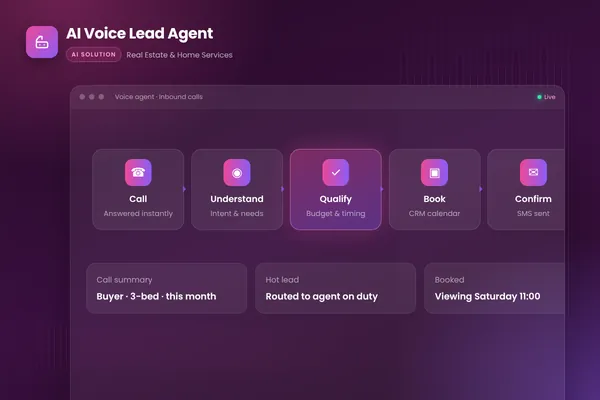
Our AI Voice Lead Qualification Agent case study is an example: a voice agent that answers, qualifies and books straight into the CRM calendar, then sends confirmations by text, with calls transcribed and summarised and hot leads routed to a person. The stack listed there is OpenAI Realtime, Twilio, Node.js, the HubSpot API and PostgreSQL.
What does that service contain?
Seven parts, each small. Together they cover the failures this guide described.
| Part | Job | Why |
|---|---|---|
| Tool endpoints | Answer lookups and bookings in a few seconds | Callers wait on them |
| Per-number queue | Serialise writes for one phone number | Prevents duplicate contacts |
| Idempotency keys | Call ID plus event type; derived event IDs | Retries and interruptions are safe |
| Rate pacer | Keep under search and burst limits | Avoids 429 errors |
| Field map | One file mapping answers to CRM properties | Review and change in one place |
| Dead-letter list | Failed writes for a person | Nothing is lost |
| Audit log | Request, decision and result per call | Answers "why did it do that?" |
Each part is a few hours to a few days of work. The value is that they exist before the first live call, not after the first duplicate.
| Native connector or middleware | Thin integration service | |
|---|---|---|
| Speed to start | Fastest | About 30 days to a pilot |
| Mid-call lookup | Only if offered; middleware adds delay | Built to your time budget |
| Repeat-safe writes | Not visible to you | Designed in |
| Audit trail | The vendor's or platform's log | Your own log |
BufferSol Technologies · buffersoltech.com
Which failure modes show up first, and how do you catch them?
The six that CloudTalk lists, plus the retry and time-zone problems from the vendor docs. The table pairs each with a test.
| Failure | Where it comes from | How to catch it |
|---|---|---|
| Duplicate contacts | Loose matching; search lag (HubSpot) | Two calls from one new number within a minute |
| Wrong or dropped fields | Mapping errors (JustCall) | Open each record and compare field by field |
| Double bookings | Retries; interruptions (Retell) | Interrupt a booking mid-call, then retry |
| Wrong time | UTC defaults (Google, Graph) | Book from another time zone |
| Rate-limit errors | Burst of call starts (HubSpot) | Twelve calls inside one second |
| Silent write failures | Middleware; no alert (CloudTalk) | Count calls against records daily |
How do you test the integration on 20 calls?
Run 20 scripted or real calls in a sandbox CRM and calendar, then inspect every record. Five tests are cheap and four more catch the hard cases. This extends the idea in CloudTalk's setup steps, which suggest running five test calls and checking records field by field.
| Bucket (calls) | What it tests | Pass mark (BufferSol view) |
|---|---|---|
| Known caller (4) | Lookup, greeting, correct contact | 4 of 4 matched, no new contact |
| New caller (4) | Create or log rule; one record only | 4 of 4 one record; none duplicated |
| Booking (4) | Offer, book, confirm, time zone | 4 of 4 correct time; one event each |
| Change of mind (4) | Interrupt and re-book | One live booking per call |
| Failure injection (4) | CRM down, slow tool, 429 | Caller told the truth; write retried; none lost |
Any duplicate contact, double booking or lost write is a fail for the whole bucket. Repeat the failed bucket after the fix. The pass marks are our view, not a standard.
How does the integration differ for inbound and outbound calls?
Inbound calls start with an unknown number and a caller who wants something; outbound calls start from a CRM record and a reason to call. For inbound, the lookup is the first step and the no-match rule matters. For outbound, the CRM supplies the contact, the reason and the consent state before the number is dialled.
Outbound adds rules the inbound case does not have. Check consent and calling hours before the call is queued, as our TCPA guide explains for the US, and record the result of every attempt, including no answer, in the same call-record fields. Read our AI outbound calls guide for the full outbound flow, our AI call center guide for inbound volume and our AI receptionist guide for the front-desk case. The service page is AI voice agents.
Which BufferSol guides help at each step of the build?
One guide per step, in the order a team meets the problems.
| Step | Guide |
|---|---|
| Decide what the agent should do | AI voice agents guide |
| Design the greeting and flow | AI receptionist |
| Plan for inbound volume | AI call center |
| Plan outbound calling | AI outbound calls |
| Write the booking conversation | AI appointment setter |
| Check calling and consent rules | TCPA and AI calls |
| Test the agent | AI agent evaluation |
| Add approvals | Human-in-the-loop AI agents |
| Handle failures | Workflow exception handling |
| Review vendor data terms | Data processing agreement checklist |
Which fields should the agent capture before you write the script?
Four or five, chosen from what your reports and your next caller need. CloudTalk advises deciding the four or five fields the agent must capture before writing the script, so that the conversation design follows the fields. A starting set for a booking call is below, and the list is BufferSol view.
| Field | Where it lands | Why |
|---|---|---|
| Reason for the call | Call summary and a CRM property | Routing and reports |
| Service or product of interest | A CRM property | Qualification |
| Preferred time and time zone | Calendar booking | Correct booking |
| Contact name and best number | Contact record | Matching and callbacks |
| Consent to follow-up messages | A CRM property with a timestamp | Messaging rules |
Every extra field adds a mapping, a test and a chance of a dropped write. Add fields only when a report needs them. Our AI lead qualification guide shows qualification questions that earn their place.
What if two people share one phone number?
Ask, then match on the name too. A family line or an office desk can map to several contacts, and a HubSpot search on a number returns candidates, not an identity. When more than one contact matches, the agent asks for a name and picks the matching one, or logs the call against the company and flags it for a person.
Do not merge or overwrite contacts from a call. A merge is a decision for a person, with the contact's history in front of them. Our human-in-the-loop guide explains where to place that approval.
How does the agent reschedule or cancel a booking?
By using the stored event ID, not by searching again. When the booking is made, the integration saves the calendar event ID against the call and the contact. A caller who rings back to move the appointment is matched by number, the stored event is found by ID, and the agent changes that event rather than creating a new one.
This is the same idea as the one-live-booking-per-call rule above. If no stored ID matches, the agent offers to book fresh and flags a possible duplicate for a person. Our AI appointment setter guide covers the conversation, and the missed-call booking automation is the ready-made version.
What should you ask a voice platform before you commit?
Eight questions, each answerable in writing, drawn from the gaps in the pages we read.
| Question | Why it matters | Source of the concern |
|---|---|---|
| Is a mid-call CRM lookup built in, or only post-call write-back? | Buyers are quoted the second for the first | CloudTalk |
| What is the default tool timeout, and can I set it to seconds? | Defaults are 120 and 20 seconds | Retell, Vapi |
| Are failed tool calls or webhooks retried, and how often? | Retries can duplicate writes | Retell webhooks |
| What is sent if the caller interrupts a tool call? | The request may still finish | Retell |
| Can I verify that a request came from you? | Endpoints are public | Retell |
| What call data do webhooks carry, and what is stored? | Data minimisation | Retell webhooks, GDPR Art. 5 |
| Can I see and edit the field mapping? | Mismatches create duplicates | JustCall |
| What happens on a failed CRM write? | Silent drops | CloudTalk |
Retell's docs say to verify the X-Retell-Signature header against the raw request body, which is the kind of control to ask every vendor about. Keep the written answers with your test results, and use our AI agent evaluation guide to turn them into a repeatable check.
Who should own the field map after launch?
A named person in operations, not the engineer who built it. The field map changes whenever the CRM changes, and CloudTalk says the hard part is "keeping that map current as the CRM changes." Give the owner a weekly five-minute check: open five recent call records and compare each field with what was said.
Put the map in one file under version control, with a changelog. When someone renames a property in the CRM, the check should fail loudly. Our AI agent evaluation guide and data processing agreement checklist cover review and vendor terms.
What changes in AI voice agent CRM integration in 2027?
Three things, each labelled. First, API versions keep moving, and the docs show it: HubSpot's current search guide lists date-based versions such as 2026-09 in its endpoint paths, and its limits page names developer platform versions 2025.2 and 2026.03. Pin the version you tested, and expect to re-test each year.
Second, vendors keep adding tool and webhook features, so the retry and timeout defaults in this guide may change; Retell's blog post on tools and actions is dated 17 November 2026. Third, BufferSol view: buyers will ask to see the function contract, the retry rules and the duplicate tests in writing before signing, because those decide whether an agent can be trusted with live CRM data. Our AI voice agents guide and AI outbound calls guide cover other planning decisions.
What should you do in the first week, before any build?
Four checks that cost a few hours each. First, list the four or five fields you report on and where each lives in the CRM. Second, export 50 recent inbound calls with their outcomes, which shows how many callers are already in the CRM and how many are new, the split that decides your lookup design. Our AI receptionist guide and AI call center guide help you classify call types.
Third, read your CRM's rate limits and API version, using the numbers in this guide as a template. Fourth, size the call volume against cost with the AI receptionist cost calculator and the AI agent pricing table. If the answers look workable, the AI voice agents guide, the AI agent architecture guide and our AI voice agents service are the next stop, and the AI Voice Lead Qualification Agent case study shows a build.
What a 30-day pilot delivers for voice agent CRM integration
A working agent on your real calls inside 30 days, in two stages, matching the delivery model on our AI voice agents service page.
| Week | Deliverable |
|---|---|
| 1 | CRM and calendar access in a sandbox; field map and contact-matching rule agreed |
| 2 | Prototype: live lookup, availability, booking and a call record, passing the 20-call test |
| 3 | Live pilot on a first slice of calls; every write logged; a person reviews held items |
| 4 | Review: duplicates, booking errors, write failures; decide what to widen |
What you provide: admin access to a sandbox and then the live CRM and calendar, your booking rules, the four or five fields you report on, and 30 minutes a week. How success is measured: zero duplicate contacts and double bookings in the pilot slice, the share of calls with a complete record, and the 20-call test result. A pilot cannot prove every call type works; it proves the slice.
Is this right for you?
Check the signs. If most apply, a scoped estimate is worth your time.
- Callers want appointments or callbacks, and staff re-key what the agent hears.
- Your CRM holds the contact history callers should be recognised by.
- You can name an owner for the field map and the weekly record check.
- You can accept a pilot on a small slice before any wider rollout.
- Duplicates, missed bookings or lost call notes are costing you now.
The ready-made option for missed calls is the missed-call booking automation, built and run for you, and the CRM hygiene automation cleans the data the agent will use.
How does this connect to the rest of BufferSol's voice work?
Through one service line, one case study and a set of related guides.
| Where you are | Start here |
|---|---|
| Want the service overview | AI voice agents |
| Want a built voice agent | AI Voice Lead Qualification Agent case study |
| Want it built and run for you | Missed-call booking automation |
| Want clean CRM data first | CRM hygiene automation |
| Want to size the cost | AI receptionist cost calculator |
| Want vendor prices as stated | AI agent pricing 2027 table |
| Want the architecture | AI agent architecture |
| Want a readiness check | AI readiness assessment |
| Want to review vendor data terms | Data processing agreement checklist |
| Want the pillar overview | AI voice agents guide |
What should you read next?
| If you want to | Read |
|---|---|
| Understand the whole voice agent | AI voice agents guide |
| Build a receptionist | AI receptionist |
| Handle inbound volume | AI call center |
| Call leads back | AI outbound calls |
| Book appointments | AI appointment setter |
| Check calling rules | TCPA and AI calls |
| Qualify callers as leads | AI lead qualification |
| Test an agent | AI agent evaluation |
| Add approvals | Human-in-the-loop AI agents |
Where does each source come from, and when was it checked?
Twenty-two pages, each opened in November 2026, with the date the page itself shows where it shows one.
| Source | Publisher type | Page date | Used for |
|---|---|---|---|
| Retell blog | Voice platform blog | 17 Nov 2026 | Calendar and CRM tool pattern |
| Retell custom function | Voice platform docs | Not shown | Timeouts, retries, interruptions |
| Retell webhooks | Voice platform docs | Not shown | Events, 10-second retry |
| Vapi function tools | Voice platform docs | Not shown | Tool response contract |
| Vapi server events | Voice platform docs | Not shown | Timeouts, retries |
| Google free/busy | Calendar API reference | Not shown | Availability, UTC default |
| Google quotas | Calendar API guide | Not shown | Request limits, backoff |
| Google events | Calendar API reference | Not shown | Caller-supplied event IDs |
| Google create events | Calendar API guide | Not shown | Notifications |
| Microsoft Graph getSchedule | Calendar API reference | Not shown | Availability, UTC default |
| Cal.com slots | Scheduler API reference | Not shown | Slots, empty result |
| Cal.com booking | Scheduler API reference | Not shown | Attendee fields |
| HubSpot limits | CRM developer docs | Not shown | Rate limits |
| HubSpot search | CRM developer docs | 16 Nov 2026 | Search limit, lag, phone format |
| HubSpot calls | CRM developer docs | Not shown | Call record fields |
| HubSpot contacts | CRM developer docs | Not shown | Lookup by identifier |
| ElevenLabs | Voice platform blog | Not shown | Native versus webhook tools |
| CloudTalk | Telephony vendor blog | 19 Aug 2026 | Failure modes |
| JustCall | Telephony vendor blog | Not shown | Field mapping |
| GDPR Article 5 | Regulation, unofficial copy | In force | Data minimisation |
| Twilio recording docs | Telephony docs | Not shown | Recording consent warning |
| ITU-T E.164 | Standards body | In force | Number format |
Facts checked November 2026. We opened and re-read the pages above and compared each quotation with the live page text. Re-check limits, defaults and legal rules before you build or launch.
Facts we did not re-check: Salesforce API limits and objects (not opened, so no Salesforce claim is made); the monday.com and DestinationCRM pages named in our research (not re-opened); the ElevenLabs quotations were read from text saved by plain curl and not from a second live fetch; call-recording laws by country (Twilio names consent laws but we did not open any statute). We did not try to get around any block.
If your calls should end in a booking and a clean CRM record, ask BufferSol for a scoped estimate of a 30-day voice-agent integration pilot on your own CRM and calendar, so the 2027 budget and a Q1 2027 start are settled before your next planning round.
Frequently asked questions
How does an AI voice agent connect to a CRM?
Through two paths. During the call, the agent calls your server with a function tool to look up the caller or write a field, as Vapi and Retell document. After the call, a webhook sends the transcript, summary and outcome to your integration service, which writes a call record to the CRM. Native connectors can cover both paths, but check which one they actually support.
Can an AI voice agent check a calendar and book during the call?
Yes. Retell says an agent checks a calendar by calling the scheduling system's availability tool during the call, offers the open slots and books the one the caller confirms. The risks are time zones, double bookings and retries, so set a time zone on every query and re-check availability immediately before the booking request.
How do you prevent double bookings and duplicate CRM records?
Make every write safe to repeat. Derive the calendar event ID from the call ID and slot, re-check free/busy just before booking, and queue CRM writes per phone number. Google says caller-supplied event IDs must be unique per calendar but collisions may not be detected at creation, and Retell says a custom function can run more than once.
What should a voice agent write to the CRM after a call?
A call record linked to the contact: timestamp, direction, duration, from and to numbers, status, outcome, a short summary, a recording link and the next step. HubSpot's calls API lists these as properties, and requires the timestamp. Write notes and tasks freely, and ask a person before changing deal stage, owner or amount.
Do CRM API rate limits affect a voice agent?
Yes, in bursts. HubSpot limits apps installed by an account to 110 requests every 10 seconds and its search endpoints to five requests per second per account, and Google Calendar allows 600 requests per minute per user per project. A burst of call starts can hit the search limit, so queue lookups, cache known callers and never block the greeting on a lookup.
Should I use a native connector, an automation platform or a custom integration?
Use a native connector when it covers the mid-call lookup and the fields you need. Use middleware only if you give it an owner, because CloudTalk notes it is where silent field drops happen. Build a thin custom integration when you need queues, idempotent writes, exact field mapping and your own audit log. BufferSol builds the third kind in a 30-day pilot.
How long does it take to connect a voice agent to a CRM?
With BufferSol, a working agent on your real calls takes about 30 days: a prototype in about two weeks with live lookup, booking and a call record in a sandbox, then a live pilot on a first slice of calls. Field mapping, rate-limit tuning and edge cases for every call type take longer and depend on the state of your CRM.
Sources
- AI Voice Agent Tools and Actions: How Agents Check Calendars, Update CRMs, and Hand Off Calls, Retell AI
- Custom function, Retell AI docs
- Webhook overview, Retell AI docs
- Function tools, Vapi docs
- Server events, Vapi docs
- Freebusy: query, Google for Developers
- Manage quotas (Google Calendar API), Google for Developers
- Events (Google Calendar API reference), Google for Developers
- Create events (Google Calendar API), Google for Developers
- calendar: getSchedule, Microsoft Learn (Microsoft Graph)
- Get available time slots for an event type, Cal.com docs
- Create a booking, Cal.com docs
- API usage guidelines and limits, HubSpot developer docs
- CRM search, HubSpot developer docs
- CRM API: Calls, HubSpot developer docs
- CRM API: Contacts, HubSpot developer docs
- AI voice agent integrations: CRM and help desk guide, ElevenLabs
- AI Voice Agent with CRM Phone Integration: What Actually Gets Written Back, CloudTalk
- How to integrate AI voice agents with CRM systems like HubSpot or Salesforce, JustCall
- Art. 5 GDPR: Principles relating to processing of personal data, gdpr-info.eu (unofficial text of Regulation (EU) 2016/679)
- Recording (Twilio Voice API), Twilio docs
- E.164: The international public telecommunication numbering plan, ITU-T
Cite this article
BufferSol Editorial Team (2026). AI Voice Agent CRM Integration in 2027: 7 Ways to Connect Calls, Your CRM and Your Calendar. BufferSol Technologies. https://buffersoltech.com/blog/ai-voice-agent-crm-integration-2027
BufferSol Editorial Team
AI & software engineering team
Senior engineers, AI specialists and product leads at BufferSol Technologies who design, build and run AI agents, autonomous workflows and custom software for companies in the US, UK and Europe.
Reviewed by Sufyan K., Senior Writer, BufferSol Technologies.